DEQX User Manual
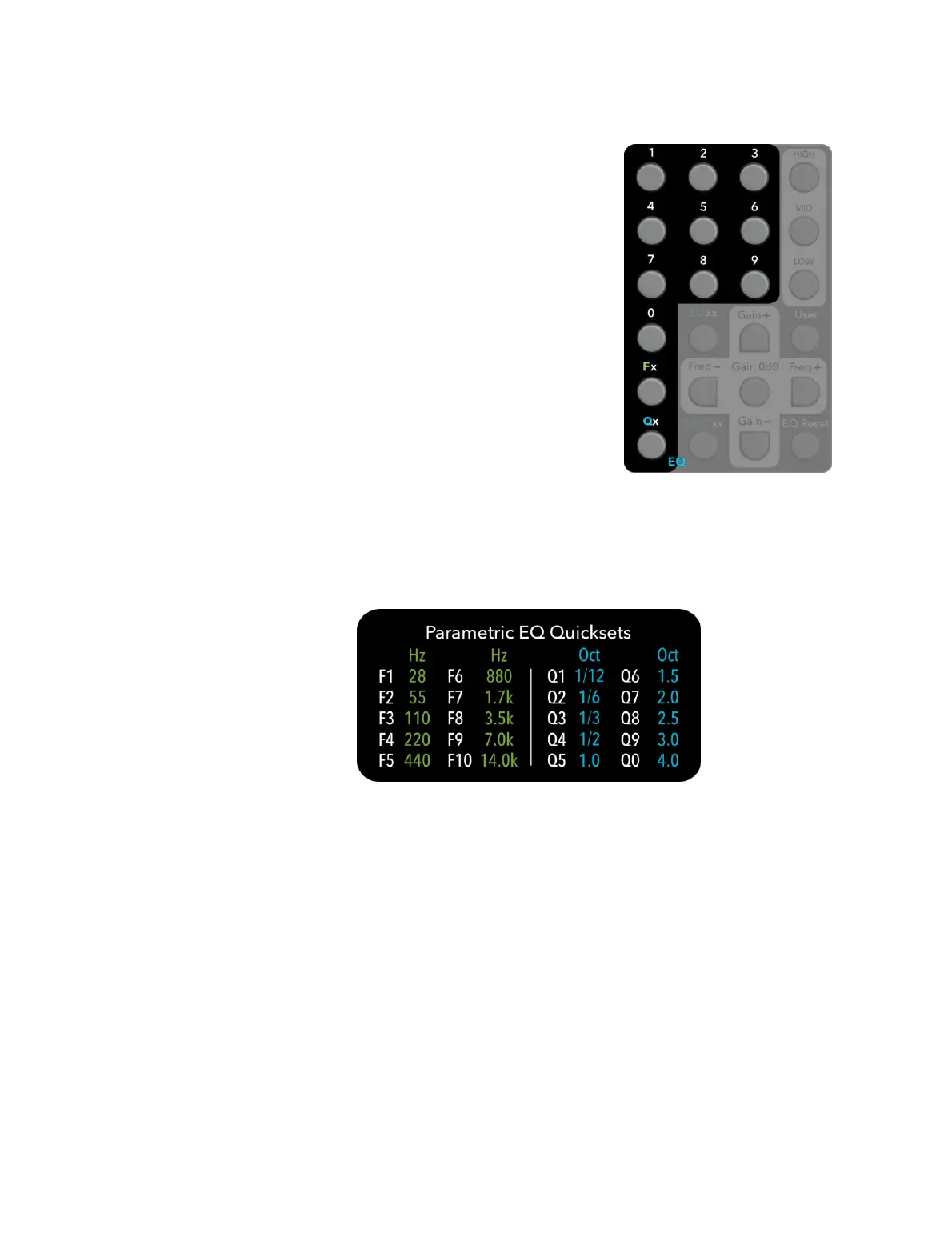
To change to a specific frequency:
Press Fx and then a single digit. The Profile LED
corresponding to the active EQ band will briefly
light green. The frequency of the active EQ band
will be changed to the corresponding Quickset
value printed on the back of the remote control
and also shown below.
(Note that to access F10, you can simply press Fx
and then the digit 𝟢. Pressing Fx, then 1 and then
𝟢 will have the same effect.)
To change the MID band Q:
Press Qx and then a single digit. The Profile LED
corresponding to the active EQ band will briefly
light green. If the active EQ band is MID, the Q will
be changed to the corresponding Quickset value (see below). If the active EQ
band is LOW or HIGH, there will be no change.
Quickset values
The back of the remote contains a key for the Quickset values of frequency and Q:
Frequency Quicksets
The nominal audio band of 20 Hz to 20 kHz contains ten octaves. The Quickset
frequencies are in the (logarithmic) center of each octave band. Thus, F1 is in the
middle of the lowest octave, and F10 (or F0) is in the middle of the highest octave.
The frequency quickset will get you instantly into the octave of interest, after
which you can use Freq+ and Freq− to fine-tune.
Q Quicksets
The Quickset values of Q range from narrow to very broad. Q1 has a bandwidth of
1/12 of an octave, or approximately a single semitone, so will cut or boost a very
narrow range of frequencies. At the other extreme, Q0 has a bandwidth of four
octaves, so will cut or boost a sizable portion of the audio band.



 To Next Page