DEQX User Manual
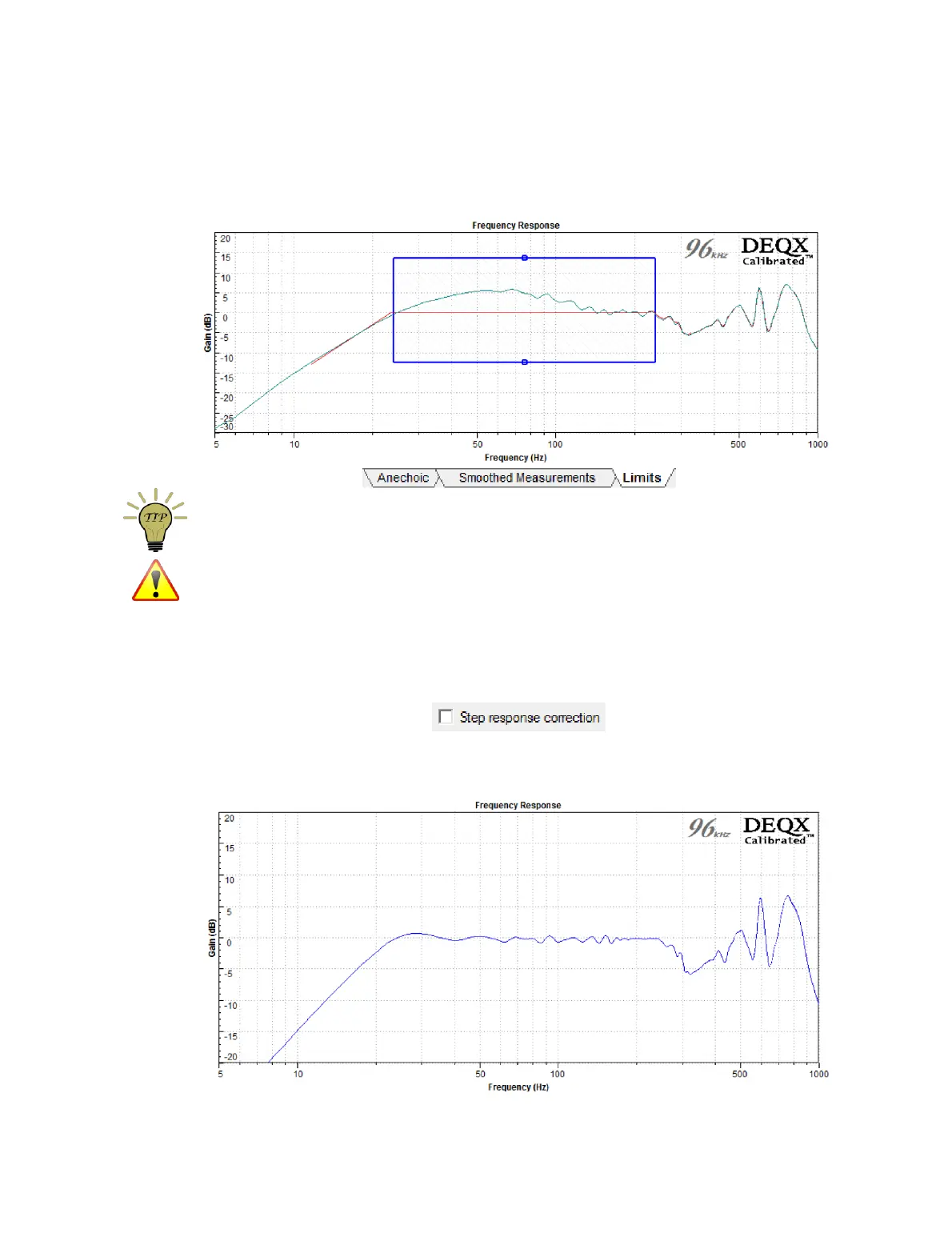
Limits tab. Set the frequency range so that the subwoofer extends from its lowest
useful frequency to significantly past the intended crossover frequency. This example
uses a frequency range from 25 Hz to 250 Hz:
The frequency range limits may be easier to set if the Auto rescale option is turned off.
It is important to be realistic with subwoofer equalization. At the low end of their range,
all speaker drivers can be pushed into excessive distortion if correction is not applied in
a manner that is within the driver’s capabilities. Set the lower limit at a frequency that is
realistic for your subwoofer(s) and listening levels.
Click Finish to initiate generation of the subwoofer correction filters. On the
parameters screen, be sure to turn step response correction off:
After completing the calibration, a verification measurement can be used to confirm the
effect of the correction filter:



 To Next Page