DEQX User Manual
Profile 1 must be set up in the same way, but with the correction filter for the
subwoofer added.
1. Select Profile 1 from the toolbar:
2. Set up limit filters as described on the previous page.
3. Open the Filter Properties dialog box of the subwoofer (or the left subwoofer if
using stereo subwoofers).
4. On the Main Filter tab, select “Use a correction filter for this loudspeaker,” and
select the subwoofer correction filter in the pane that opens underneath:
5. Close the dialog. If using stereo subwoofers, repeat for the right subwoofer.
The speaker and subwoofer icons on the Configuration tab will update to display the
correction and limit filters.
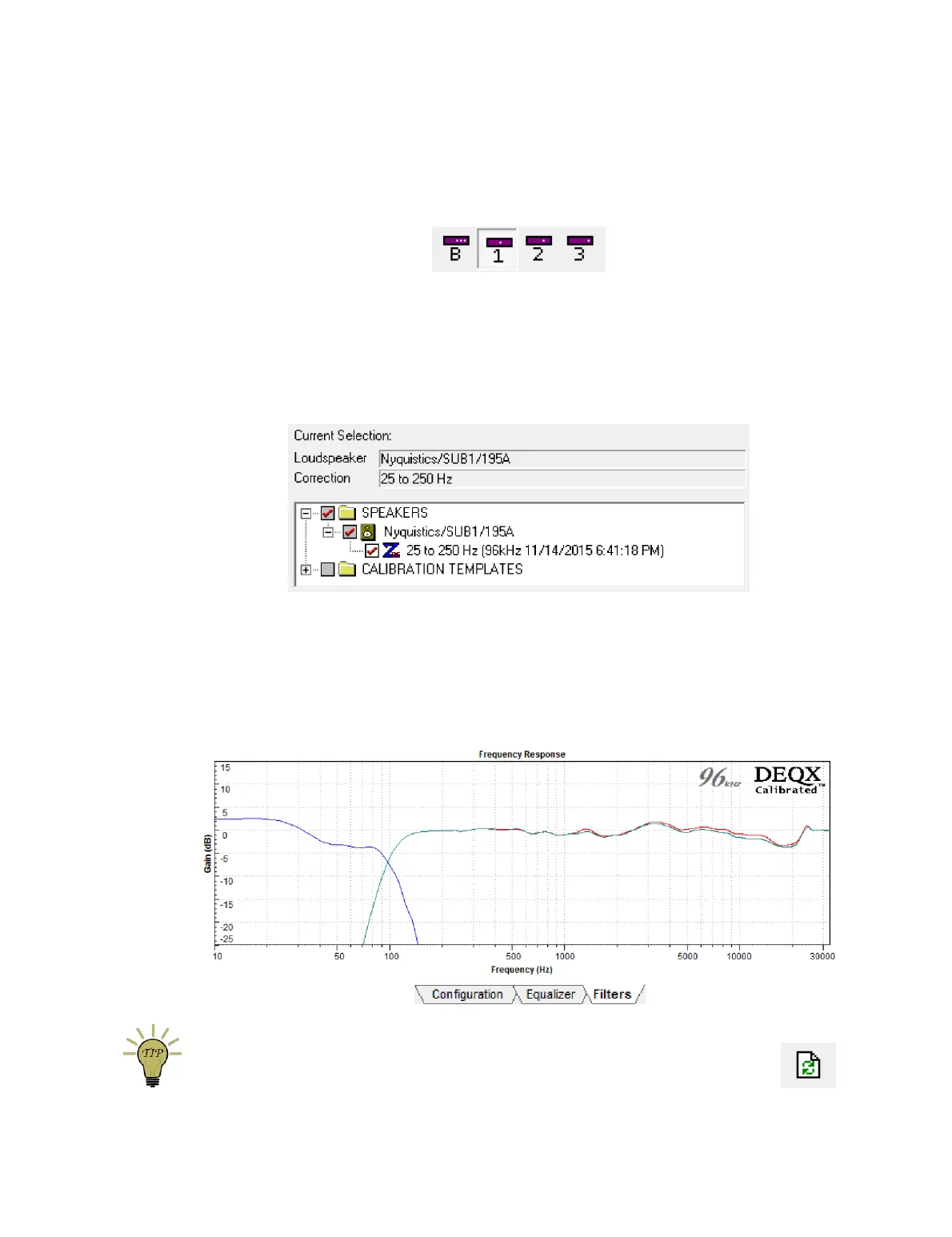
To graphically confirm the effect of these filters, view the Filters tab. The displayed
plots will show the combined effect of the correction and limit filters, as shown here:
When viewing this tab, click the Refresh Filters button to ensure that you are
seeing the latest version of the filters.



 To Next Page