System 3505 Installation & Operation Manual
Digitize, Inc. 700248-0002 Rev. C 02/16
Specification Subject to Change Without Notice
21-3
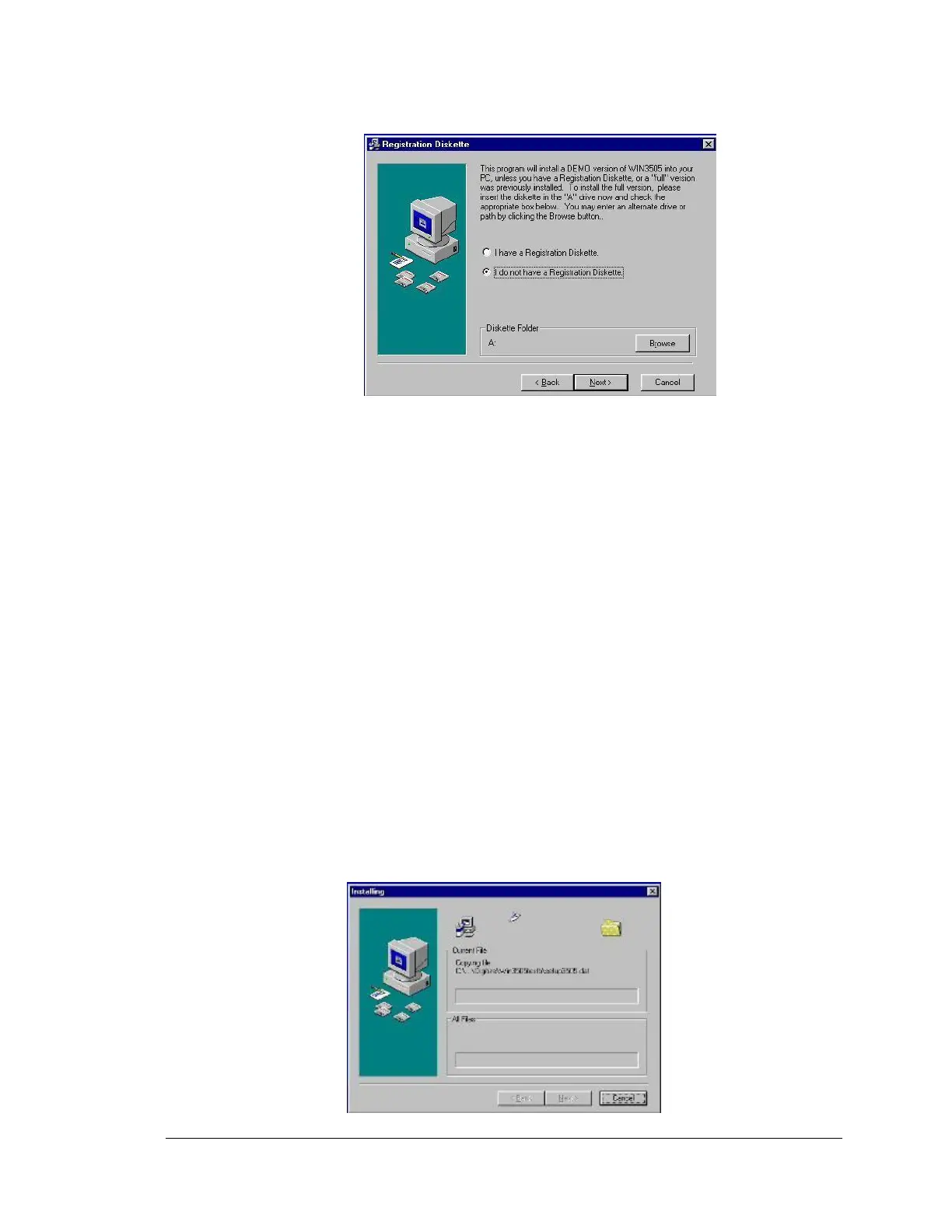
A purchased, registered, copy of the WIN3505 is delivered with the WIN3505 CD and a
WIN3505 Diskette. This diskette has the key program that registers the full version of
WIN3505 software. The full version allows customers to write, save, and edit alarm alerts to
the SYSTEM 3505. Place this diskette into the computer’s diskette drive (this usually
designated as the “A” drive). Click the Radio button next to: “I have a Registration
Diskette.” Click the NEXT button to continue with the software installation.
The DEMO version is delivered as only a single CD with the SYSTEM 3505. With the
DEMO version of the WIN3505, upload and save the system program and any custom
messages that were programmed directly into the SYSTEM 3505 (Refer to Section 4 of the
SYSTEM 3505 Installation and Operation Manual). However, with the DEMO version, users
can only down load the systems program and generic messages. To down load custom
messages to the SYSTEM 3505, a registered copy of WIN3505 is required. Click the radio
button next to: “I do not have a Registration Diskette.” Click the NEXT button to continue
with the software installation. If the letter drive for the 3.5 floppy is different then “A”, click
the BROWSE button and enter the allocated letter for the local 3.5 floppy drive.
Click the BACK button to return to the previous screen.
Click the CANCEL Button to exit the setup program.
Click the NEXT button to continue with the software installation.
The following screen will appear:





 To Next Page