RX1330 M3 Upgrade and Maintenance Manual 189
Expansion cards and backup units
Example network adapter
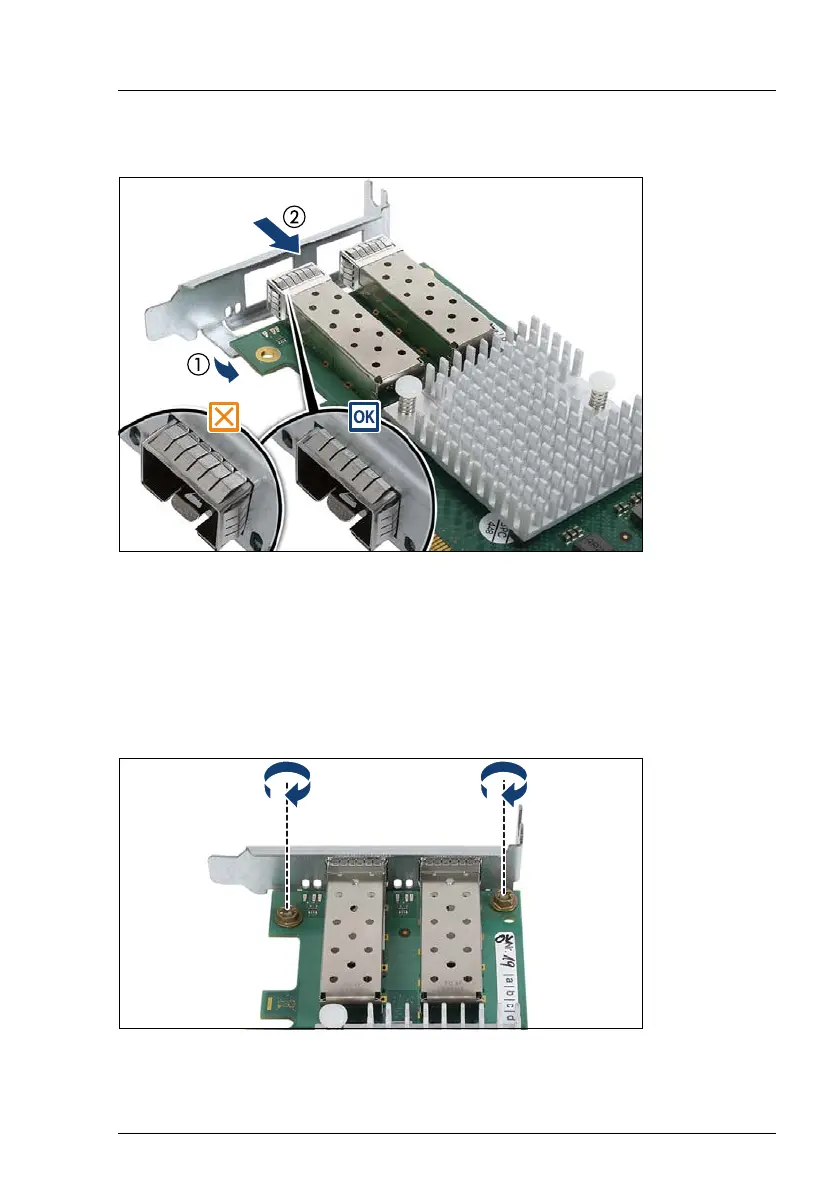
Figure 103: Placing the slot bracket
Ê Place the controller on the mounting tabs on the slot bracket (1).
Ê Carefully shift the slot bracket towards the controller until the plug shells
engage with the cut-outs in the slot bracket connector panel (2).
Ê Ensure that the ESD springs on the plug shells properly engage with the slot
bracket as shown (see circles).
Figure 104: Fastening the slot bracket
Ê Fasten the slot bracket to the controller with two M3 x 4.5 mm screws.



 To Next Page
 Loading...