RX1330 M3 Upgrade and Maintenance Manual 329
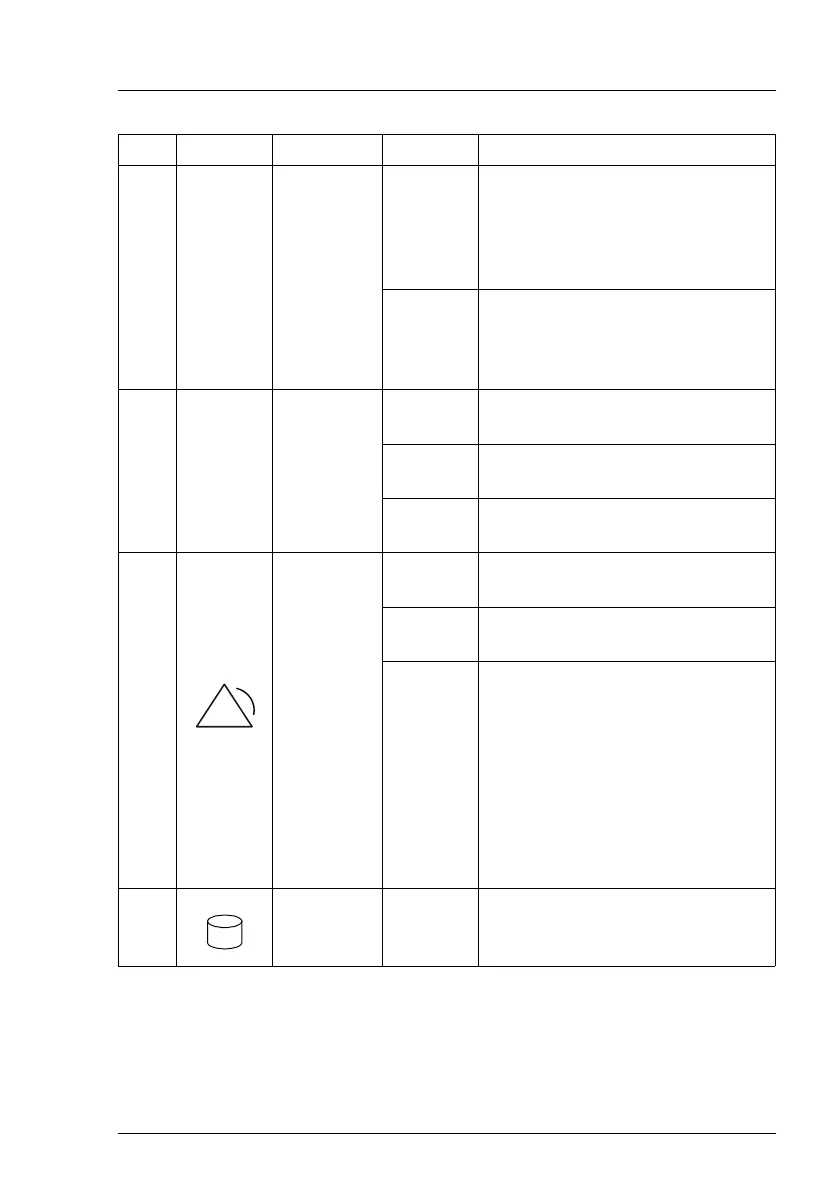
Pos. Label Indicator Status Description
1 ID
ID
indicator,
see also
"iRMC-
related
status
signals" on
page 331
blue on
The server has been highlighted
using ServerView Operations
Manager, iRMC web frontend or
the ID button on the front panel for
easy identification.
blue
flashing
The server has been highlighted
for easy identification using the
iRMC (AVR) with disabled local
VGA output.
2 [CSS]
CSS
indicator
off
No critical event detected (CSS
component).
orange
on
Prefailure event detected (CSS
component).
orange
flashing
CSS component failure detected.
3
Global
Error
indicator,
see also
"iRMC-
related
status
signals" on
page 331
off
No critical event detected (non
CSS component).
orange
on
Prefailure event detected (non
CSS component).
orange
flashing
Non CSS component failure
detected.
Possible causes:
– System is out of the specified
range
– Defective sensor
–CPU error
– Error detected by server
management software
4
HDD
activity
indicator
green
flashing
Data access in progress.



 To Next Page
 Loading...