62 Upgrade and Maintenance Manual RX1330 M3
Basic hardware procedures
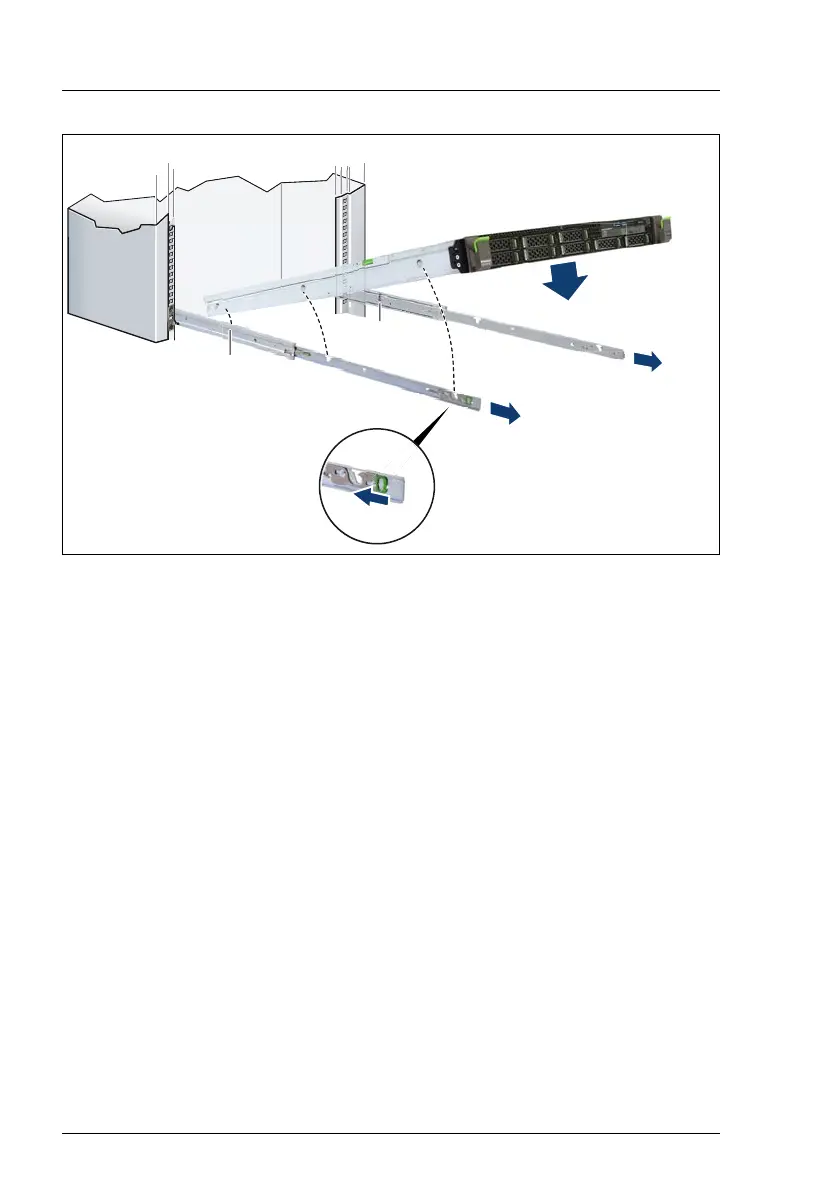
Figure 8: Inserting the server into the rack rails
Ê Fully extend the rack rails until they lock in place (1).
I The rack rails must click into place so that they can no longer be
moved.
Ê At a slight angle, lower the server onto the rear mounting point on the rack
rails (2).
Ê Fold down the server, while pressing the rail to the server side (3). Ensure
that all six rack mounting bolts are properly seated in the mounting points on
the rack rails and that the locking bars engage (4).
햲
햲
햴
햵
햳
햳



 To Next Page
 Loading...