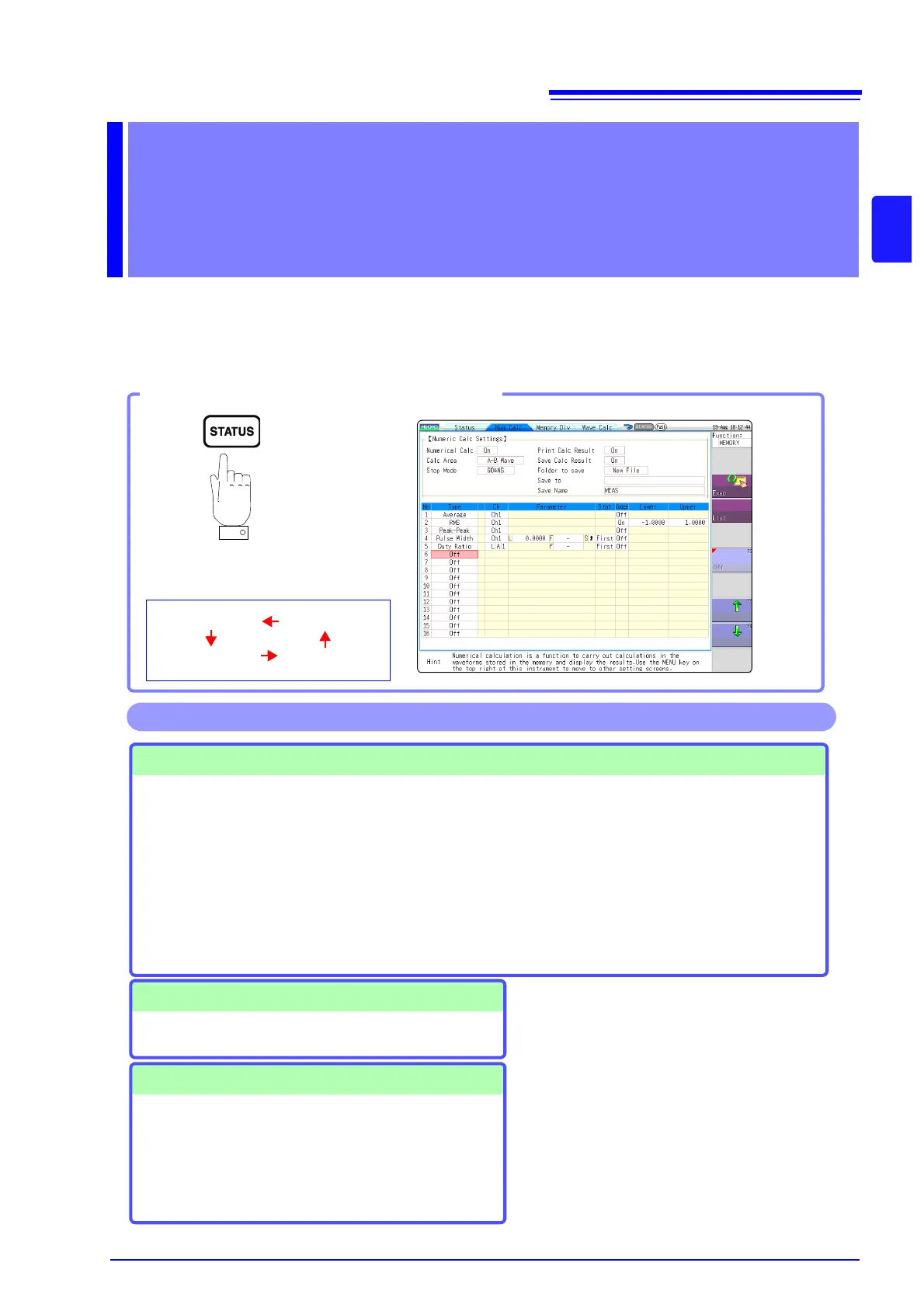
screen. Numerical calculation settings are made on the Status screen - [Num Calc] sheet.
Numerical Calculations
•Average
• RMS (Root-Mean-Square) value
• Peak-to-Peak Value
• Maximum Value
• Time to Maximum Value
• Minimum Value
• Time to Minimum Value
•Period
• Frequency
•Rise Time
•Fall Time
• Standard Deviation
•Area
•X-Y Area
• Time to Level
• Level at Time
•Pulse Width
• Duty Ratio(%)
• Pulse Count
• Four Arithmetic Operations
• Time difference calculation
• Phase contrast calculation
• High level calculation
• Low level calculation
(Total of 24 types)
• Specified calculation between
A/B cursors
Waveform calculations can be limited
to data within the range specified by A/
B cursors.
Calculation operator details:
"10.6 Numerical Calculation Type and
Description" (
p.185)
Numerical Calculation Judgment ( p.180)
The result of a numerical calculation can be compared to a
preset reference range, for GO/NG (Pass/Fail) evaluation.
Save/Print Numerical Calculation Results
• Auto Save numerical calculation results
• Save specified existing numerical calculation result
See: "10.4 Saving Numerical Calculation Results" ( p.183)
•Auto Print
• Arbitrary printing
See: "10.5 Printing Numerical Calculation Results" ( p.184)
Operations available from the [Num Calc] sheet
There are a total of 24 types of numerical
calculations, 16 of which can be performed
simultaneously.
When the Scaling function is used, numeri-
cal calculation is performed on the scaled
value.


 To Next Page