7.4 Performing Waveform X-Y Synthesis
108
This applies to the Memory function and X-Y recorder function.
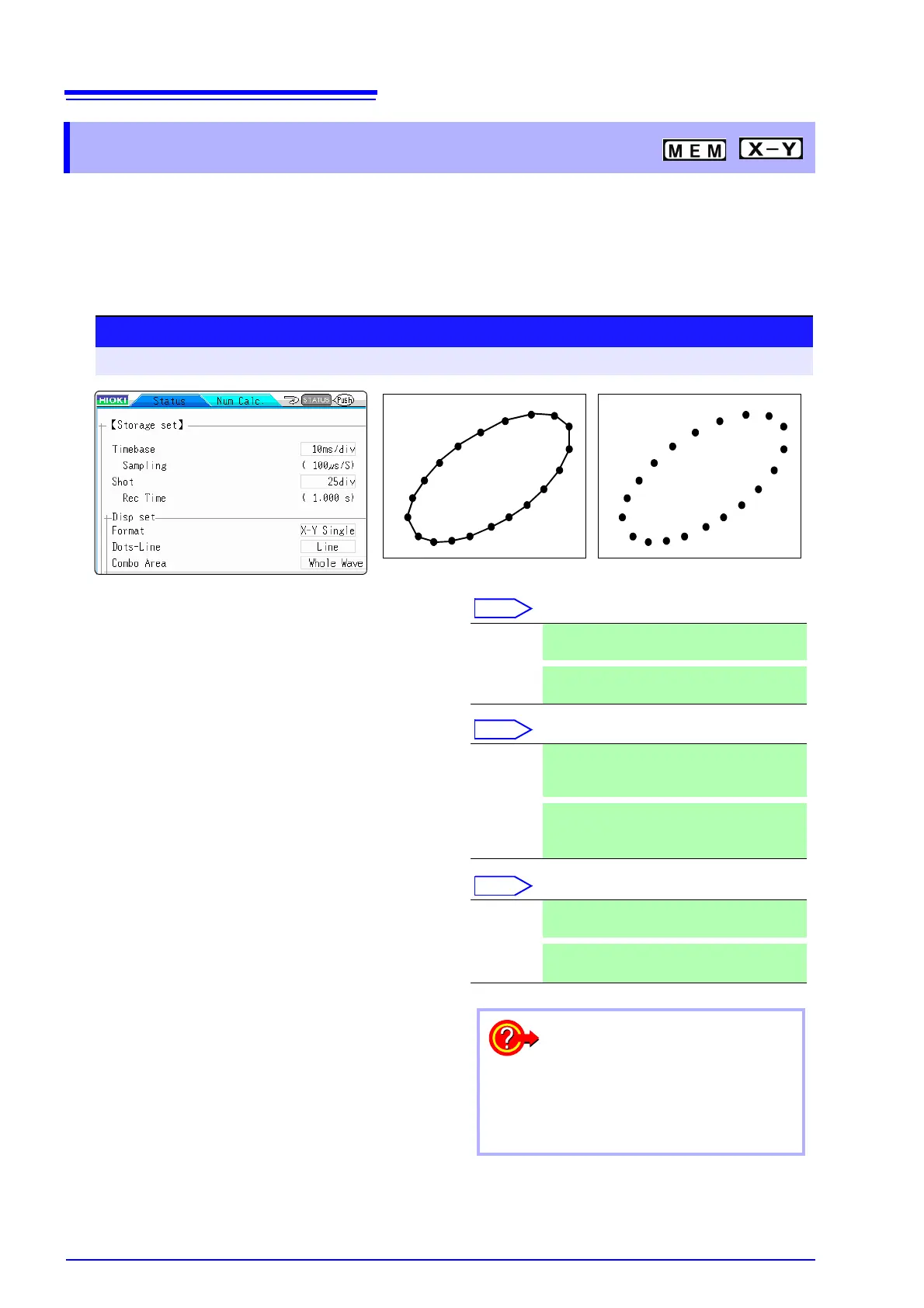
• To perform waveform X-Y synthesis, go to the Status screen, select the [Status] sheet, and set
[Format] to X-Y1 screen or X-Y4 screen. By assigning any analog channel to the X axis and Y
axis, up to 8 X-Y combo displays can be generated.
• Vertical axis (voltage axis) zoom also applies to X-Y synthesis.
7.4 Performing Waveform X-Y Synthesis
1
Move the cursor to the [Format] item.
2
Move the cursor to the [Dots-Line] item.
3
Move the cursor to the [Combo Area] item.
See: "7.2 Specifying a Waveform Range (A/B Cursor)"
(
p.105)
X-Y Single The waveforms of graphs 1 - 8 are shown and
recorded on a single screen.
X-Y Quad
The waveforms of graphs 1 - 8 are shown and
recorded on a quadruplet screens.
Dots Measurement data only are shown as dots.
Order stored in memory will no longer be
known.
Line
Measurement data are linked by a line in the
order stored in memory and shown as a wave-
form. (default setting)
Whole
Wave
All data are used for X-Y synthesis.
A-B Wave
Only data range marked by A/B cursors is used
for X-Y synthesis.
• When [Dots] is selected for the Dot-Line inter-
polation setting, the waveform will be displayed
faster.
• Specify a range using the A/B cursors. (Memory
Function only)
To speed up the time between mea-
surement and waveform display
Procedure
To open the screen: Press the STATUS key → [Status] sheet
Line
Dot


 To Next Page