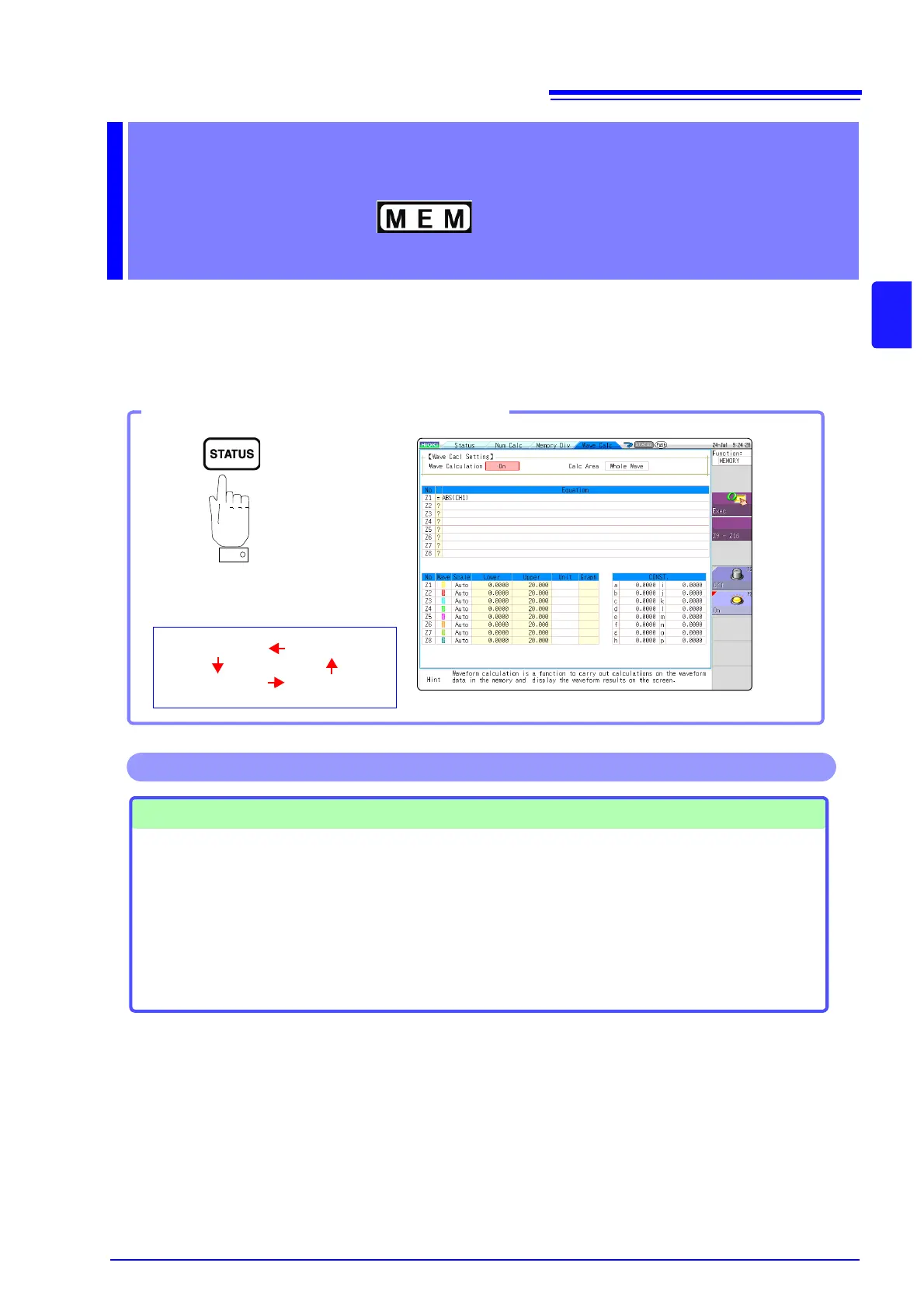
Pressing this key repeatedly dis-
plays the various sheets.
[Status]
[Num Calc]
Opening the [Wave Calc] sheet
[Wave Calc]
[Memory Div]
Waveform Calculations
• Four Arithmetic Operators
(+, -,
∗, /)
• Absolute Value (ABS)
• Exponent (EXP)
• Common Logarithm (LOG)
• Square Root (SQR)
• Moving Average (MOV)
• Slide along the time axis
• Differential Calculus: 1
st
deriva-
tive (DIF), 2
nd
derivative (DIF2)
• Integral Calculus: 1
st
integral
(INT), 2
nd
integral (INT2)
• Trigonometric functions (SIN,
COS TAN)
• Inverse Trigonometric functions
(ASIN, ACOS ATAN)
(Total 11 types)
• Specified calculation between
A/B cursors
Waveform calculations can be lim-
ited to data within the range speci-
fied by A/B cursors.
Calculation operator details:
"11.3 Waveform Calculation Operators
and Results" (
p.198)
In addition to the four arithmetic operators, 10 types of functions can be used. It is possible to set up
to 16 calculation formulas.
When Scaling is enabled, numerical calculations are performed on scaled values.
Operations available from the [Wave Calc] sheet


 To Next Page