15.1 LAN Settings and Connection (Before Using FTP/Internet Browser/Command Communications)
263
12
Chapter 15 Connection to a Computer
15
Connect the instrument to a PC with a LAN cable as follows.
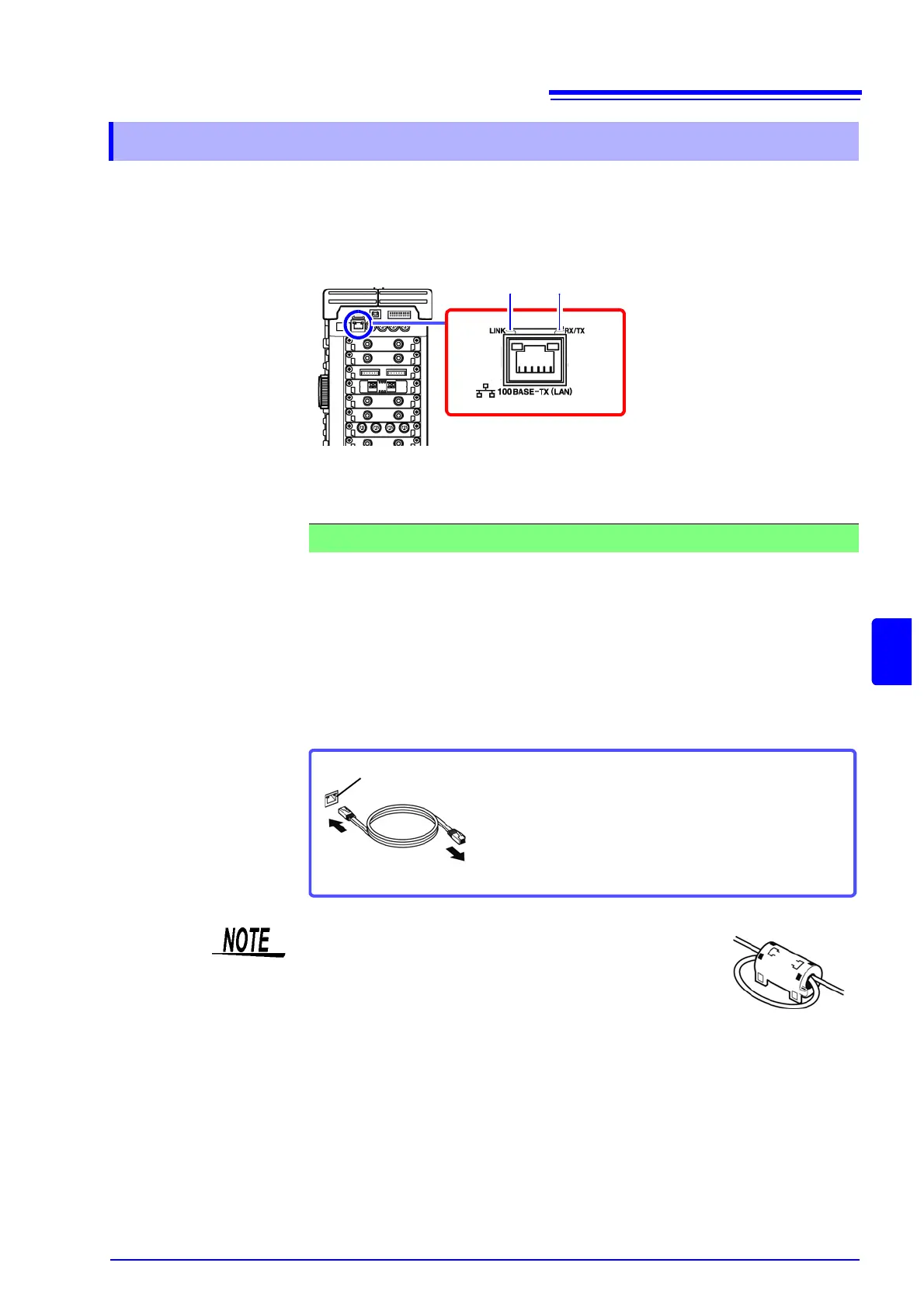
1. Plug the LAN cable (100BASE-TX compliant) into the 100BASE-TX connector
on the right side of the instrument.
2. Connect the above LAN cable to the PC. There are two ways to do this.
You can monitor and control the instrument from a PC by connecting the instru-
ment to a hub with LAN cable (100BASE-TX cable).
15.1.2 Connecting Instrument and PC With LAN Cable
RX/TX LEDLINK LED
Flashes while data is being sent
or received.
Lights while the instrument is capable of
communications with a destination device.
1. Connecting the Instrument to a Network (Connecting the Instrument to a Hub)
Connection cable: Use one of the following.
• 100BASE-TX straight-through cable (maximum length 100 m, commercially
available)
(10BASE-T cable may also be used for 10BASE communications)
• 9642 LAN Cable (option)
100BASE-TX connector
Connect to hub
Connect the crossover adapter to the
100BASE-TX connector on the instrument.
If there is a possibility of noise interference to other equip-
ment in the vicinity, wind the LAN cable once around the
supplied ferrite clamp-on choke (for LAN/USB cable), as
shown in the illustration at right.


 To Next Page