18.2 Initializing the Instrument
314
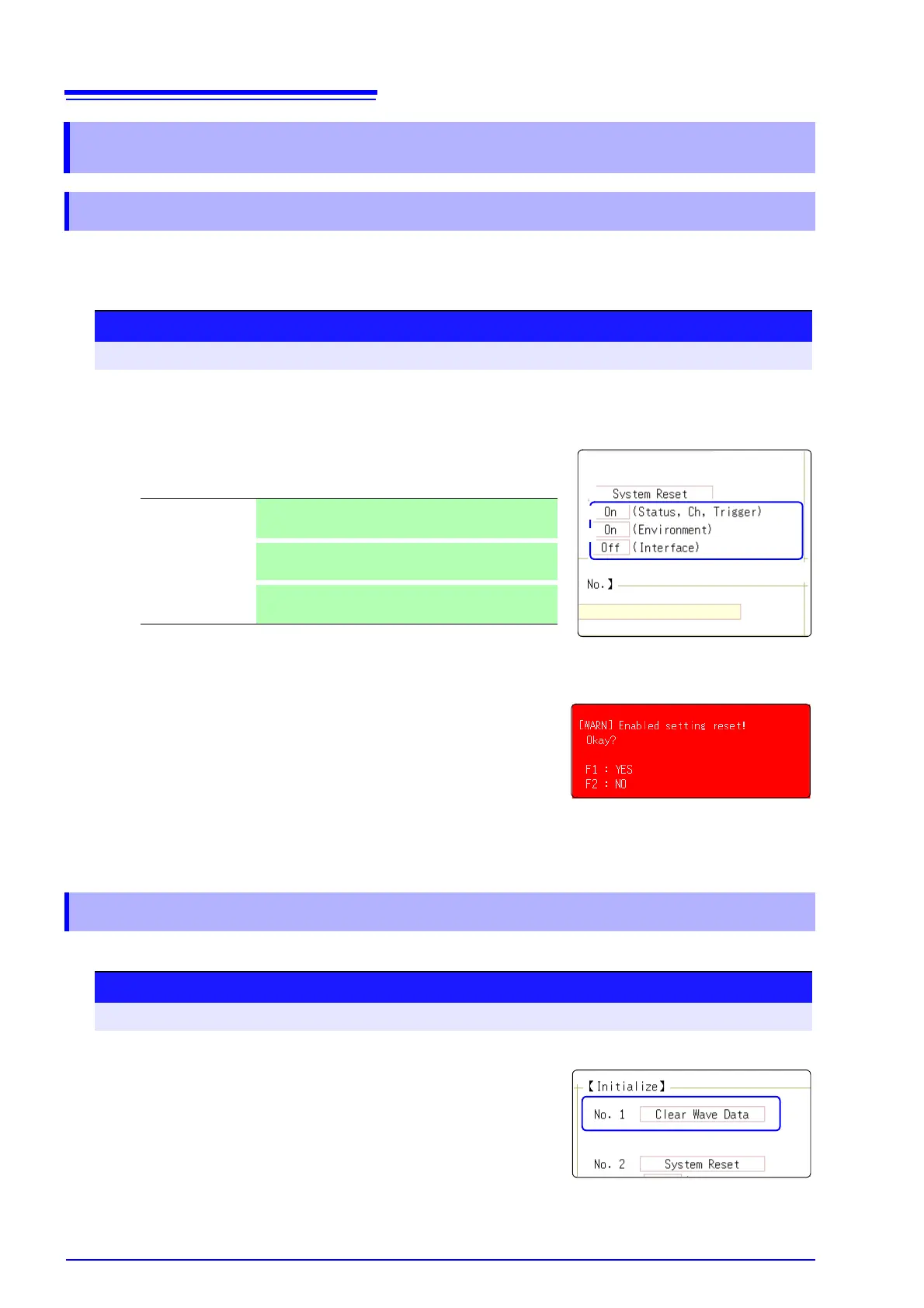
Select groups of settings currently in force on the instrument, and initialize the settings. Initialization returns
the instrument to the factory default state. By default, the setting of [Setting (Stat, Ch, Trig)] and [Setting
(Env)] are selected for initialization in this screen.
Discard the waveform data saved in memory and initialize the data.
18.2 Initializing the Instrument
18.2.1 Initializing System Settings (System Reset)
Procedure
To open the screen: Press the SYSTEM key →[Init] sheet
1
Move the cursor to the item you want to initialize.
2
Select [On].
Select [Off] for the groups of settings that you do not want to initial-
ize.
3
Move the cursor to the [System Reset].
4
Select [Exec].
A confirmation dialog box appears.
5
Select [Yes].
To cancel initializing:
Select [No].
Initialization is complete when "System initialized" appears.
(Status, Ch, Trig-
ger)
Current settings in Status screen, Channel screen,
and Trigger setting window (Default setting: On)
(Environment)
Current settings in the Environment sheet, File Save
sheet, and Printer sheet (Default setting: On)
(Interface)
Current settings in the Interface sheet (Default setting:
Off)
18.2.2 Initializing Waveform Data
Procedure
To open the screen: Press the SYSTEM key →[Init] sheet
1
Move the cursor to the [Clear Wave Data].
2
Select [Exec].
Initialization is complete when "Waveform data erased." appears.


 To Next Page