10.2 Settings for Numerical Value Calculation
179
Chapter 10 Numerical Calculation Functions
10
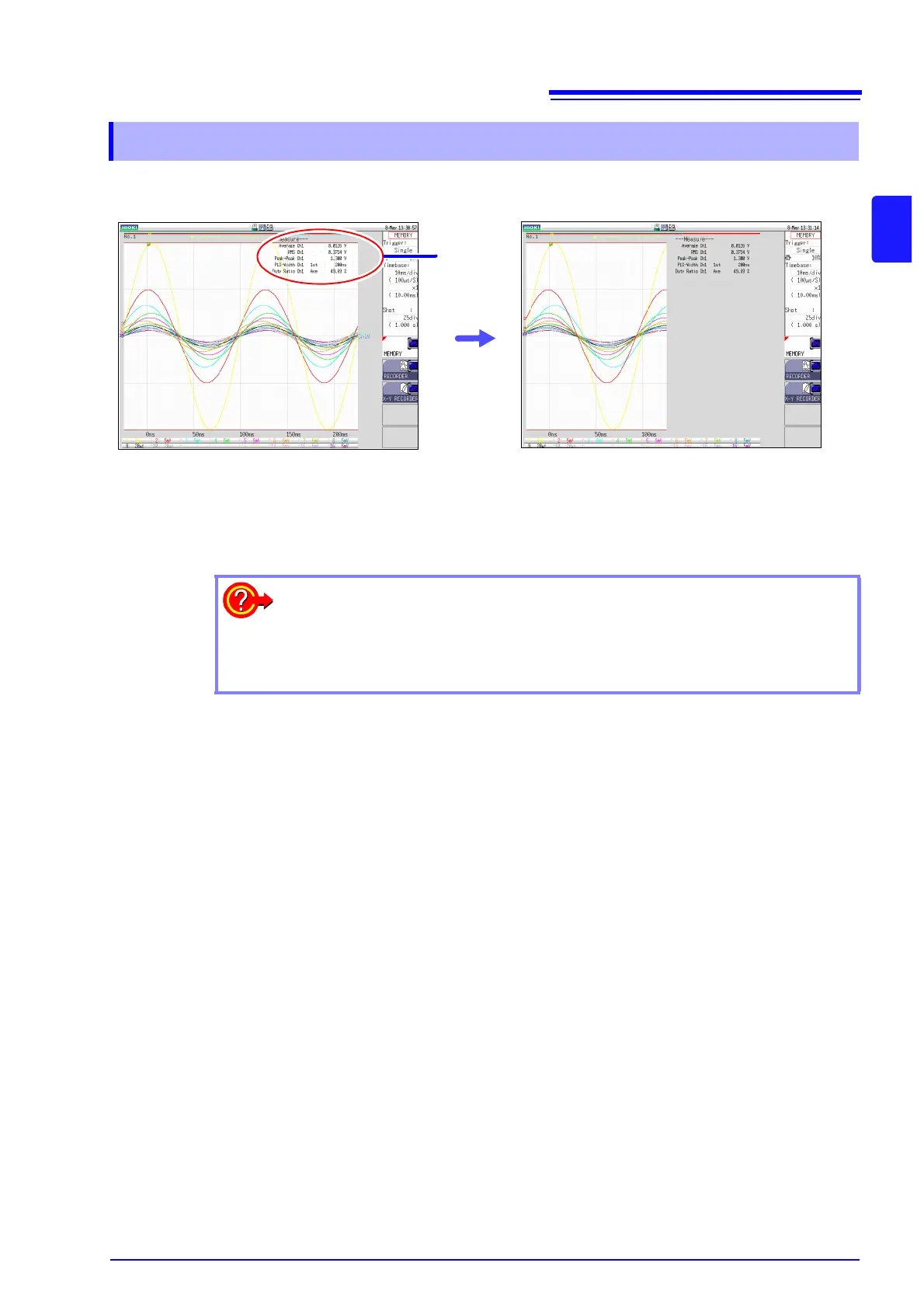
Numerical calculation results are displayed on the Waveform screen
10.2.1 Displaying Numerical Calculation Results
Calculation
Results
If the display is hard to view because of
overlapping numerical values and wave-
forms
Press the DISP key.
Numerical values and waveforms are displayed
separately.
See: "7.7.3 Switching the Waveform Display Width"
(
p.114)
To save calculation results after measuring:
Set the [Select at save] item to [Yes]. When you press the SAVE key after
measurement, you can select the content to be saved. (Select [Calc Result].)
See: "5.2.3 Saving Data Selectively (SAVE Key)" ( p.74)


 To Next Page