258
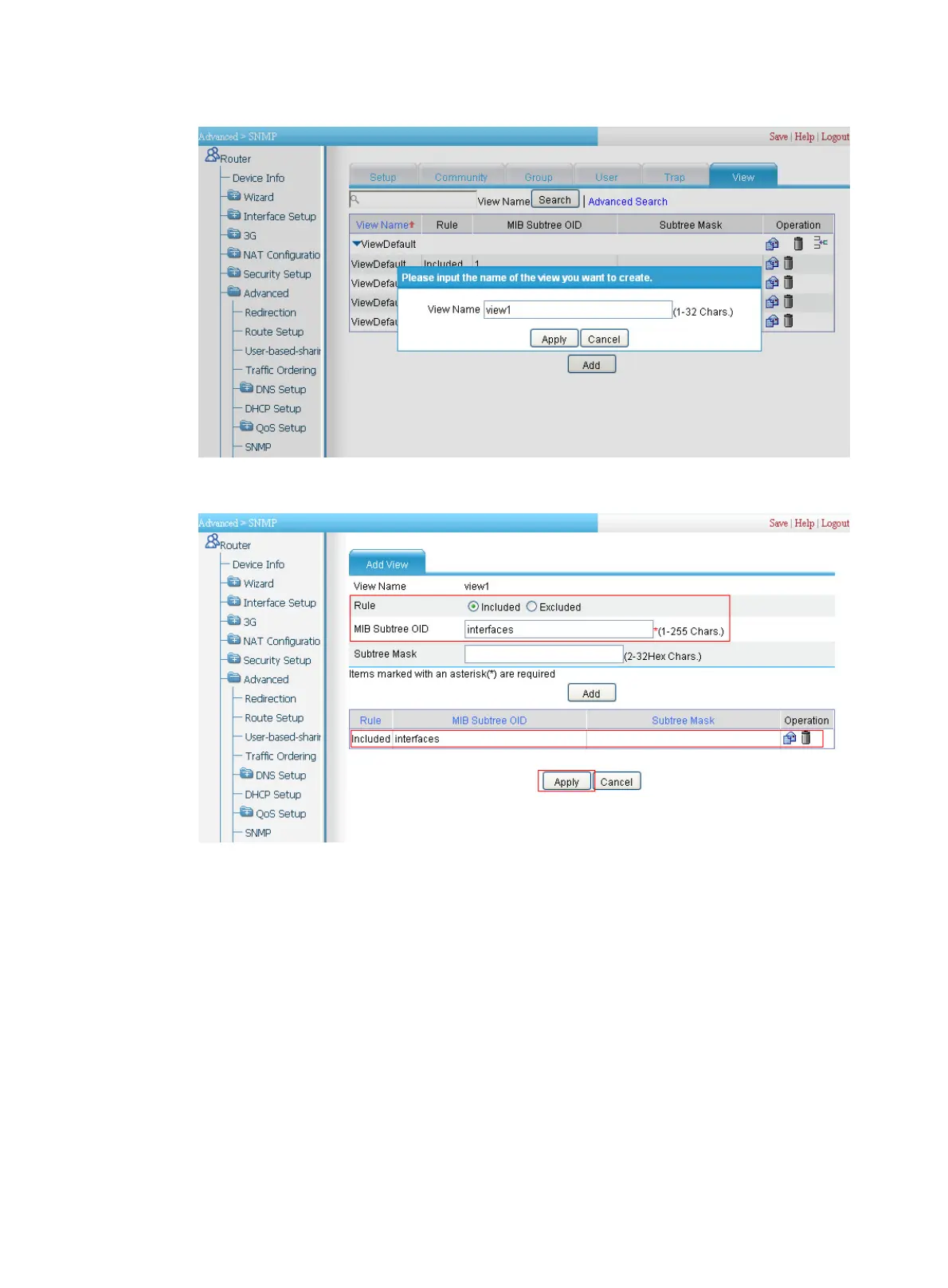
Figure 275 Setting the name of the view to be created
Figure 276 Adding a view named view1
d. Select the Included radio box.
e. Type the MIB subtree OID interfaces.
f. Click Add.
g. Click Apply. A configuration progress dialog box appears, as shown in Figure 277.
h. After the conf
iguratio
n process is complete, click Close.


 To Next Page
 Loading...