240 Keysight N9915-90020 User’s Guide
SA (Spectrum Analyzer) Mode (Option 233–Mixed Analyzers)FUTURE
How to Set Up EMF Settings (Requires EMF (Option 358), GPS (Option 307), and SA
Mode (Option 233–Mixed Analyzers))
c. Press Save Antenna to save your changes. See also Chapter , “File
Saving Naming Options”
and then to “Alpha Numeric Editing” on
page 789.
For more information:
— See also
“GNSS (GPS+) and GPS” on page 795.
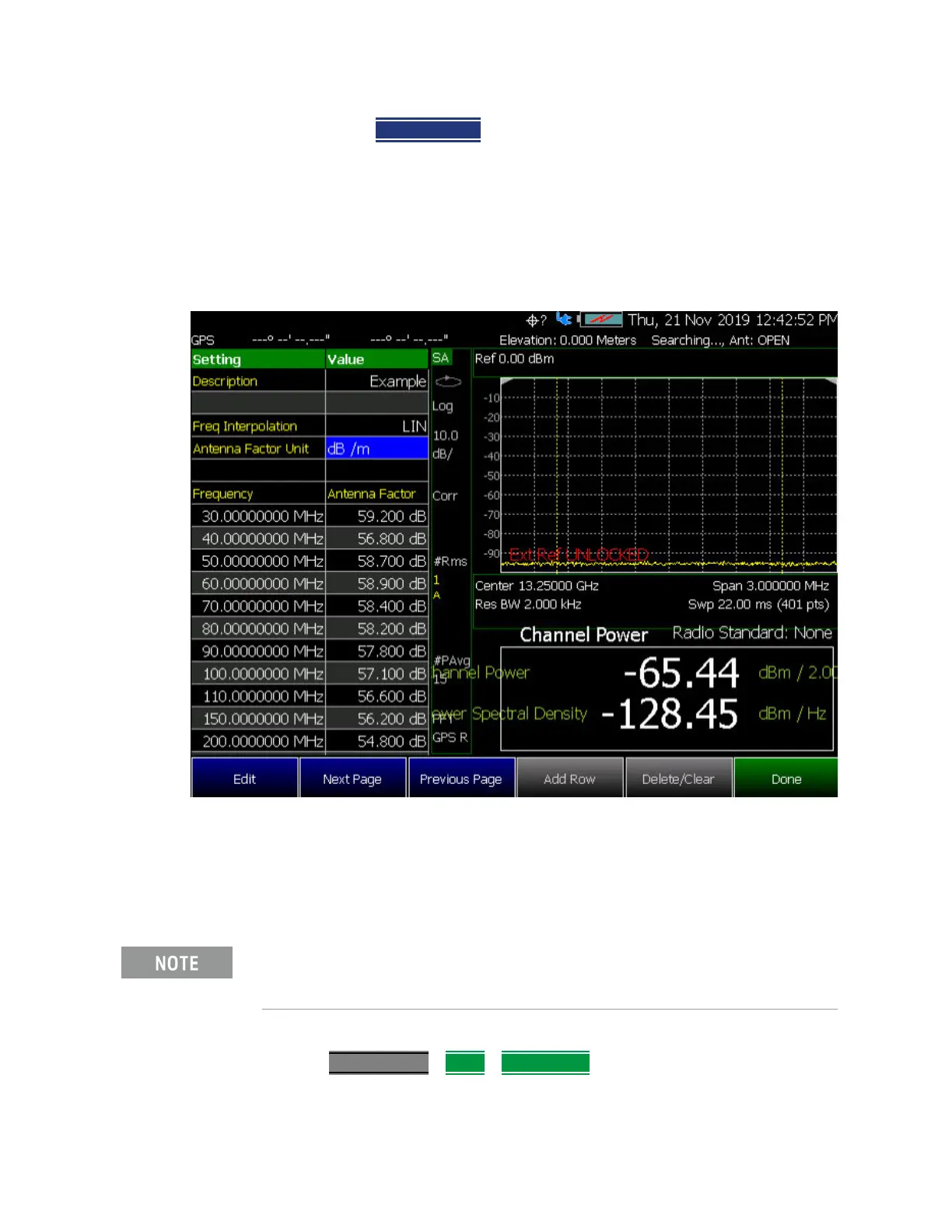
Figure 9-25 Example Editing and Adding a New X axis antenna is shown.
Editing Cable Correction Factors and Adding New Cable Factors
This section contains two procedures illustrating how to edit the Cable Factors
settings table values.
1. Selecting an cable softkey menu:
Press Scale/Amptd
> More > Corrections then choose one of these softkey
menus:
If New is selected under the X, Y, or Z Antenna or Cable softkey menu,
whatever antenna or cable factors that have been imported as the default
values and are displayed in the Settings table.













 To Next Page