Keysight N9915-90020 User’s Guide 499
Indoor and Outdoor Mapping – Option 352 (Requires Spectrum Analyzer Mode (Option
233), and GPS Receiver (Option 307))
How to Set Up Mapping Settings
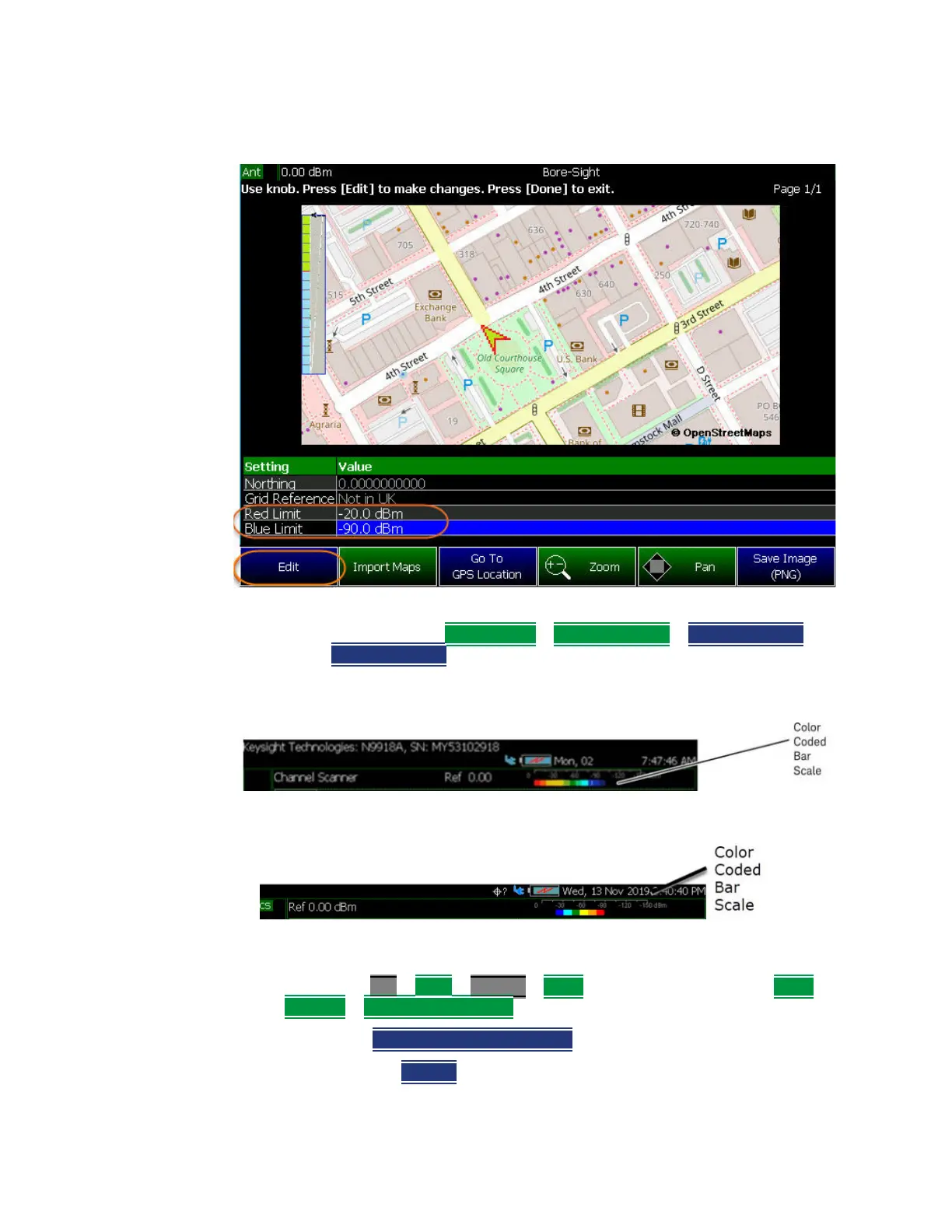
Figure 16-17 Using Maps Explorer to Set the Red and Blue Power Limits
c. Optional: Then Preferences > Discrete Colors > Discrete Colors >
Discrete Colors and change value as desired (Maximum = 6).
Figure 16-18 Display Example: Color Coded Bar Scale Before Selecting x6 Colors
Figure 16-19 Display Example: Color Coded Bar Scale After Selecting x6 Colors
6. Verify you have enabled GPS. Refer to your measurements procedure and
to “GNSS (GPS+) and GPS” on page 795.
7. Then press Esc > Back > Trace 6 > More (required for OTA only) > Data
Logging > Record Save/Recall
— Then File Folder Default System
— Default – Sets the default User Folder path:













 To Next Page