696 Keysight N9915-90020 User’s Guide
Noise Figure Mode (Option 356)
How to Define a Noise Figure Measurement
ENR Mode: Smart (Auto) – Calibration Wizard (DUT)
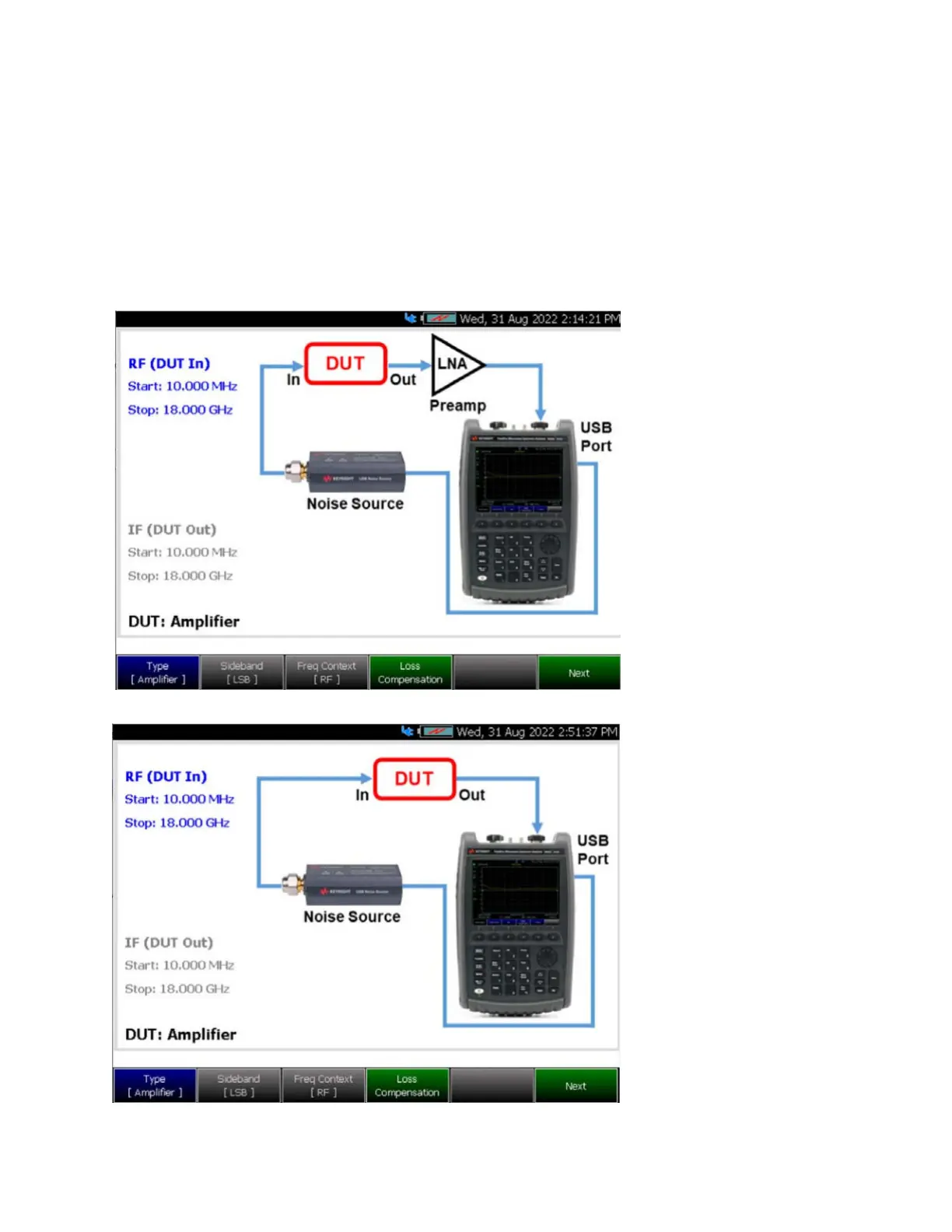
Figure 29-15 DUT – Measurement Setup – Type [Amplifier] Screen –
ENR Mode: Smart (Auto)
USB Smart Mode DUT
Wizard visibility:
– If User is in ENR Mode:
Smart (Auto)
– If USB Noise Source is
connected to the FieldFox
Plug in USB Noise Source
BEFORE entering this
menu
– Expect a 10-20s of
delay for the FieldFox to
recognize the USB Noise
Source
Setup Diagram
– FieldFox USB Port
–USB Noise Source
– Displays preamp (LNA), if
User Cal is available. See
next image this figure.
–DUT (shows LO if frequency
converting)
DUT – Measurement Setup – Type [Amplifier] with External Amplifier (LNA) –
ENR Mode: Smart (Auto)
USB Smart Mode DUT
Wizard visibility
(No User Cal):
– Setup does not display
preamp, because no User
Cal is applied













 To Next Page