698 Keysight N9915-90020 User’s Guide
Noise Figure Mode (Option 356)
How to Define a Noise Figure Measurement
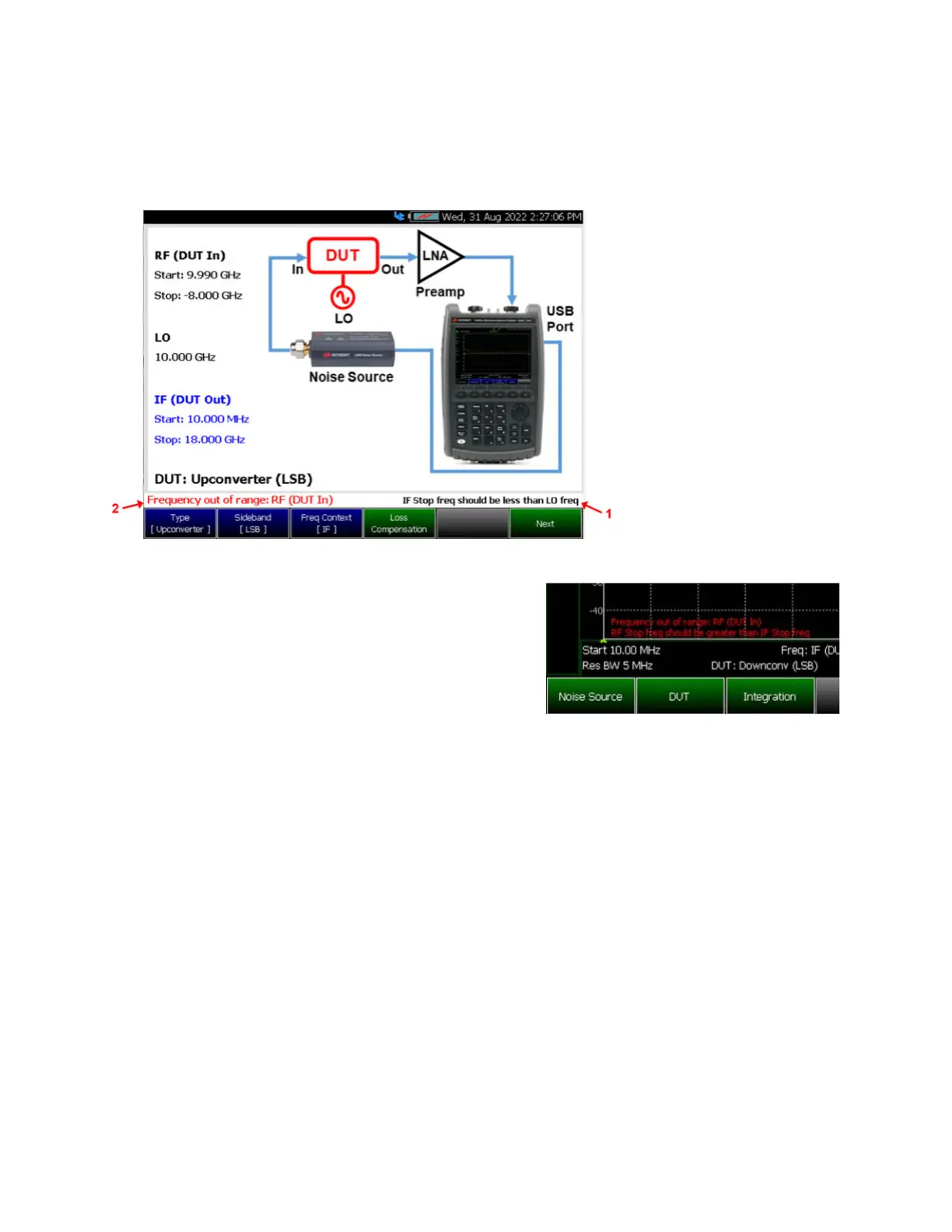
Figure 29-17 DUT – Measurement Setup – Type [Upconverter] Screen –
ENR Mode: Smart (Auto)
USB Smart Mode DUT
Wizard visibility:
1. Frequency warning
Tells you the setup is
illogical and how to fix it
Does not stop measurement
2. Frequency error
Tells you that the frequency
values are out of range (RF <
0 or IF < FF Minimum Start
Freq or IF > FF Maximum
Stop Freq)
Stops measurement until
you fix it
Frequency warnings/errors
also show up on main
screen:
DUT – Measurement Setup – Type [Upconverter] with External Amplifier (LNA) –
ENR Mode: Smart (Auto)













 To Next Page