EasyManua.ls Logo

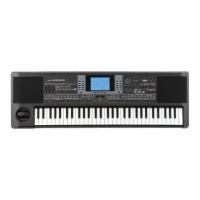
Korg microARRANGER - User Manual

Korg microARRANGER
244 pages
Print Icon
To Next Page IconTo Next Page
Loading...
Owners Manual
E 1

Table of Contents

Questions and Answers

  • J
    Jordan RichardsonAug 14, 2025
    What to do if my Korg Musical Instrument has no sound?
    • T
      thomas08Aug 14, 2025
      If your Korg Musical Instrument isn't producing sound, here are a few things to check: * Ensure that headphones are not plugged in, as this will disable the internal speakers. * Verify the connections to your amplifier or mixer. * Confirm that all components of your sound system are powered on. * Check that the MASTER VOLUME or ASSIGN.SLIDER sliders are not set to “0”. * Make sure the Local parameter is turned On, not Off. * Ensure the Speaker parameter is set to On, not Off. * Adjust the Attack parameter to a lower value if it’s too high, and increase the Volume parameter if it’s too low.
  • J
    jodihallAug 17, 2025
    How to troubleshoot power issues on a Korg Musical Instrument?
    • J
      joseph84Aug 17, 2025
      If your Korg Musical Instrument isn't powering on, try the following: 1. Ensure the power cable is securely plugged into both the outlet and the back of the instrument and that the cable is not damaged. 2. Verify that there are no issues with the mains. 3. Check if the power switch is turned ON. If it still doesn't turn on, it is recommended to contact your dealer or the nearest KORG Service Center.
  • S
    smithjenniferAug 20, 2025
    What to do if the selected Style or Song cannot start on my Korg microARRANGER Musical Instrument?
    • J
      joseph21Aug 21, 2025
      If the selected Style or Song on your Korg Musical Instrument won't start, ensure that the Clock parameter is set to Int. If you're using MIDI Clock from another device, set the MIDI Clock parameter to MIDI, and confirm the external device is sending MIDI Clock data.
  • E
    Erica TaylorAug 25, 2025
    What to do if Korg microARRANGER does not respond to MIDI messages?
    • J
      Joel LopezAug 25, 2025
      If your Korg Musical Instrument isn't responding to MIDI messages, check these: * Ensure all MIDI cables are correctly connected. * Verify the external device is transmitting on the MIDI channels enabled for reception on the microARRANGER. * Confirm that the MIDI IN Filters on the microARRANGER aren't blocking the reception of messages.
  • A
    Adrienne HammondAug 27, 2025
    Why is my Korg microARRANGER playing the wrong sounds?
    • B
      Brian LoveAug 27, 2025
      If your Korg Musical Instrument is producing the wrong sounds, consider the following: * If the USER banks contain modified data, load the correct data for the Song or Style you want to play back. * If any of the USER Drum Kits have been modified, load the appropriate Drum Kits. * If the Styles or Performances have been modified, load the correct Styles or Performances data.
  • B
    Brenda BradleyAug 30, 2025
    How to fix card related problems on a Korg Musical Instrument?
    • M
      mary67Aug 30, 2025
      If you're experiencing card-related issues with your Korg Musical Instrument, here are a few things to check: * If you cannot format a card, verify that the card is inserted correctly. * If you cannot save data to a card, ensure that the card is formatted and inserted correctly. * If you cannot load data from a card, check that the card is inserted correctly and contains data compatible with the microARRANGER.
  • T
    Thomas BenjaminSep 3, 2025
    Why does the sound not stop on my Korg Musical Instrument?
    • A
      Amy SmithSep 3, 2025
      If the sound on your Korg Musical Instrument doesn't stop, make sure that the damper switch polarity parameter is set correctly.
  • K
    Kari GreenSep 6, 2025
    What causes percussive instruments to be played incorrectly on a Korg Musical Instrument?
    • E
      evan99Sep 6, 2025
      If percussive instruments are not playing correctly on your Korg Musical Instrument, make sure that the Percussion and Drum Track is set to Drum Mode and that the external device has no transposition applied.
  • A
    Austin MaddenSep 9, 2025
    How to fix the issue when the lowest notes are not played on a Korg microARRANGER Musical Instrument?
    • A
      Amanda TuckerSep 9, 2025
      If the lowest notes are not playing on your Korg Musical Instrument, and the SPLIT button is lit, the keyboard is divided into Lower and Upper parts. Check if the Lower track is muted and, if so, unmute it.

Korg microARRANGER Specifications

General IconGeneral
Keyboard61 keys (velocity sensitive)
Audio Outputs2 x 1/4" (L/Mono, R)
MIDIIn, Out
USB1 x Type B
Styles304 preset styles
Sequencer16-track MIDI sequencer
Song PlaybackSMF (Standard MIDI File) format
Audio Inputs1 x 1/4" (mic/line)
Speakers2 x 10cm speakers
DisplayCustom LCD
Power SupplyDC 12V
AmplificationBuilt-in amplifier

Related product manuals