13-22 824 Reference Manual 9/29/09
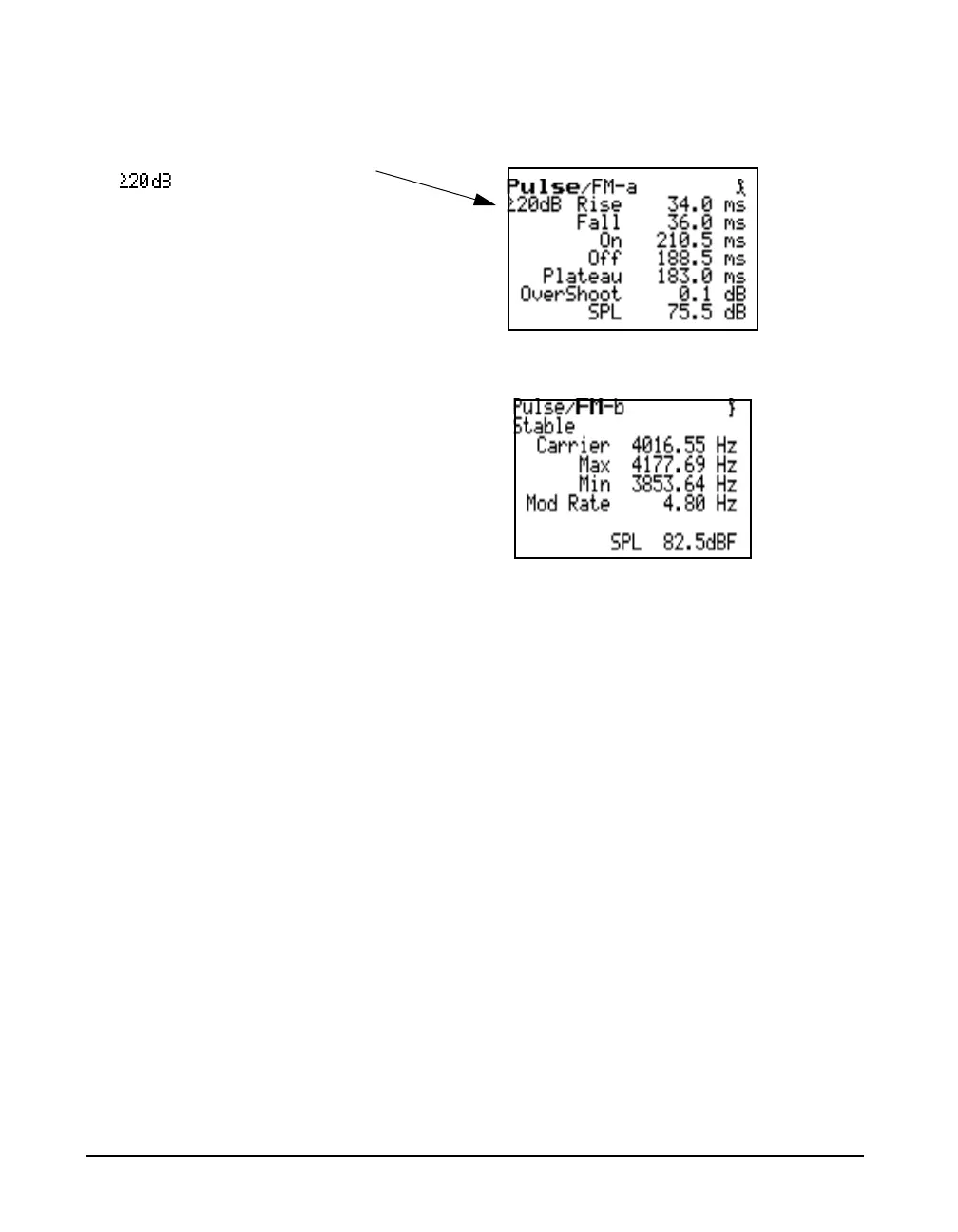
There are two Pulse/FM displays. The Pulse/FM-a display,
shown below, is accessed from the THD display by pressing
the down arrow key d
The Pulse/FM-b display is obtained by pressing the right
arrow key.
The left and right arrow keys left or right arrow lrcan
be used to toggle between the Pulse/FM-a and the Pulse/FM-
b displays.
Pulse/FM-a Display The Pulse/FM-a display shows all the required values for the
calibration of the pulsed tone capabilities of an audiometer.
Present the pulsed tone at a proper level and press the RUN/
STOP key s. The stability of the measurement can be
evaluated visually. To retrieve data, press RUN/STOP again
s and read the values from the screen.
The following values are displayed: rise time, fall time, on
time, off time, plateau duration, in milliseconds, as well as
overshoot in dB.
See Figure 13-1 on page 13-23 for
greater clarification of the values
displayed.
• Rise Time (B-C) - time in milliseconds between the -20
dB point (referred to the maximum level) and -1 dB point
on the rising edge of the pulsed signal envelope,
nominally between 20 and 50 ms
• Fall Time (E-G) - time in milliseconds between the -1
dB point and -20 dB point on the falling edge of the
pulsed signal envelope, nominally between 20 and 50 ms
“ xxxx ” indicates that the On/Off
level ratio is greater than 20 dB.



 To Next Page