3-20 824 Reference Manual 9/29/09
About
To access information about the System 824 use the u or
d key to select About from the Tool s menu, then press the
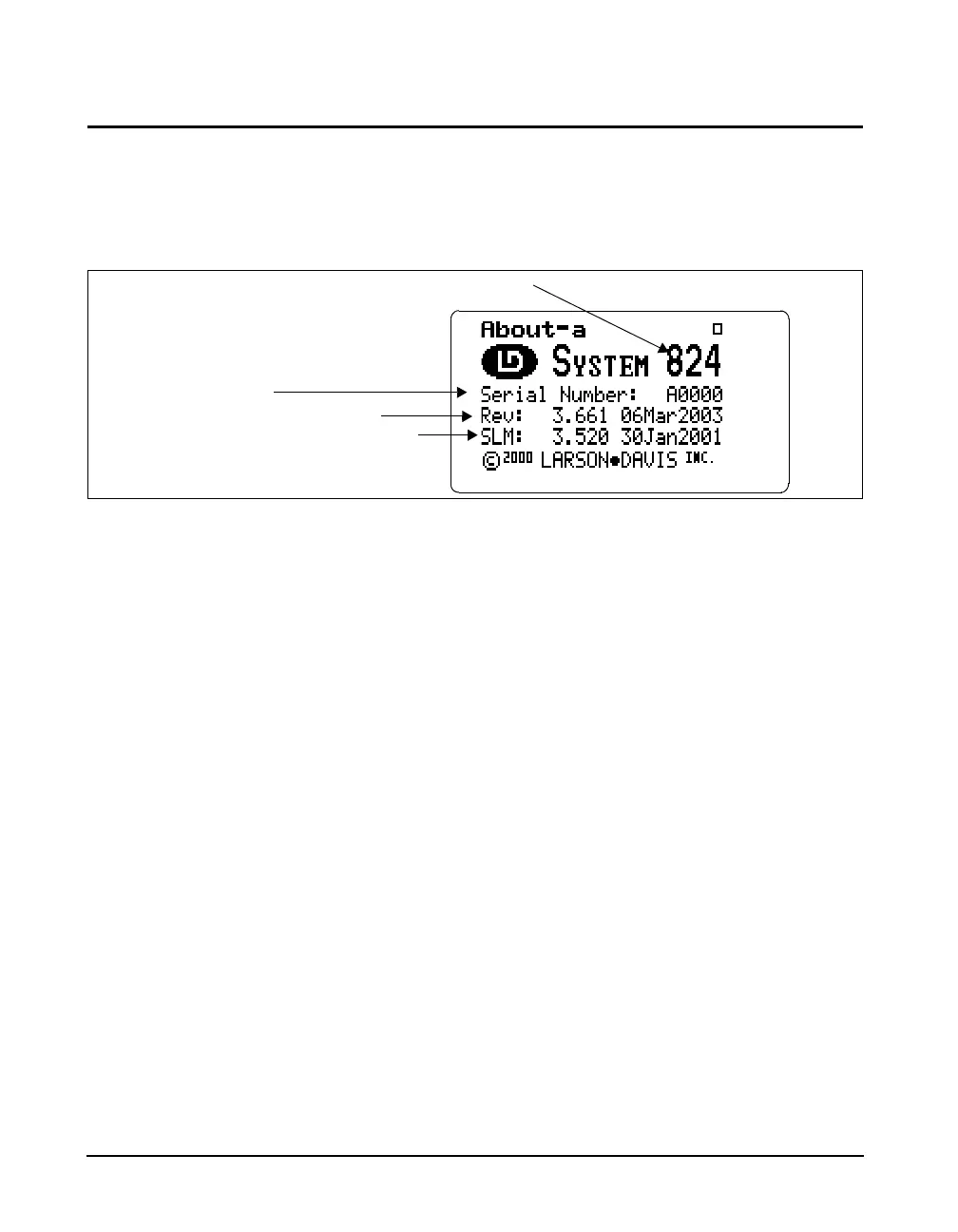
c key. The following screen appears:
The About-a display shows the instrument’s model number
and serial number as well as the firmware revision number
and date.
The revision number indicated by
“REV:” is changed when any
firmware code change is made. The
revision number indicated by
“SLM:” is changed only when a
firmware code modification is made
that affects the accuracy of any SLM
measurement data, and is used as an
indicator to those who use third
party verification (NIST or PTB,
etc.) of instrument performance that
testing should be performed.
Pressing the
rkey moves to the About-b screen. The fol-
lowing appears:
The About-b display shows the instrument’s custom name
and title fields printed on System 824 reports. The fields are
generally set to the owner’s name and address. The name is
displayed at “power on” and printed on reports to customize
them to your business.
About Settings edit mode can also be
edited by pressing the
c key from
the About display screens
(previously described).
To modify the About settings, use the
u or d key to
select About from the Tools menu, then press the
r key.
The About setting offers three Name fields and one Title
field for use on System 824 reports.
Company Name, Address Line 1, Address Line 2- There
are three lines available for user specific data. Each field
Instrument model number
Instrument serial number
Internal firmware revision number and date
Internal SLM firmware revision number and date



 To Next Page