9/29/09 Front Panel Keys; Functions and Menus 3-17
Write Protect, Delete, Write Enable IDs
NOTE: Within a given active instrument
definition (ID), write protect or delete
operations cannot be performed on files
that were stored using that same ID. In
order to protect or delete these files, the
active ID must be changed. For example,
stored FFT files can be protected or
deleted by switching from the FFT ID to
an ISM, LOG, or RTA ID.
After an ID has been created, it can be protected (or locked),
or deleted if necessary. To do this, use the
u or d keys
from the Setup menu to highlight the desired ID.
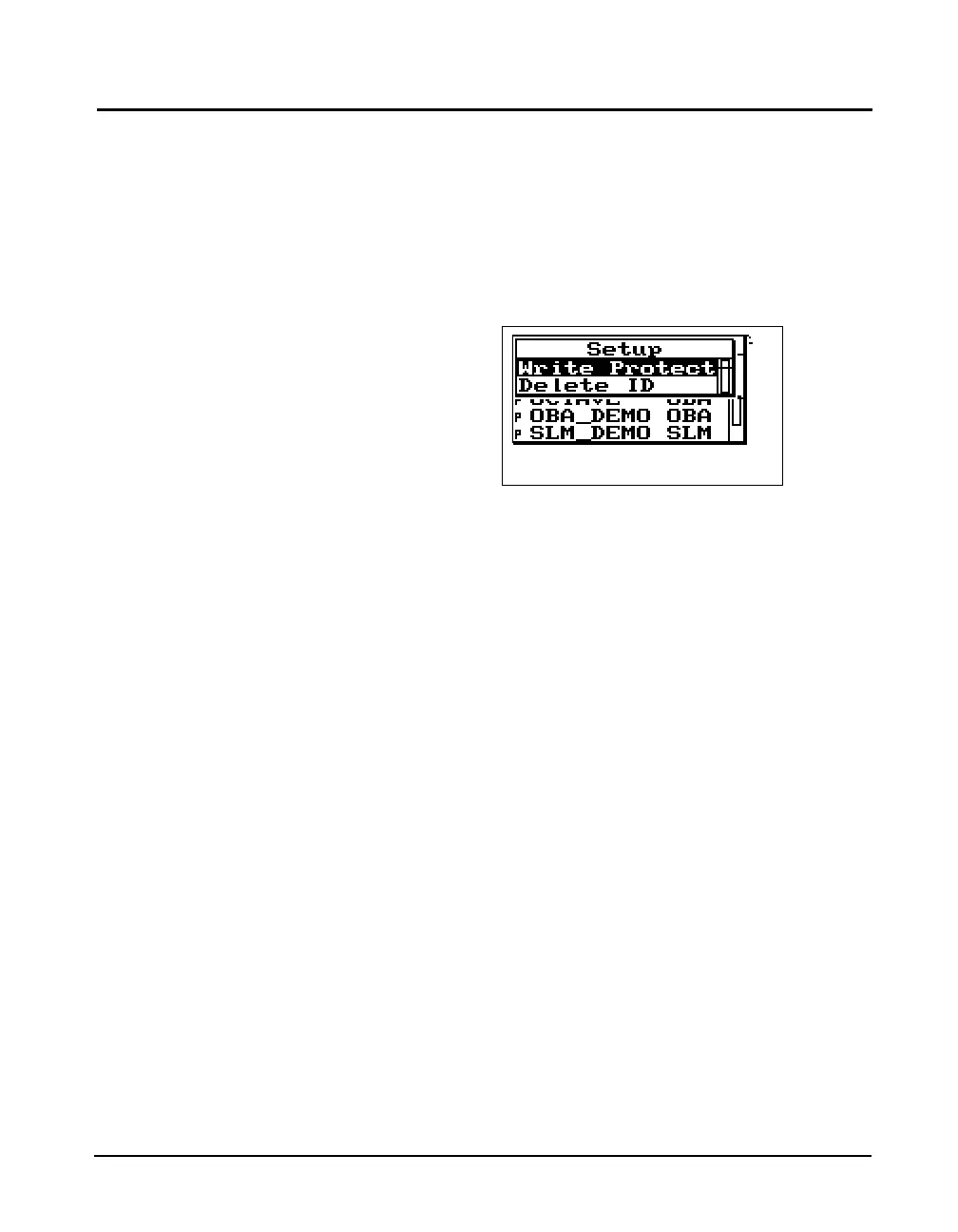
Press the
T TOOLS key, and the following screen appears:
Permanent IDs (marked with a ‘p’ in
the Setup menu) cannot be write
protected, modified, or deleted.
To write protect (or lock) an ID, use the
u or dkeys to
highlight Write Protect, and then press the
c key. A locked
symbol appears next to locked IDs in the Setup menu
(except for the current running ID) and symbolizes that this
ID is “Write Protected”. Once the ID is write protected, it
cannot be changed or deleted until it is “Write Enabled”.
Write protected IDs (marked with a
locked symbol on the Setup menu)
cannot be deleted. The icon will not
be displayed if the currently active
ID is being used. Also, the currently
active ID cannot be deleted.
To delete an ID that has not been write protected, use the
u or d keys to highlight Delete ID, then press the c
key. The ID is removed from memory and the ID name is
removed from the Setup menu.
To write enable (or unlock) an ID, use the
u or d keys
from the Setup menu to highlight the desired write protected
ID (marked with a locked symbol). Press the
T TOOLS
key. Press the
c key on the highlighted Write Enable menu
option. The locked symbol disappears next to the ID shown
in the Setup menu, symbolizing that this ID is write enabled.
The ID that is active, with a “>” by
it, cannot be deleted.



 To Next Page