9/29/09 System 824 Views 5-67
• Elapsed Time
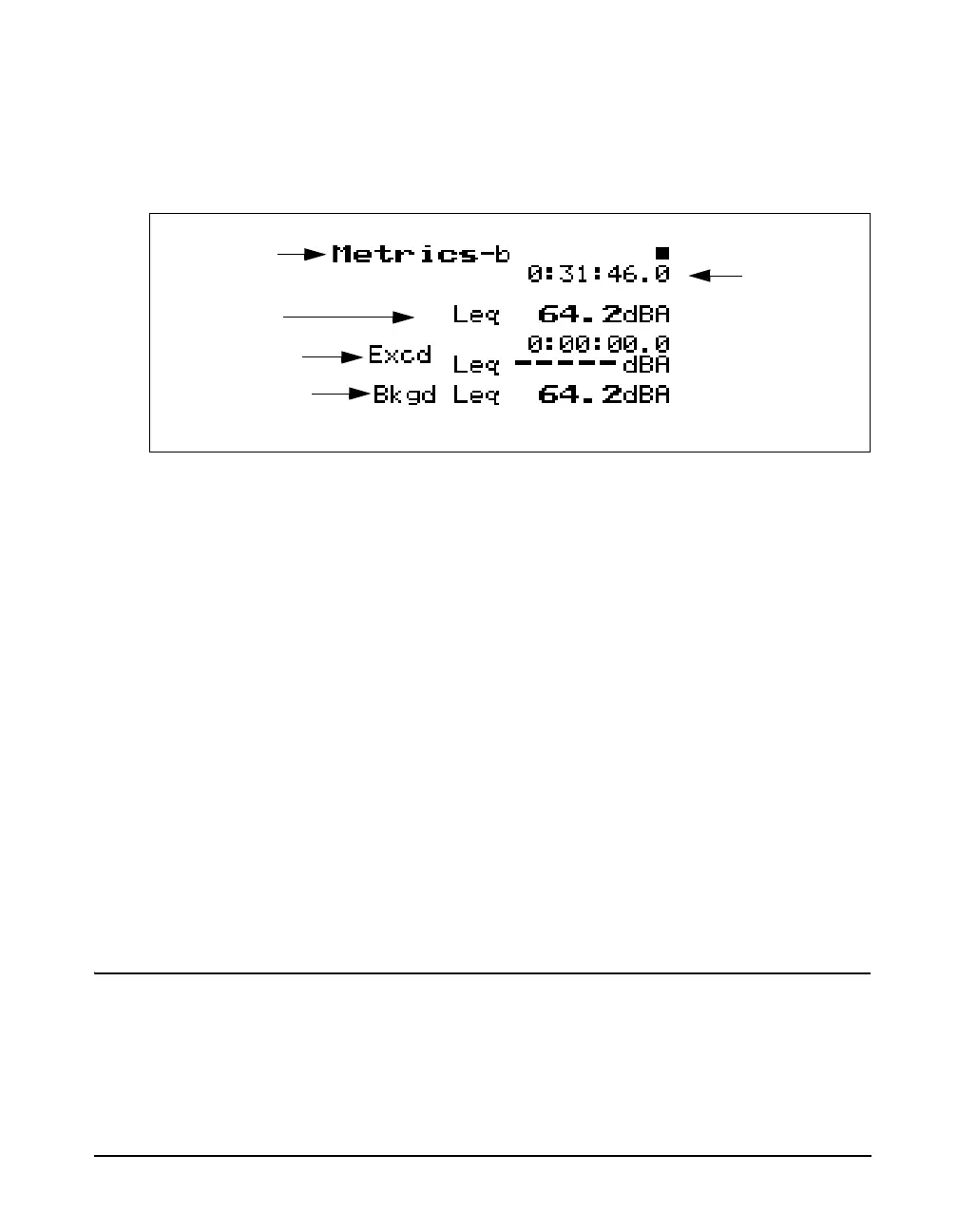
The Metric -b display is shown below:
The following explains each of the display’s components:
Display label - This shows the current display (for example,
“Metrics-b”).
L
eq
Reading - This shows the level of a constant sound over
a specific time period that has the same sound energy as the
(unsteady) sound over the same period.
Exceedance L
eq
- This displays the average L
eq
of all the
exceedance events.
Exceedance Duration - Total time of all exceedances.
Background L
eq
- This display shows the average L
eq
for
the total measurement period minus the combined event L
eq
.
Elapsed Time - This shows the elapsed time of the overall
measurement.
PassBy
The uand darrow keys can be
used to cycle between the Metrics,
PassBy, and Wind / Tach views.
The PassBy View has a single display that shows the largest
single 10dB passby event detected. The display can be
accessed by simply selecting PassBy with the
c Check key
from within the main View menu.
Leq Reading
Elapsed Time
Display label
Leq Exceedance
Leq Background



 To Next Page