9/29/09 Front Panel Keys; Functions and Menus 3-23
Change - Activates the calibration change (adjust) process.
Cal Level - Enables the user to enter the sound pressure
level generated by the calibrator.
Calibrator S/N - Enables the user to record the serial num-
ber of the calibrator (for reference).
Noise Floor - Enables the user to enter a noise floor value.
Optimum values will depend on the type of measurement
being performed. For a more detailed description, See
“Entering the Noise Floor Values” on page 9-4.
Clock/Timer
To display the time and date, or to view the timer settings,
use the
u or d key to select Clock/Timer from the
Tools menu, then press the
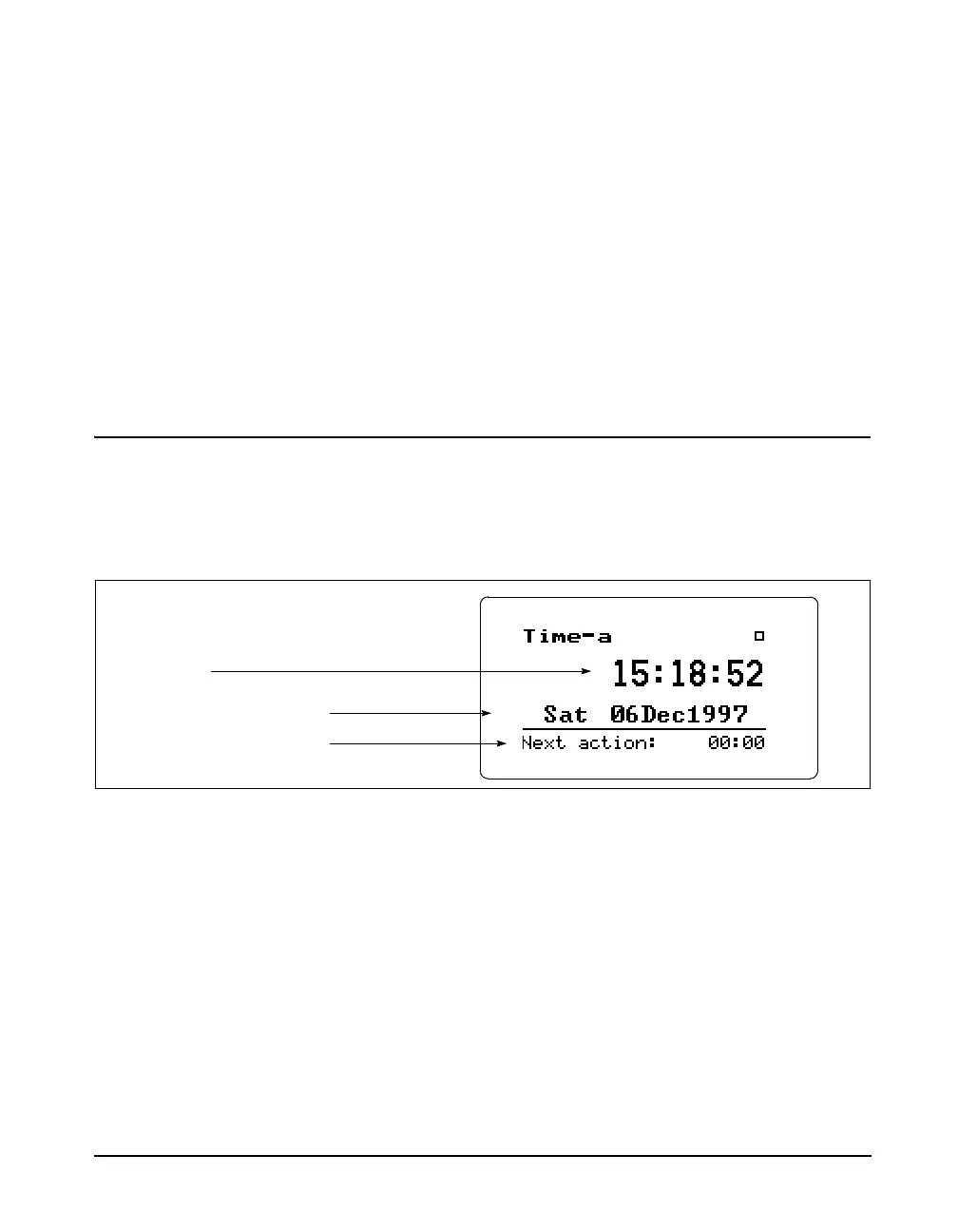
c key. The following appears:
The Time-a or clock display shows the current time, day of
the week, date and the time of the next timer action.
Pressing the
rkey again moves to the Time-b screen. The
following appears:
The Time-b or timer display shows the current timer pro-
gramming including the mode and the appropriate run and
stop times and dates.
Clock/Timer Settings can be
changed by pressing the
c key from
the Clock/Timer display screen.
To modify the Clock / Timer settings, use the
u or d
key to select Clock / Timer from the Too ls menu, then press
Current time
Current day of the week and date
The time of the next timer function



 To Next Page