3-24 824 Reference Manual 9/29/09
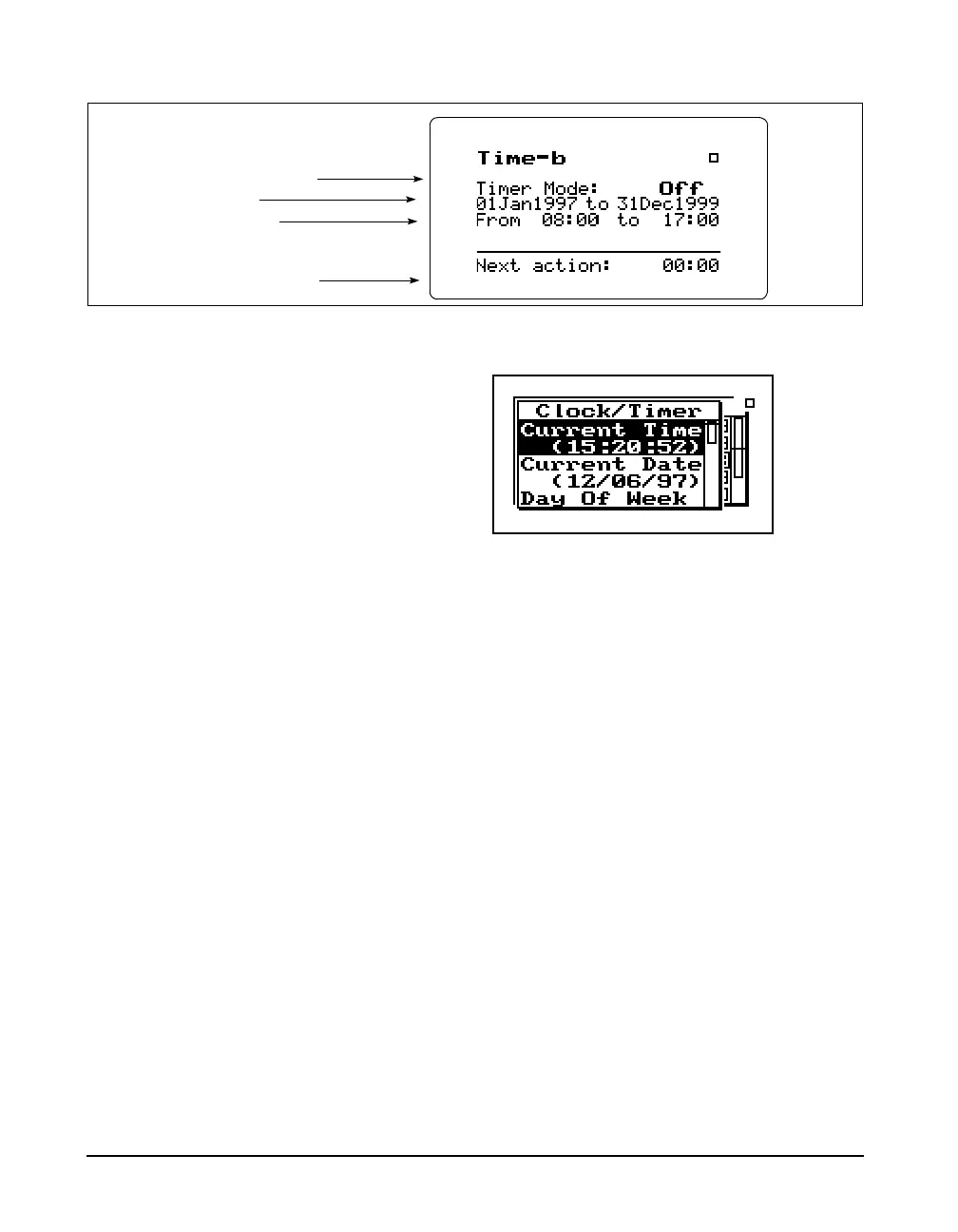
therkey. A screen similar to the following will appear:
With the Clock / Timer menu you set the instrument's clock/
calendar and timer. The first three menu items allow you to
set the current time, date, and day respectively, while the
remaining items (Run/Stop Date, Run/Stop Time 1, Run/
Stop Time 2) allow you to control the timer function.
IF the date has not been set (month
shows as???) then the message
“Time not set!” will be shown when
the Run key is pressed.
Current Time / Date - To set the current time and/or date,
highlight the desired item (i.e. Time or Date) and then press
the
rkey. Modify the setting using thelorrkey to
select the digit desired to modify, then use the
uor d
key to modify.
The currently-selected timer mode
The run and stop dates
The first run and stop times
The time of the next timer function
The clock in the 824 uses a 24 hour
format with hours 0 through 11
being a.m. and hours 12 through 23
being p.m. For example, 5 p.m. will
be displayed as 17:00:00.



 To Next Page