9/29/09 Using ID Setting Files 7-73
Other Logging (LOG) Check Menus
See "SLM Check Menu Options (SSA
and LOG)" on page 7-62 for a
description of the (LOG) SLM check
menu.
This section presents the LOG instrument’s available Check
menus that are in addition to the SLM Check menu
previously described in this chapter.
Any Data Check Menu See "Any Data Check Menu" on page 7-73 for a description
Current SLM / Overall SLM
Check Menu
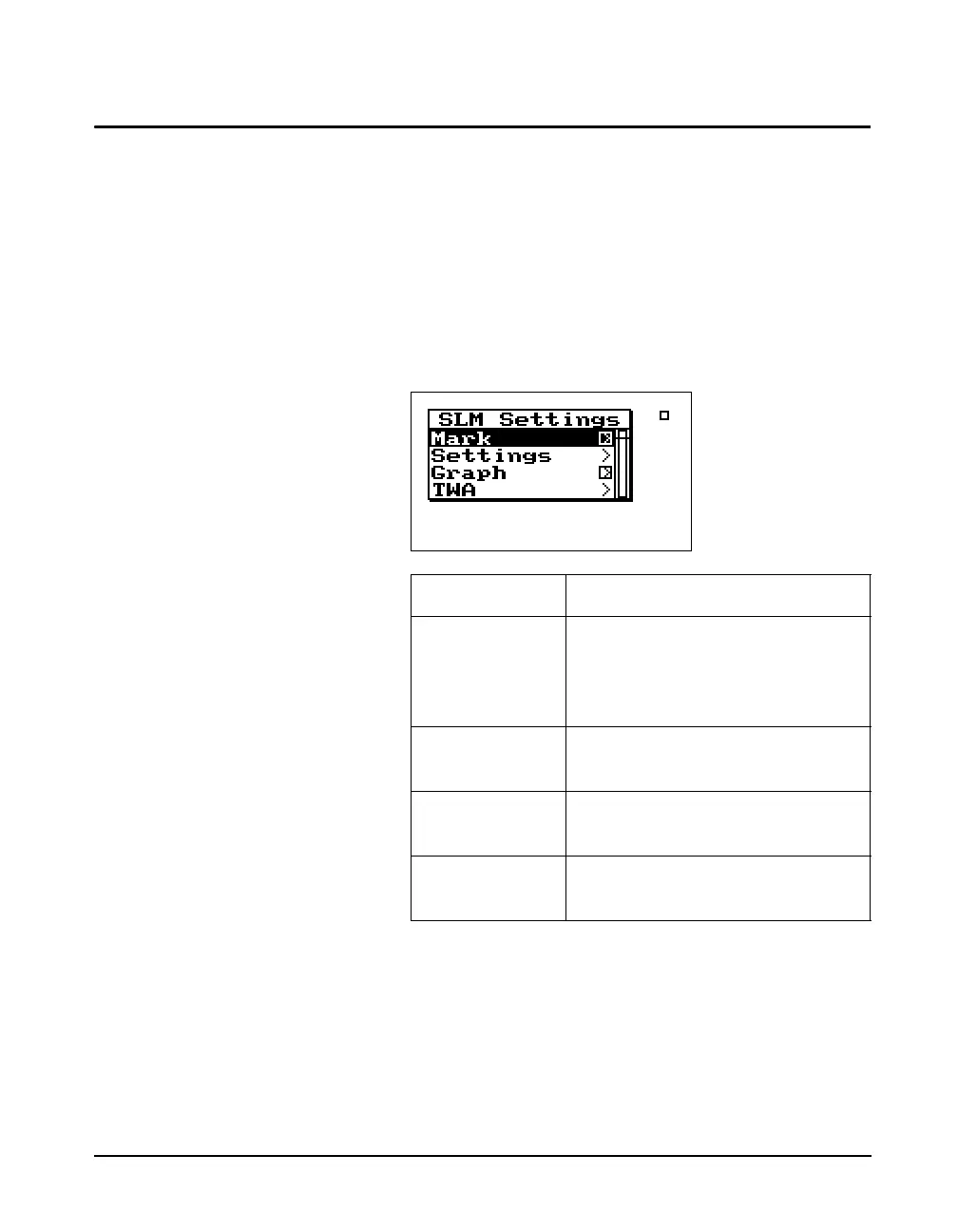
Current SLM and Overall SLM views have access to the
following Check menu:
Exposure Check Menu The Exposure view has access to the following Check
menu:
Menu Items Purpose
Mark Puts a marker in the time history
record if the check
c key is pressed.
If the right
rarrow key is pressed it
puts you in the Marker screen.
Settings Modifies the SLM settings for the
selected instrument.
Graph Changes the scaling of the
instrument’s SLM history graph.
TWA Modifies the TWA settings for the
selected instrument.



 To Next Page