215676 91 Revision A
1009131
CXXX
MXXX
CAB DISPLAY SETUP?
NO/YES
B
A
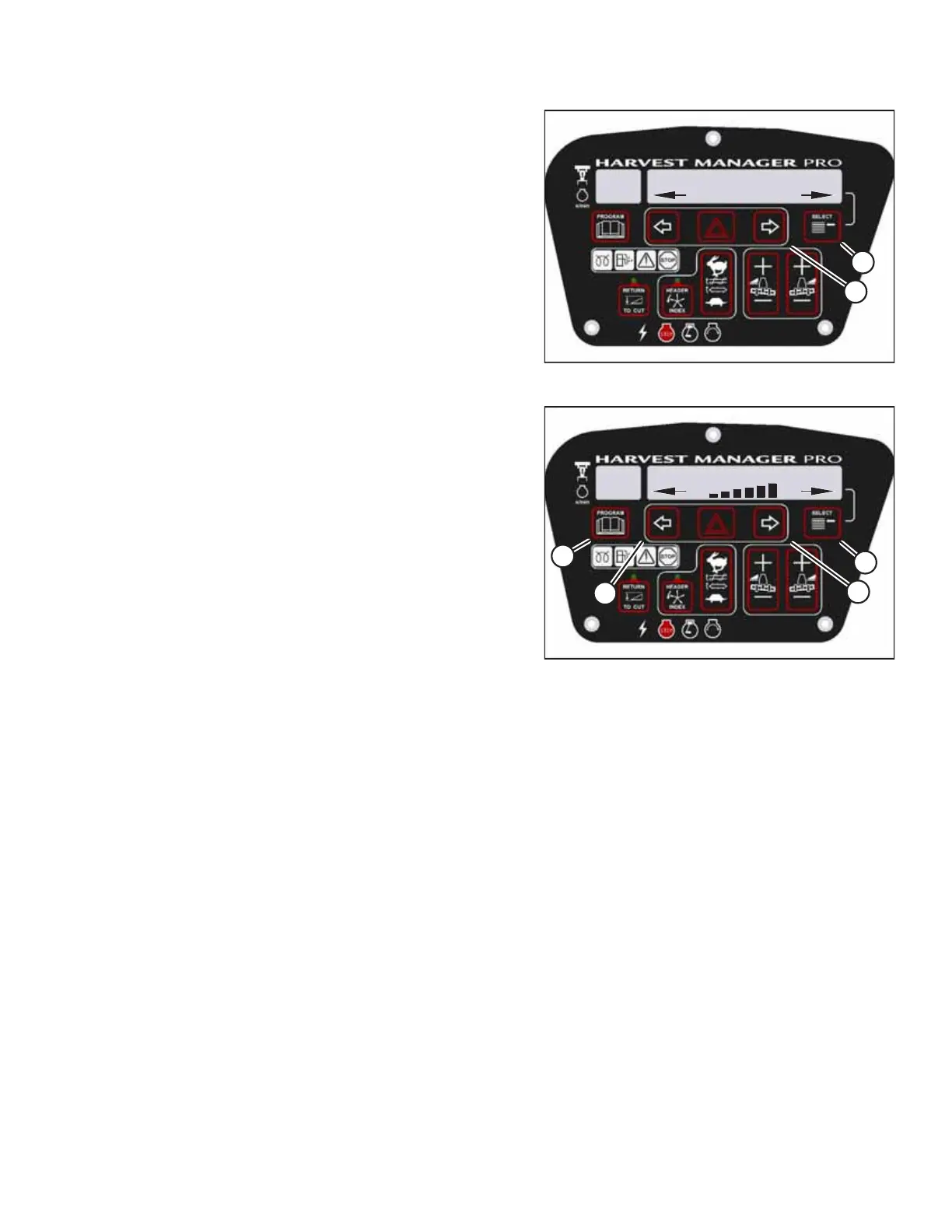
Figure 3.76: Cab Display Setup
3. Press SELECT (B) until CAB DISPLAY SETUP? appears on the
upper line.
• NO/YES will appear on the lower line.
4. Press right arrow (A) to select YES. Press SELECT (B).
• DISPLAY LANGUAGE? will appear on the upper line.
1009142
CXXX
MXXX
DISPLAY CONTRAST
D
C
A
B
Figure 3.77: Display Contrast Setting
5. Press SELECT (D) until DISPLAY CONTRAST appears on the
upper line.
• The current setting will appear on the lower line.
6. Press the left (B) or the right (C) arrow to adjust the CDM’s
contrast setting.
7. Press PROGRAM (A) to exit programming mode or press
SELECT (D) to proceed to the next CAB DISPLAY SETUP?
option.
3.19.8 Configuring Windrower
The Operator can configure several windrower, header, and other attachment performance options using the cab display
module (CDM).
Setting Header Knife Speed
The speed of the knife on non-rotary headers can be set by accessing the cab display module’s (CDM) SET KNIFE SPEED
sub-menu, in the WINDROWER SETUP menu.
NOTE:
The header MUST be physically attached and hydraulically and electrically connected to the windrower before the
Operator can perform this procedure. The CDM automatically adjusts its programming for each header. For more
information, refer to 4.5 Attaching and Detaching Headers, page 215.
OPERATOR’S STATION



 To Next Page