215676 109 Revision A
Activating Header Tilt Control Lockout
Activating the header tilt control lockout in the windrower’ s cab display module (CDM) prevents unauthorized Operators
from changing the angle of the attached header.
NOTE:
• The header MUST be attached to the windrower to perform this procedure. The cab display module (CDM)
automatically adjusts its programming for each header. For more information, refer to 4.5 Attaching and Detaching
Headers, page 215.
• This procedure requires installation of the optional Hydraulic Center-Link (MD #B4650).
To activate the header tilt control lockout:
1009066
CXXX
MXXX
WINDROWER SETUP?
NO/YES
A
B
C
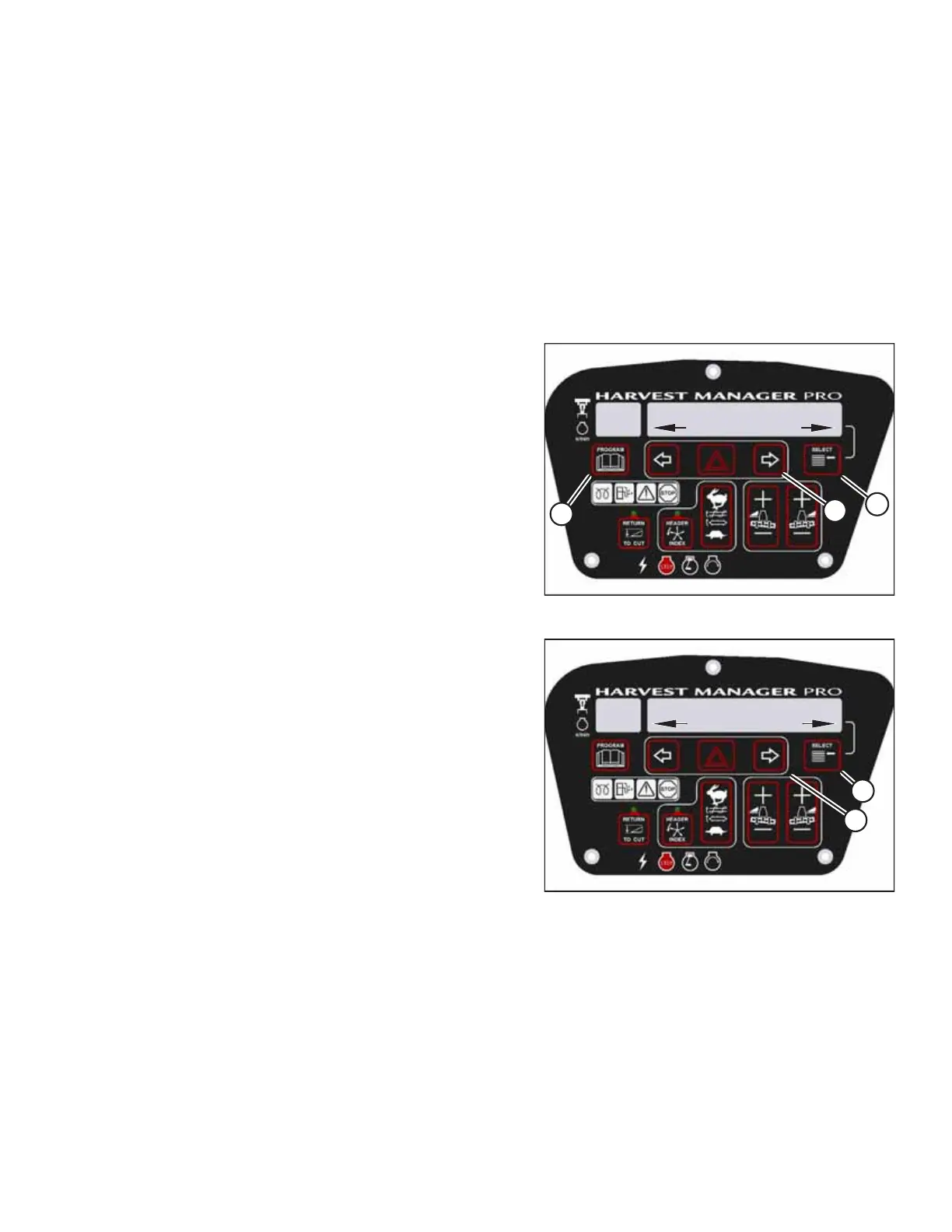
Figure 3.116: CDM Programming Buttons
1. Turn the ignition key to the RUN position, or start the
engine.
2. Press PROGRAM (A) and SELECT (C) on the CDM to enter
programming mode.
• WINDROWER SETUP? will appear on the upper line.
• NO/YES will appear on the lower line.
3. Press right arrow (B) to select YES. Press SELECT (C).
• SET KNIFE SPEED? will appear on the upper line.
1009221
CXXX
MXXX
NO/YES
SET CONTROL LOCKS?
B
A
Figure 3.117: Control Locks
4. Press SELECT (B) until SET CONTROL LOCKS? appears on the
upper line.
• NO/YES will appear on the lower line.
5. Press right arrow (A) to select YES. Press SELECT (B).
OPERATOR’S STATION



 To Next Page