215676 393 Revision A
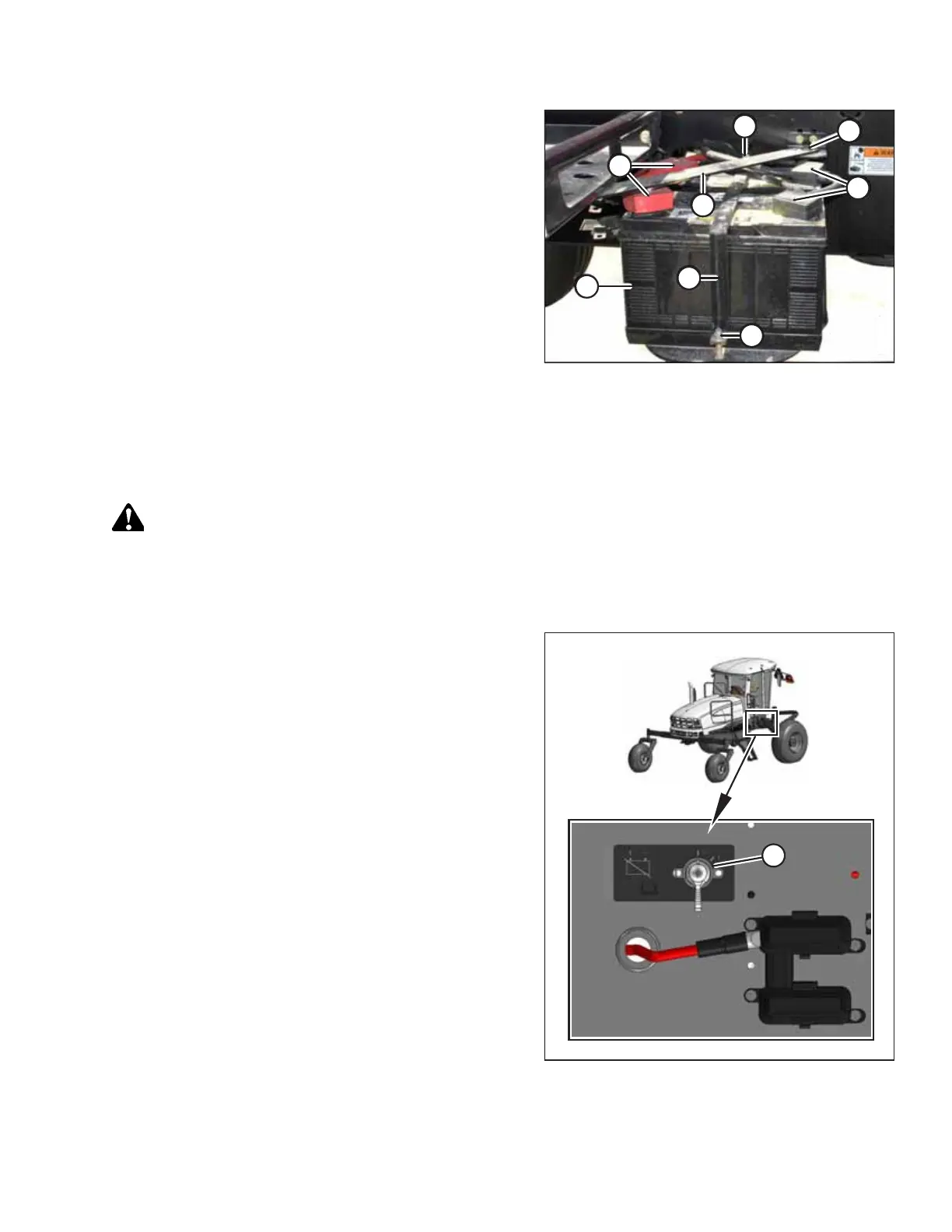
Figure 5.131: Batteries
4. Position new batteries (G) on the dual battery support.
NOTE:
Ensure that the batteries are positioned so that positive
posts (C) face aft.
5. Secure strap (F) with bolts (E).
6. Rotate bar (B) into position and secure it with bolt (A).
7. Connect the battery cables to positive post (C) and negative
post (D). For instructions, refer to Connecting Batteries,
page 393.
8. Close the platform. For instructions, refer to 5.4.2 Closing
Platforms – Standard Position, page 320.
Connecting Batteries
Once the batteries have been secured in the windrower’s dual support tray, they can be connected to the windrower’s
electrical system.
DANGER
To prevent bodily injury or death from the unexpected startup of the machine, always stop the engine and remove the
key from the ignition before leaving the operator’s seat for any reason.
1. Open the right cab-forward maintenance platform. For instructions, refer to 5.4.1 Opening Platforms – Standard
Position, page 319.
Figure 5.132: Battery Main Disconnect Switch
2. Ensure battery main disconnect switch (A) is turned to the
POWER OFF position.
NOTE:
The battery main disconnect switch is located on the right
frame rail beside the batteries.
3. Remove the cable ties securing the battery cables to the
battery clamps.
IMPORTANT:
Batteries are negative grounded. Always connect the red
starter cables to the positive (+) terminals of the batteries
and the black ground cables to the negative (–) terminals of
the batteries. Reversed polarity in the batteries or
alternator may result in permanent damage to the
electrical system.
MAINTENANCE AND SERVICING



 To Next Page