215676 205 Revision A
Figure 4.90: Center-Link Hook
4. Ensure that the lock pin lifts with the handle by pushing up
on the actuator rod as shown.
4.4.6 Controlling Cutting Height
Cutting height can be adjusted by raising or lowering the header using the HEADER UP or HEADER DOWN switches on the
ground speed lever (GSL).
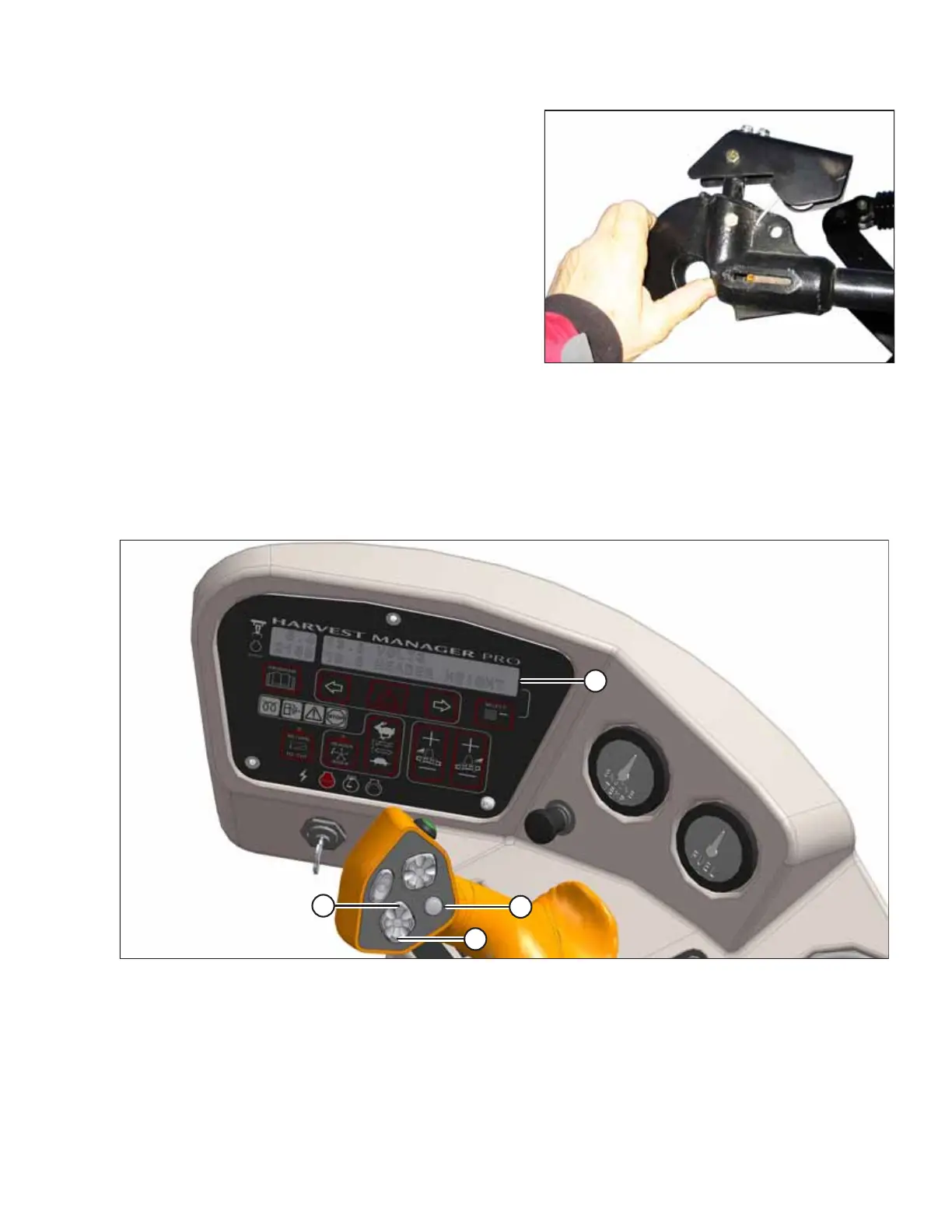
Figure 4.91: Operator Console
The cab display module (CDM) displays the current header height setting on the lower line of DISPLAY (A). The reading will
range between 00.0 and 10.0, with 00.0 representing the header sitting flush with the ground, and 10.0 indicating that the
header is at its maximum height. Use HEADER UP button (B) and HEADER UP button (C) to change the height of the header.
Use DISPLAY SELECTOR switch (D) to display the current header height setting.
OPERATION



 To Next Page