215676 208 Revision A
3. If the header angle changes, double-press (two button presses occurring within 0.5 seconds) HEADER TILT UP
switch (E) or HEADER TILT DOWN switch (F), and the header will return to the preset angle.
NOTE:
If the header cannot return to the preset height or angle within 30 seconds, the return to cut feature will deactivate to
prevent the hydraulic oil from overheating. Push RETURN TO CUT switch (A) to reactivate RTC mode.
4.4.8 Auto Raise Height
The header can be raised to a preset height by enabling the auto raise height feature in the cab display module (CDM).
Refer to the following topics to learn how to use the auto raise height feature:
• Configuring Auto Raise Height Feature, page 208
• Using Auto Raise Height Feature, page 209
Configuring Auto Raise Height Feature
The header can be raised to a preset height by enabling the auto raise height feature in the cab display module (CDM).
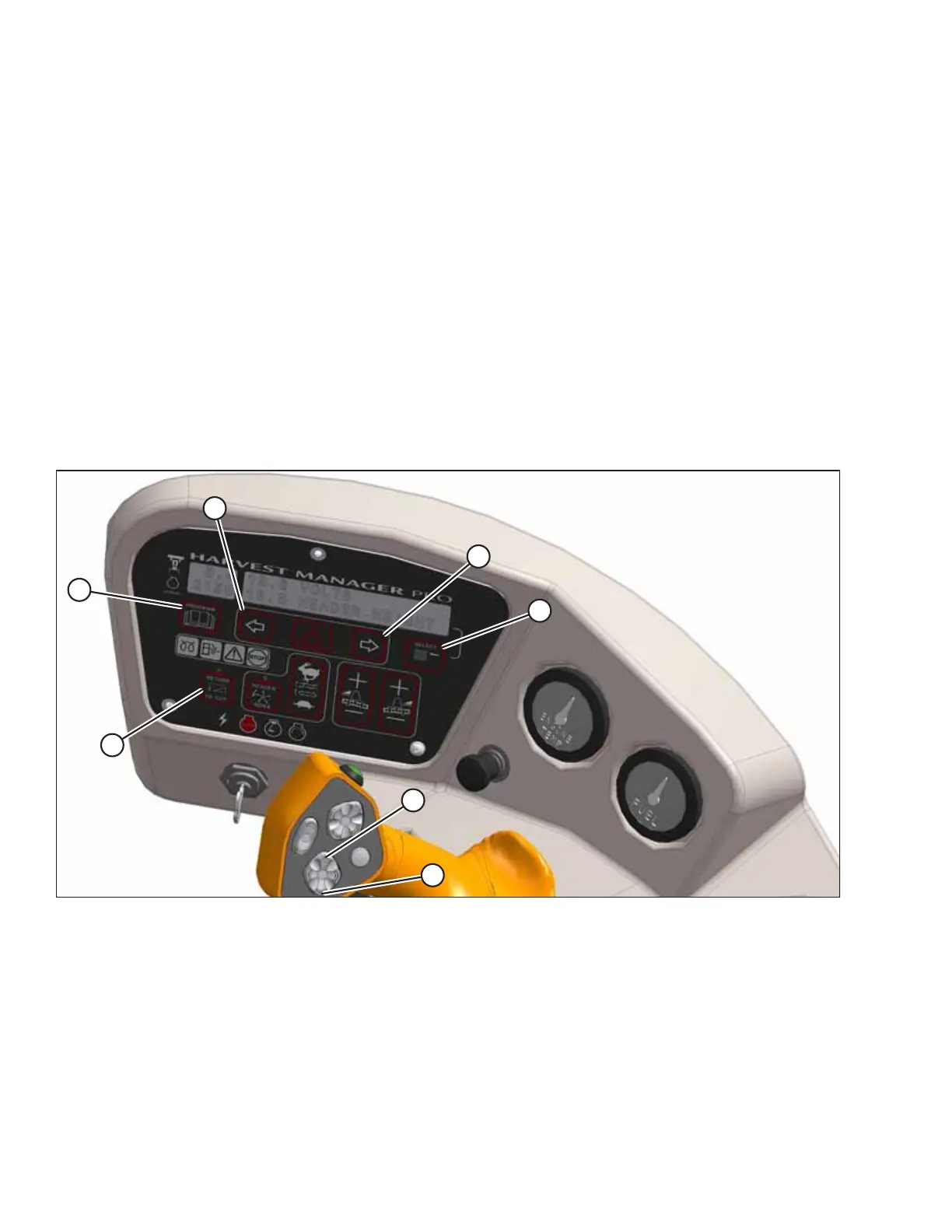
Auto raise height can be configured by accessing the CDM’s WINDROWER SETUP menu.
Figure 4.94: Operator Console
A - Return to Cut B - Program C - Select D - Right Arrow
E - Left Arrow F - Header Up G - Header Down
NOTE:
RETURN TO CUT switch (A) can be OFF or ON.
1. Turn the ignition key to the ON position, or start the engine.
2. Press PROGRAM (B) and SELECT (C) simultaneously on the CDM to enter programming mode.
3. Press SELECT (C). WINDROWER SETUP? will appear on the upper line.
OPERATION



 To Next Page