215676 340 Revision A
Installing Air Conditioning Cover
Once the air conditioning evaporator core has been serviced, the cover can be replaced.
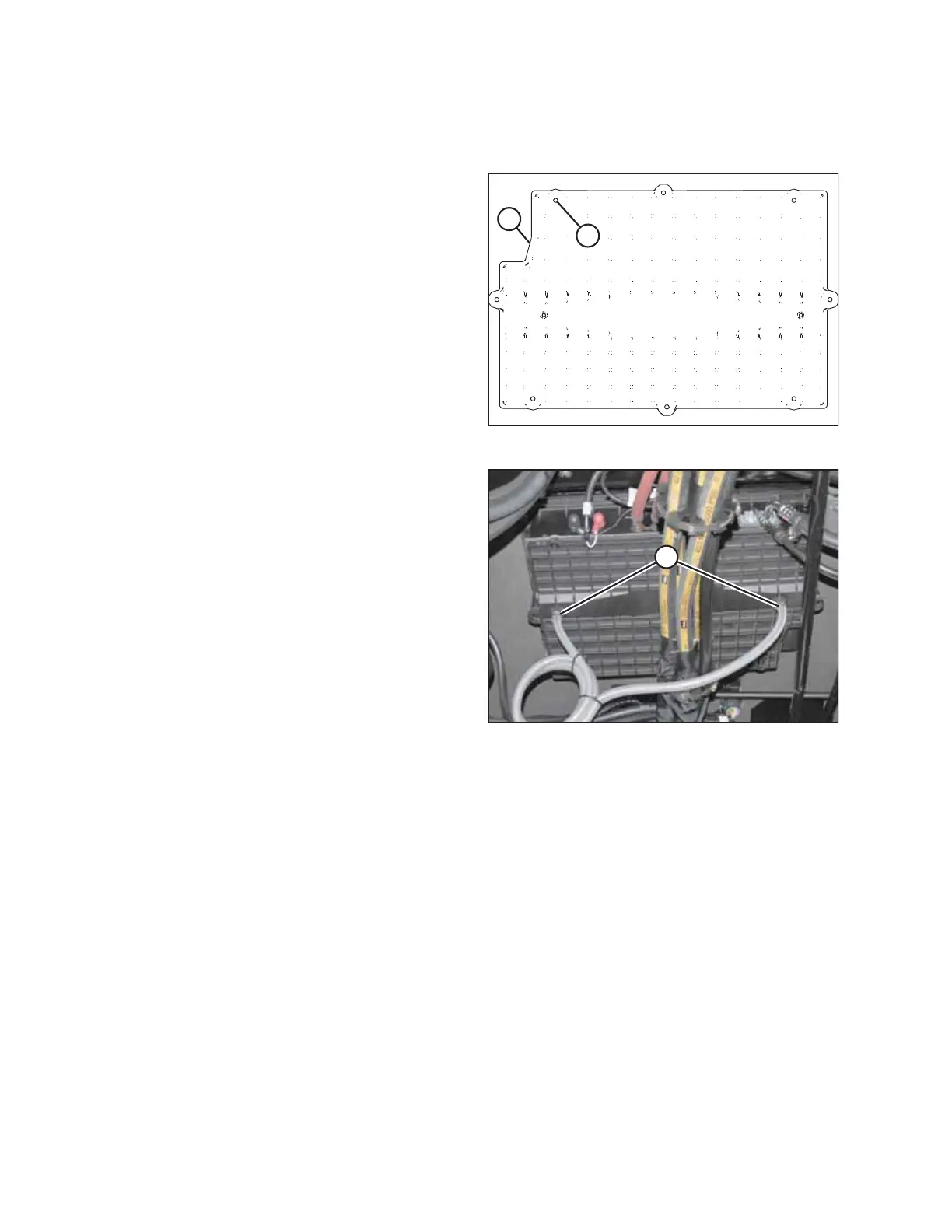
Figure 5.41: A/C Cover
1. Straighten any bent fins.
2. Position cover (B) onto the A/C unit, and secure it with
eight screws (A).
Figure 5.42: A/C Drains
3. Reattach the drain hoses to the drain tubes and secure
them with hose clamps (A).
5.8.5 Air Conditioning Compressor
The air conditioning (A/C) compressor is protected from excessively low suction and high discharge pressures by two
switches that shut down the compressor to prevent damage to the system. These switches do not require regular
maintenance. Contact your MacDon Dealer if you suspect a problem with the switches.
Low-pressure switch
The low-pressure switch is closed when there is sufficient refrigerant in the system and the pressure is above 234 kPa
(34 psi). The system remains pressurized at about 414–483 kPa (60–70 psi) with the compressor off.
When the A/C system is turned on, the compressor starts because the system pressure is above 234 kPa (34 psi). As the
system gets colder, the suction pressure (low side) drops. At 24–86 kPa (3.5–12.5 psi) (for 2014 and prior: 14–55 kPa
[2–8 psi]), the switch opens and shuts down the compressor.
When the pressure rises above 172 kPa (25 psi), the switch closes and the compressor restarts. The low-pressure switch is
located at the outlet of the evaporator (under the cab in the A/C box).
High-pressure switch
The high-pressure switch is closed when there is sufficient refrigerant in the system. The system remains pressurized at
about 414– 483 kPa (60–70 psi) with the compressor off.
MAINTENANCE AND SERVICING



 To Next Page