215676 195 Revision A
Checking Float
The windrower is equipped with primary (coarse) and secondary (fine) float adjustment systems. The primary adjustment
allows the Operator to move the system’s drawbolts to change the tension on the springs in the lift linkages. The secondary
adjustment allows the Operator to use hydraulic cylinders to change the spring tension.
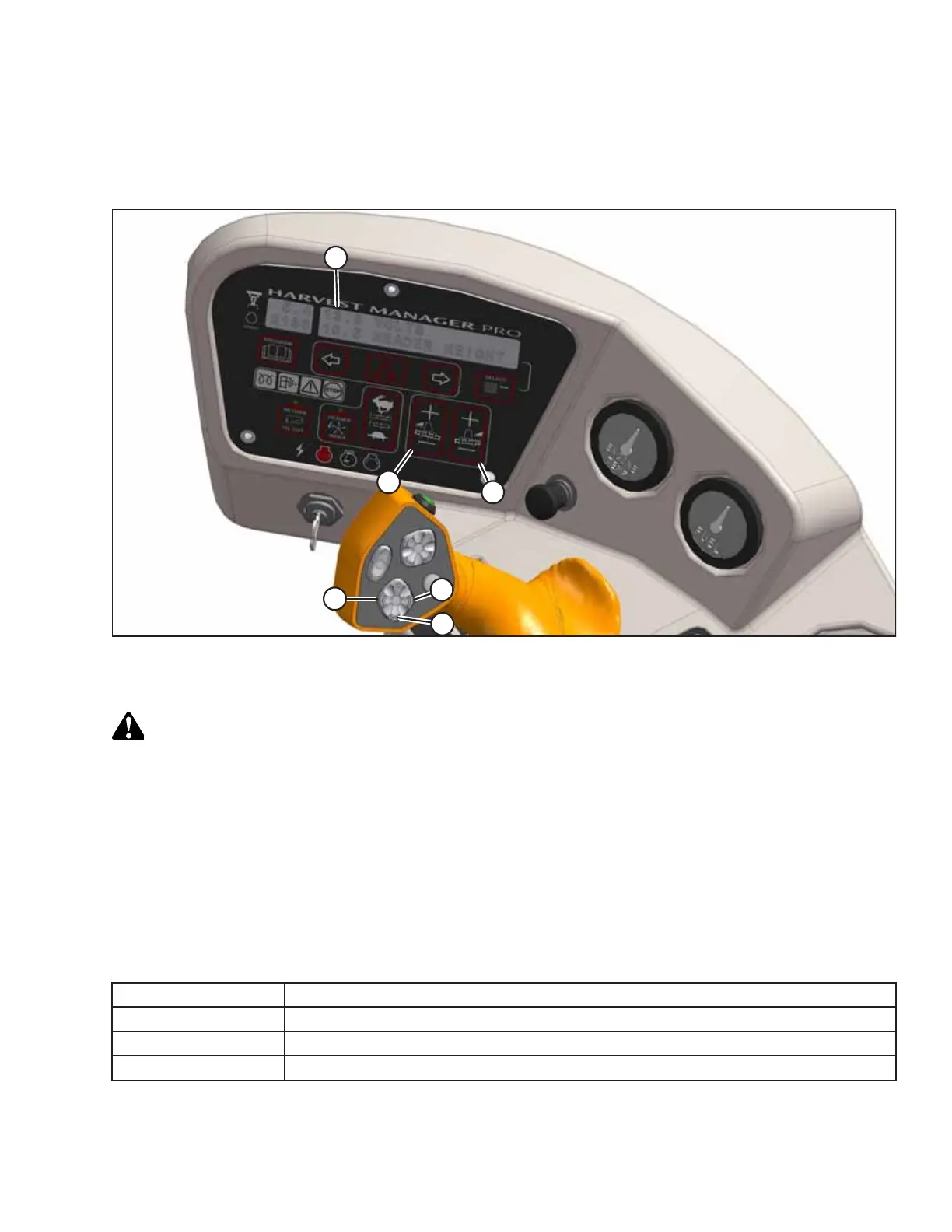
Figure 4.70: Cab Display Module (CDM) Float Adjustment
A - CDM Display B - Left Float Adjustment C - Right Float Adjustment
D - Header Tilt Down E - Header Lower F - Header Tilt Up
DANGER
To prevent bodily injury or death from the unexpected startup of the machine, always stop the engine and remove the
key from the ignition before leaving the operator’s seat for any reason.
1. Set the left and right float fine adjustments on the CDM to approximately 5.0:
a. Using FLOAT SELECTOR switch (B), push + to increase the float or – to decrease the float on the left side of the
header. CDM display (A) will show the selected float setting for the left side (for example: 5.0 L FLOAT R XX.X).
b. Repeat the previous step for the right side of the header float using switch (C). The display will show the float
setting for both sides, (for example, 5.0 L FLOAT R 5.0).
2. Shut down the engine, and remove the key from the ignition.
3. Grasp each end of the header in turn and lift it. Use the amount of lifting force specified in the following table:
Header
Force Required to Lift Header at the Ends with Lift Cylinder Fully Retracted
Auger
335–380 N (75–85 lbf)
Rotary disc
426–471 N (95–105 lbf)
Draper
335–380 N (75–85 lbf) with stabilizer/transport wheels raised (if equipped)
OPERATION



 To Next Page