215676 104 Revision A
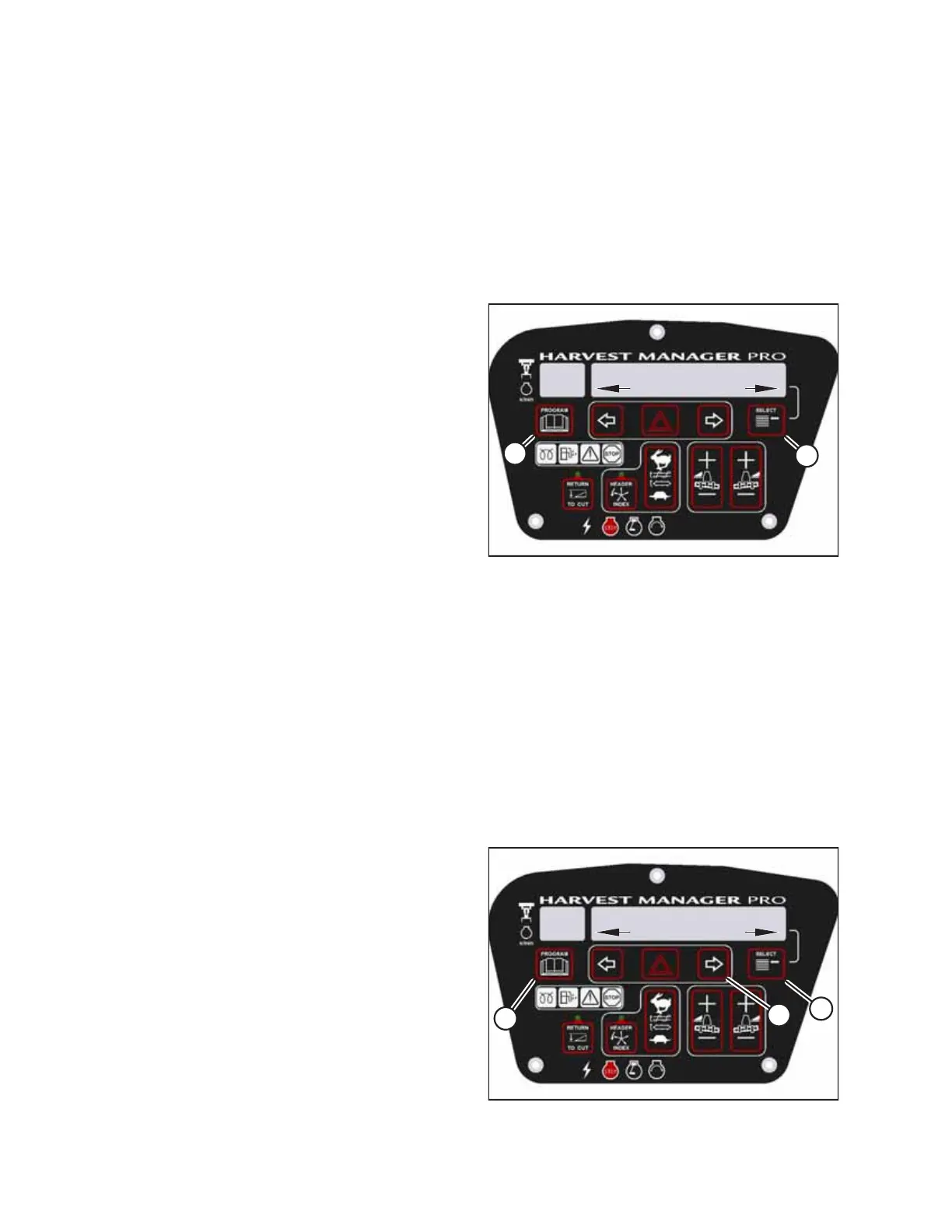
10. Press switch (B) on the console to lower the swath
compressor.
• CALIBRATING SWATH appears on the upper line.
• The messages FORM DOWN and HOLD appear on the
lower line.
• SWATH FORM COMPLETE flashes for two seconds on
the lower line (accompanied by a buzzer tone) when
the calibration procedure is complete.
1009099
CXXX
MXXX
WINDROWER SETUP?
NO/YES
A
B
Figure 3.105: CDM Programming Buttons
11. Press PROGRAM (A) to exit programming mode or press
SELECT (B) to proceed to the next windrower setup option.
Activating Hay Conditioner
The HC10 Hay Conditioner feature must be activated in the windrower’s cab display module (CDM) before it can be used.
The HAY CONDITIONER sub-menu can be accessed from the CDM’s WINDROWER SETUP menu.
NOTE:
• This procedure applies to windrowers with an attached draper header only.
• The header MUST be attached to the windrower to perform this procedure. The cab display module (CDM)
automatically adjusts its programming for each header. For more information, refer to 4.5 Attaching and Detaching
Headers, page 215.
To activate the hay conditioner:
1009066
CXXX
MXXX
WINDROWER SETUP?
NO/YES
A
B
C
Figure 3.106: CDM Programming Buttons
1. Turn the ignition key to the RUN position, or start the
engine.
2. Press PROGRAM (A) and SELECT (C) on the CDM to enter
programming mode.
• WINDROWER SETUP? will appear on the upper line.
• NO/YES will appear on the lower line.
3. Press right arrow (B) to select YES. Press SELECT (C).
• SET KNIFE SPEED? will appear on the upper line.
OPERATOR’S STATION



 To Next Page