215676 103 Revision A
1009066
CXXX
MXXX
WINDROWER SETUP?
NO/YES
A
B
C
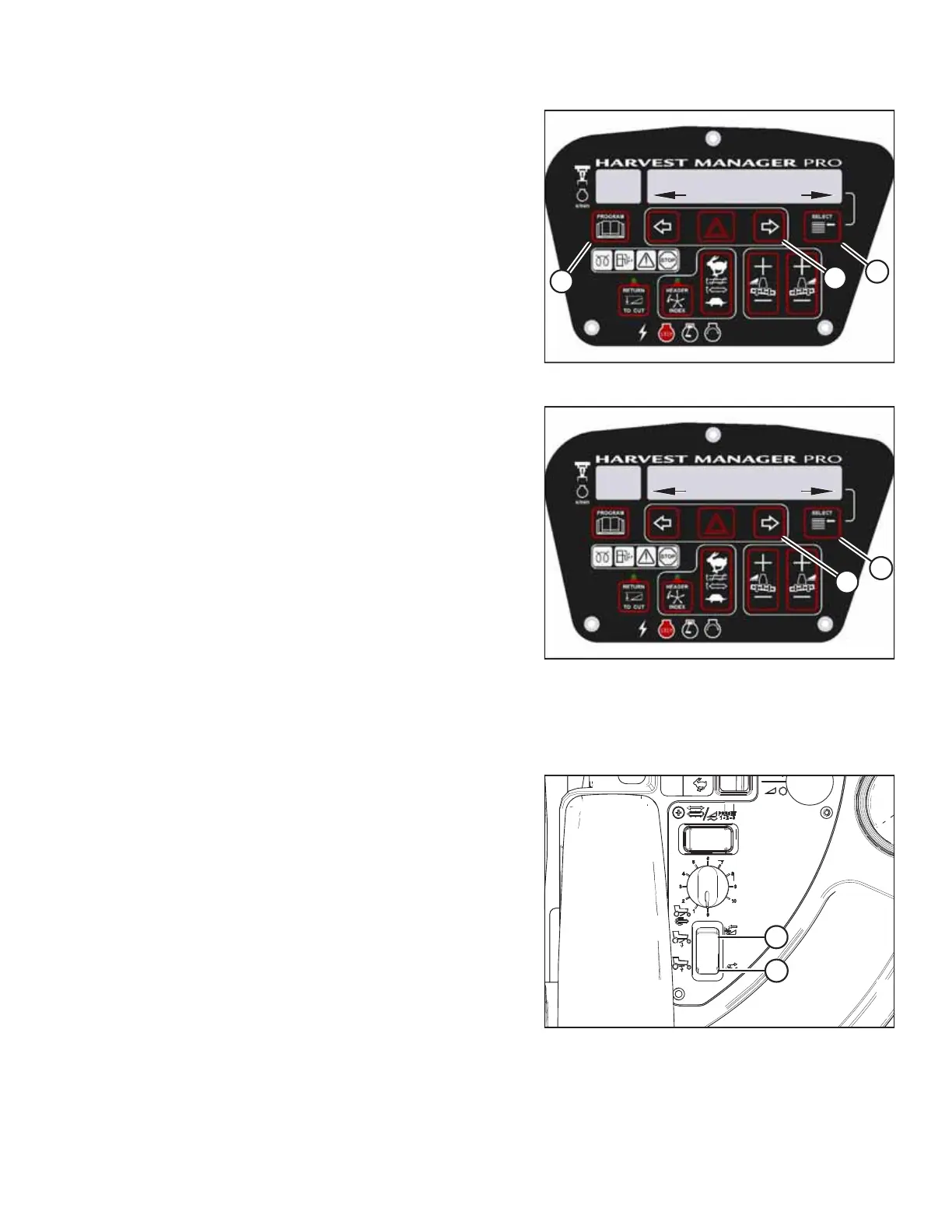
Figure 3.102: Programming Buttons
1. Turn the ignition key to the RUN position, or start the
engine.
2. Press PROGRAM (A) and SELECT (C) simultaneously on the
CDM to enter programming mode.
• WINDROWER SETUP? appears on the upper line.
• NO/YES appears on the lower line.
3. Press right arrow (B) to select YES. Press SELECT (C).
• SET KNIFE SPEED? appears on the upper line.
1022629
CXXX
MXXX
NO/YES
SWATH COMPR INSTALL?
B
A
Figure 3.103: Swath Compressor Controls
4. Press SELECT (B) until SWATH COMPR INSTALL? appears on
the upper line.
• NO/YES appears on the lower line.
5. Press right arrow (A) to select YES. Press SELECT (B).
6. Press SELECT (B) until CALIBRATE SENSORS appears on the
upper line. NO/YES appears on the lower line.
7. Press right arrow (A) to select YES. Press SELECT (B).
• TO CALIBRATE SELECT appears on the upper line.
• HEADER HEIGHT appears on the lower line.
8. Press right arrow (A) to scroll through choices until SWATH
COMPR HT appears. Press SELECT (B).
• SWATH SENSOR CAL appears on the upper line.
• SWATH UP TO START appears on the lower line.
Figure 3.104: Swath Compressor Switch
9. Press switch (A) on the console to raise the swath
compressor.
• CALIBRATING SWATH appears on the upper line.
• The messages FORM UP and HOLD (HOLD will be
flashing) appear, and will remain on the lower line until
the system has received a signal from the fully-raised
swath compressor.
• The messages SWATH FORM UP and DONE
(accompanied by a buzzer tone ) will appear on the
lower line when the calibration procedure is complete.
• SWATH SENSOR CAL appears on the upper line.
• PRESS SWATH DOWN appears on the lower line.
OPERATOR’S STATION



 To Next Page