215676 339 Revision A
Cleaning Air Conditioning Evaporator Core
Once the air conditioning cover has been removed, the evaporator core can be accessed. The core must be cleaned
sufficiently so that blown air is able to penetrate through the core.
WARNING
To avoid injury, do NOT attempt to clean the evaporator fins with your bare hands; the edges are sharp.
1. Remove the air conditioning cover. For instructions, refer to Removing Air Conditioner Cover, page 338.
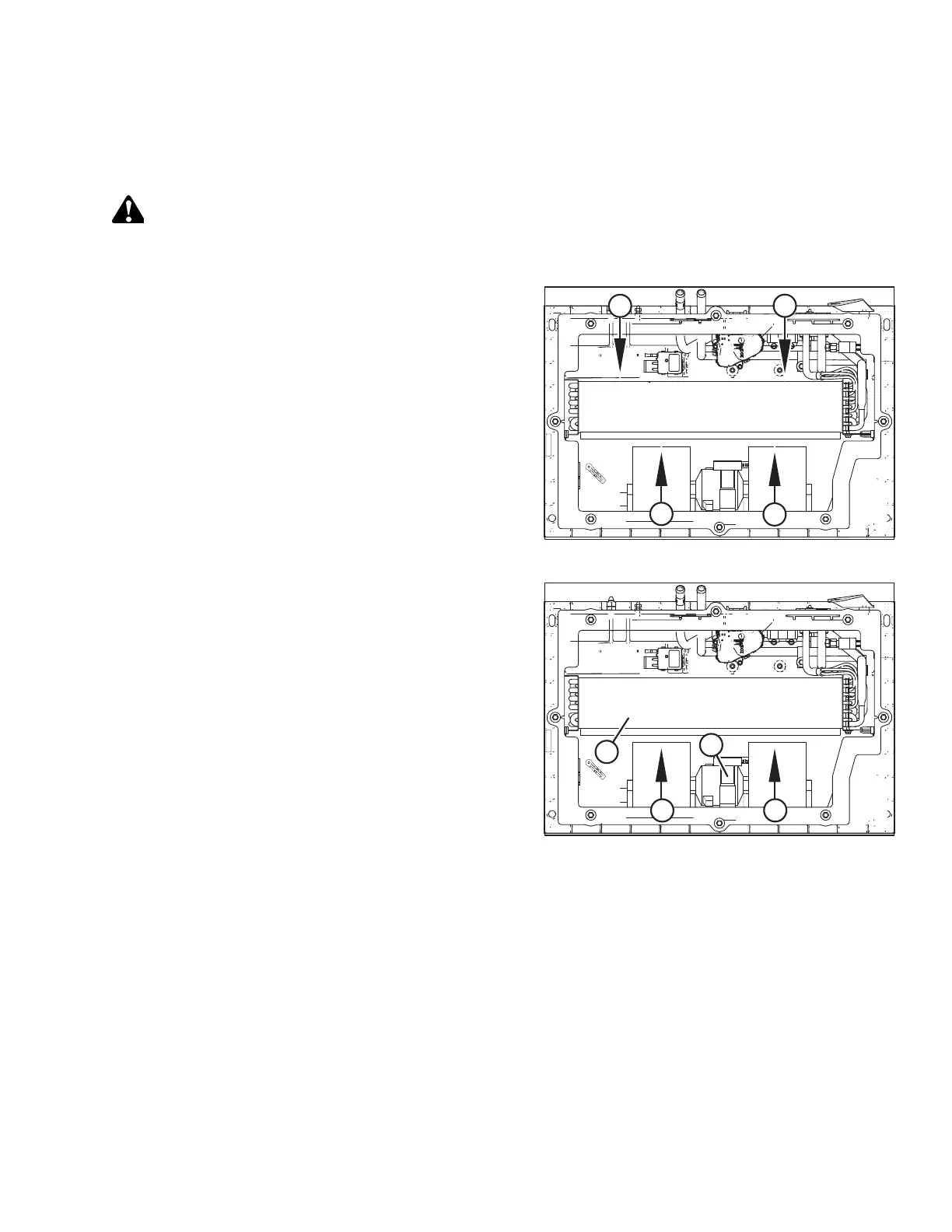
Figure 5.39: HVAC System
2. Use a vacuum cleaner or compressed air to remove any dirt
inside the A/C unit.
3. Blow compressed air through the evaporator fins from
blower side (A) first. Direct the air straight into the
evaporator to prevent fin damage. Using a nozzle extension
makes this procedure easier.
4. Repeat Step 3, page 339 at side (B) opposite the blowers.
Figure 5.40: HVAC System
5. If you cannot feel the compressed air blowing through the
evaporator core, proceed as follows:
a. Protect blower motor (A) from water.
b. Soak evaporator core (B) with warm water using a low-
pressure hose. Wait for at least five minutes before
proceeding with the next step.
c. Blow compressed air through the core from blower
side (C).
d. Repeat the soaking procedure until air blows freely
through the evaporator.
6. Reinstall the air conditioning cover. For instructions, refer to
Installing Air Conditioning Cover, page 340.
MAINTENANCE AND SERVICING



 To Next Page