215676 54 Revision A
3.10.3 Climate Controls
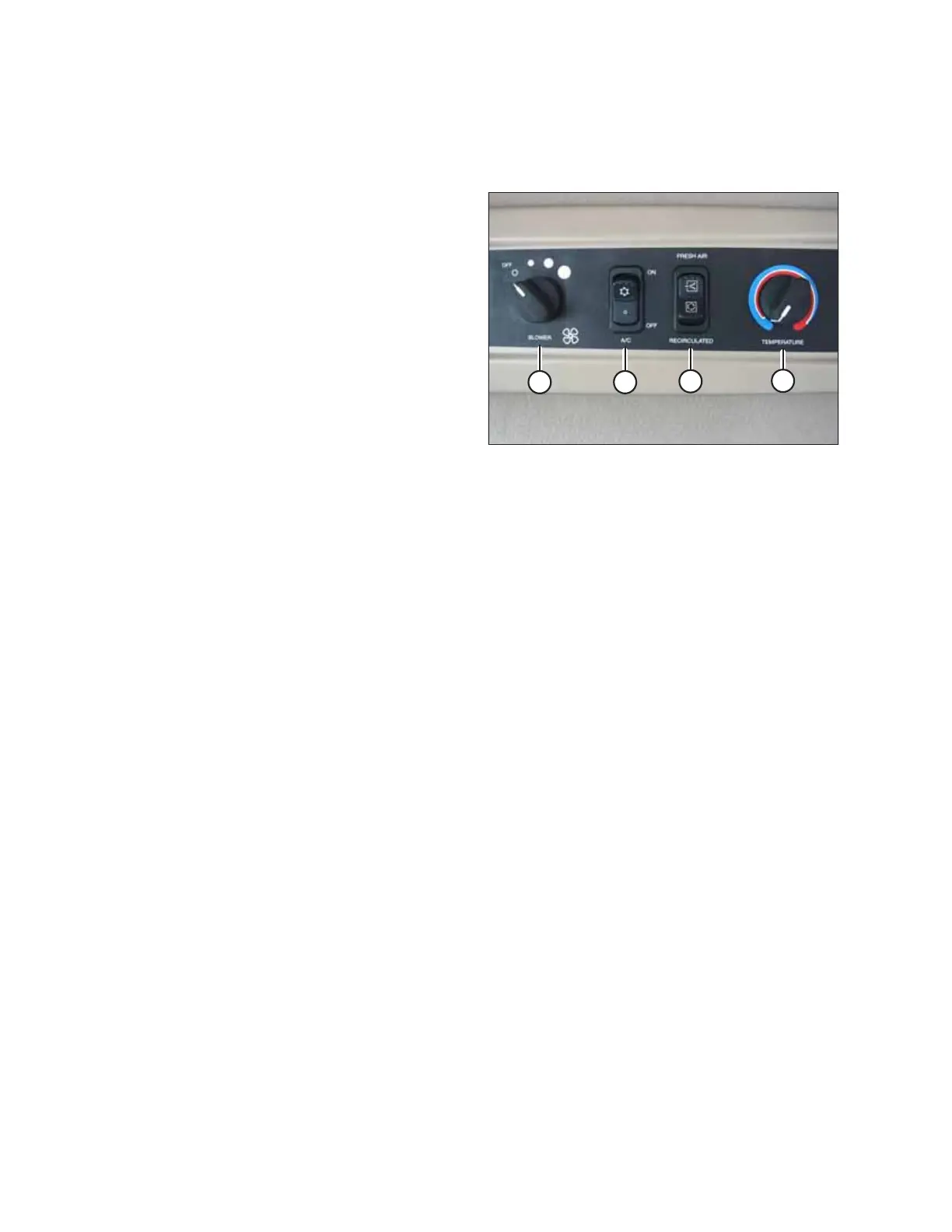
The climate controls in the cab’s headliner allow the Operator to control the blower fan speed, to turn the air conditioning
(A/C) on and off, to change the air supply source, and to control the temperature of the blown air.
Figure 3.28: Climate Controls
Blower switch (A) – controls the blower fan speed
• OFF / LOW / MEDIUM / HIGH
Air conditioning (A/C) switch (B) – controls the A/C system
• OFF: A/C is not active
• ON: A/C is active when the blower switch is set to a non-OFF
setting (that is, low, medium, or high)
Outside air switch (C) – controls the air source for the blower
• FRESH AIR: Starts the booster fan, so that filtered outside air
is drawn into the cab
• RECIRCULATE: Stops the booster fan, so that no fresh air is
drawn into the cab
Temperature control dial (D) – controls the temperature of the
blown air
• Turning the dial clockwise increases the temperature of the
blown air
• Turning the dial counterclockwise decreases the
temperature of the blown air
IMPORTANT:
When starting the windrower after it has been stored for a week or more, the refrigerant must be distributed through the
A/C system for it to work properly. For instructions, refer to Cycling Air Conditioning Compressor Coolant, page 159.
OPERATOR’S STATION



 To Next Page