215676 139 Revision A
1009330
CXXX
MXXX
ACTIVATE FUNCTIONS?
NO/YES
B
A
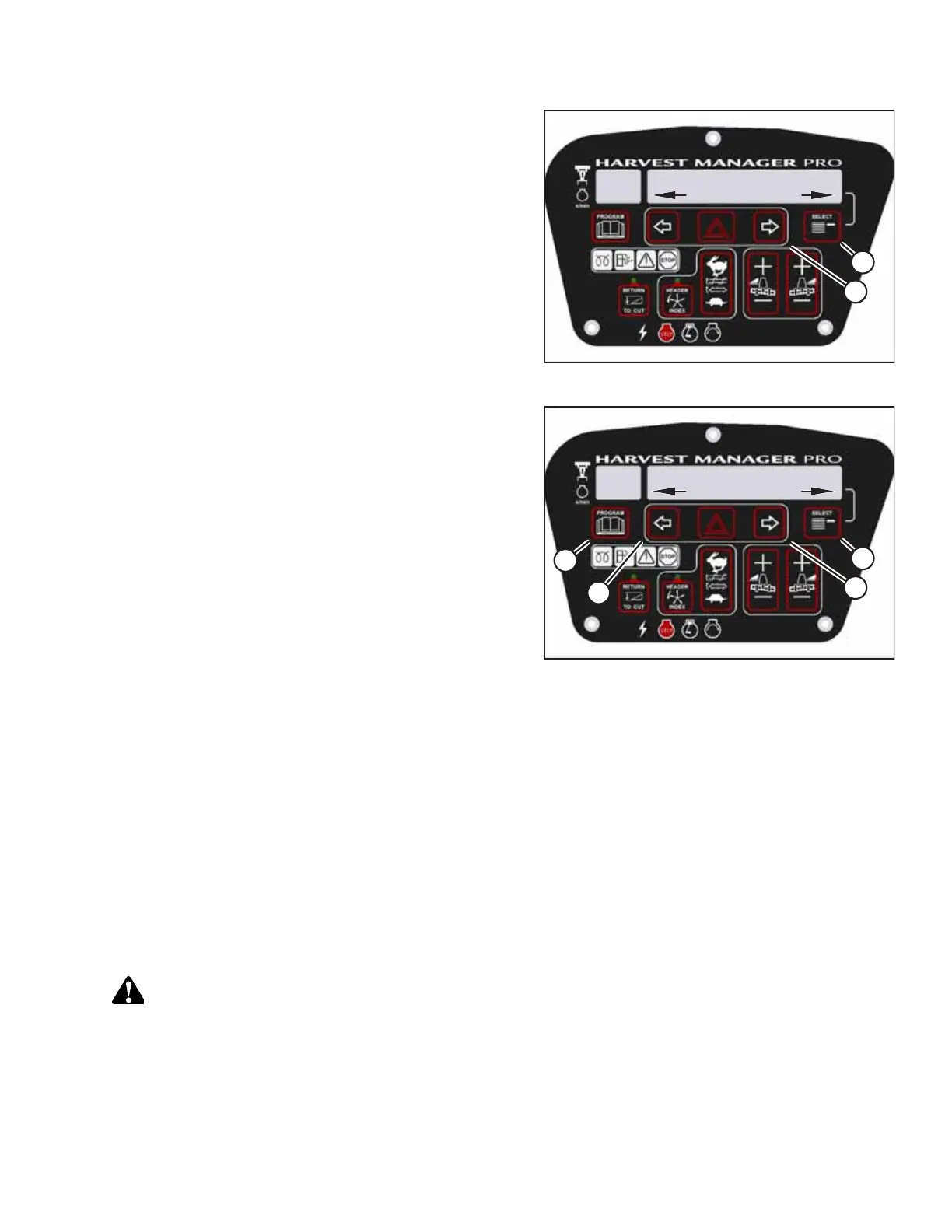
Figure 3.186: Functions
5. Press SELECT (B) until ACTIVATE FUNCTIONS? appears on
the upper line.
• NO/YES will appear on the lower line.
6. Press right arrow (A) to select YES. Press SELECT (B).
1009297
CXXX
MXXX
ACTIVATE HDR TILT
IN/OUT
D
C
B
A
Figure 3.187: Header Tilt Angle
7. Press SELECT (D) until ACTIVATE HDR TILT appears on the
upper line.
• IN/OUT will appear on the lower line.
8. Press and hold left arrow (B) to tilt the header toward the
ground. Press and hold right arrow (C) to tilt the header
away from the ground. Ensure that the tilt functions are
working correctly.
9. Press PROGRAM (A) to exit programming mode or press
SELECT (D) to proceed to the next header function option.
Testing Knife Drive Circuit Using Cab Display Module
It may be necessary to use the cab display module (CDM) to test the knife drive circuit, rather than using the controls on
the operator’s station.
IMPORTANT:
Do NOT overspeed the header’s knife drive. Overspeeding can lead to vibration, belt failures, or other overspeeding-
related problems.
NOTE:
• The header must be attached to windrower to follow this procedure. For more information, refer to 4.5 Attaching and
Detaching Headers, page 215.
• The engine must be running to perform this procedure.
DANGER
Ensure that all bystanders have cleared the area.
OPERATOR’S STATION



 To Next Page