215676 101 Revision A
Activating Rotary Disc Header Drive Hydraulics
To use a rotary disc header with the windrower, you must activate the header drive hydraulics option on the windrower’s
cab display module (CDM).
NOTE:
This procedure requires installation of the optional Disc Drive Kit (MD #B4657).
For more information, refer to 7.3.9 R80 and R85 Rotary Header Drive Hydraulics – 4.0 m (13 ft.), page 462.
1009066
CXXX
MXXX
WINDROWER SETUP?
NO/YES
A
B
C
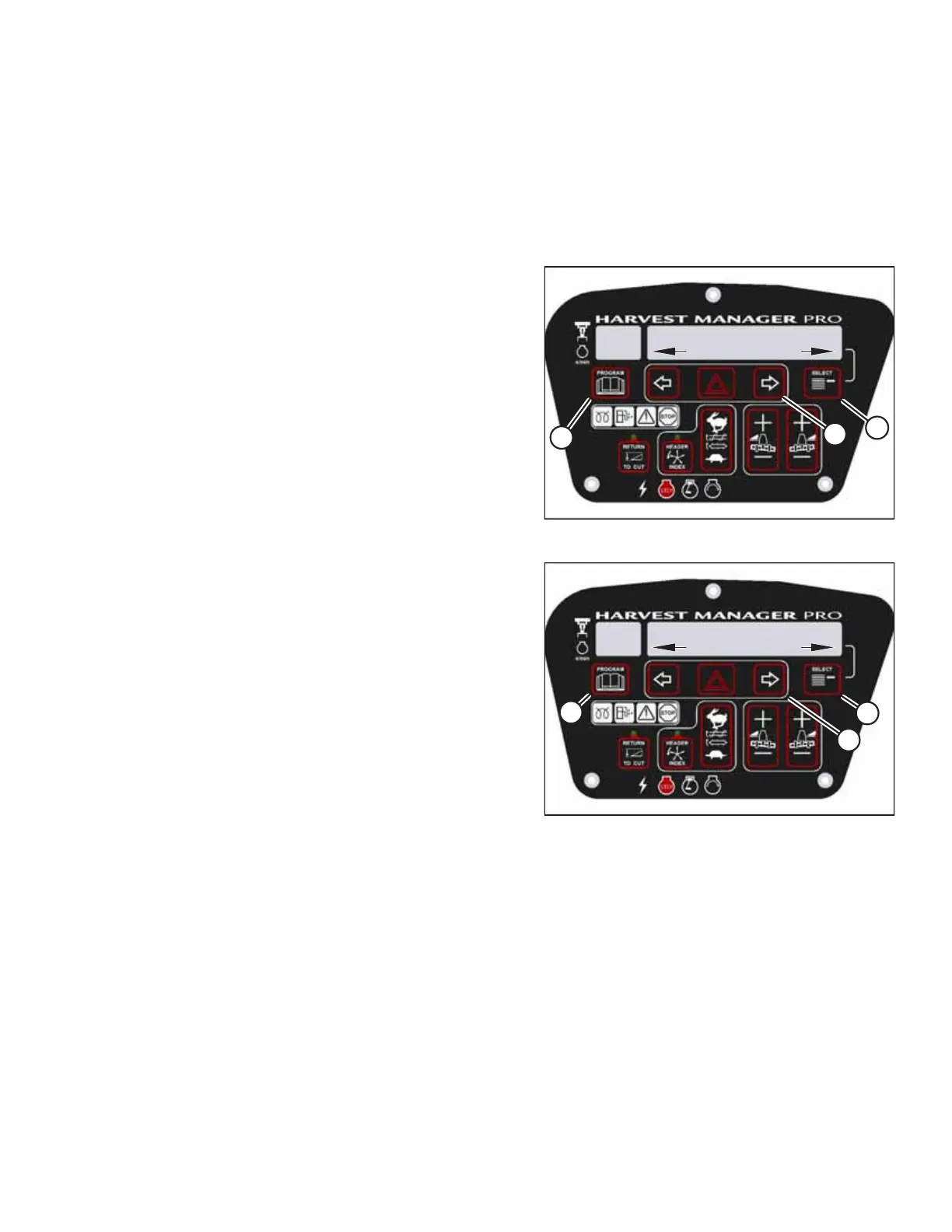
Figure 3.98: CDM Programming Buttons
1. In the windrower cab, turn the ignition key to RUN, or start
the engine.
2. Press PROGRAM (A) and SELECT (C) on the cab display
module (CDM) to enter programming mode.
• WINDROWER SETUP? appears on the upper line.
• NO/YES appears on the lower line.
3. Press right arrow (B) to select YES. Press SELECT (C).
• SET KNIFE SPEED? appears on the upper line.
1018151
CXXX
MXXX
DISC BLK INSTALLED?
NO/YES
A
B
C
Figure 3.99: Rotary Disc Hydraulics
4. Press SELECT (C) until DISC BLK INSTALLED? appears on the
upper line.
• NO/YES appears on the lower line.
5. Press right arrow (B) to select YES. Press SELECT (C).
NOTE:
When the disc drive kit (MD #B4657) is installed on the
windrower, this setting must be YES even if a rotary header
is not attached to the windrower.
6. Press PROGRAM (A) to exit programming mode, or press
SELECT (C) to proceed to the next WINDROWER SETUP
option.
Setting Header Cut Width
When a header is attached to the windrower, the windrower’s computer automatically detects the type of header.
However, the windrower is unable to determine the exact size of the header attached, only its type, and therefore defaults
to the smallest available cut width for a given model. For example, A Series Auger Headers come in 4.3, 4.9, and 5.5 m (14,
16, and 18 ft.) sizes; if a 4.9 m (16 ft.) header is attached to the windrower, the windrower’s computer will set the cut
width to 4.3 m (14 ft.). The cut width setting must be manually adjusted in the cab display module (CDM).
NOTE:
• The header MUST be attached to the windrower to perform this procedure. The cab display module (CDM)
automatically adjusts its programming for each header. For more information, refer to 4.5 Attaching and Detaching
Headers, page 215.
• Header cut width is set to less than the actual header width in order to accurately measure the number of acres cut.
OPERATOR’S STATION



 To Next Page