215676 136 Revision A
1009289
CXXX
MXXX
ACTIVATE HEADER HT
DOWN/UP
D
C
B
A
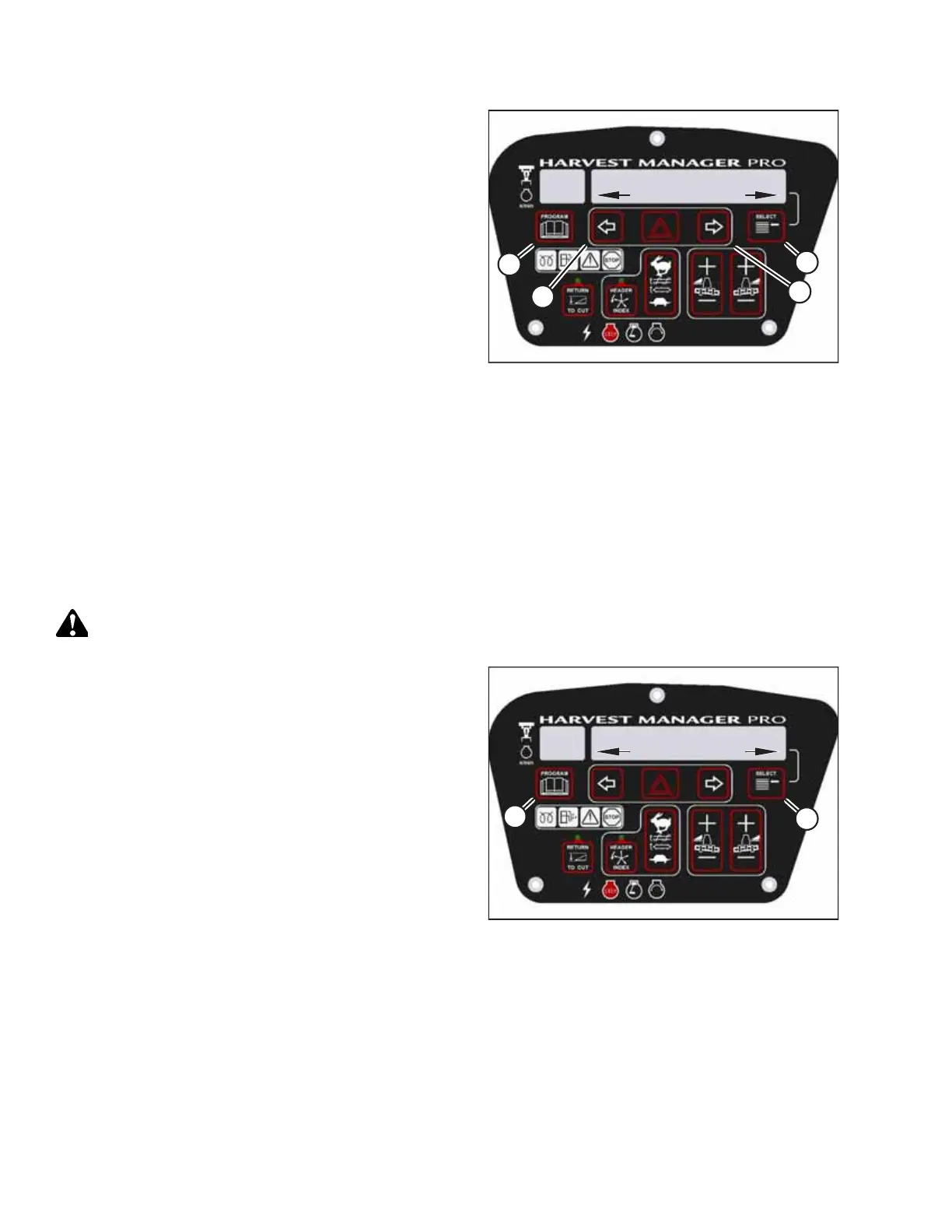
Figure 3.179: Header Height
7. Press SELECT (D) until ACTIVATE HEADER HT appears on the
upper line.
• DOWN/UP will appear on the lower line.
8. Press and hold left arrow (B) to lower the header, or press
and hold right arrow (C) to raise the header. Ensure that the
header is working properly.
9. Press PROGRAM (A) to exit programming mode or press
SELECT (D) to proceed to the next header function option.
Testing Reel Up/Down Activate Function Using Cab Display Module
The cab display module (CDM) can be used to change the height of the attached header’s reel, rather than using the reel
height controls on the ground speed lever (GSL). This procedure is used to test the functionality of this feature.
NOTE:
• This procedure applies to windrowers with attached draper headers only.
• The header must be attached to the windrower to perform this procedure. The CDM automatically adjusts its
programming for each header. For more information, refer to 4.5 Attaching and Detaching Headers, page 215.
DANGER
Ensure that all bystanders have cleared the area.
1009099
CXXX
MXXX
WINDROWER SETUP?
NO/YES
A
B
Figure 3.180: M155 CDM Programming Buttons
1. Start the engine.
2. Press PROGRAM (A) and SELECT (B) simultaneously on the
CDM to enter programming mode. Press SELECT (B).
• WINDROWER SETUP? will appear on the upper line.
OPERATOR’S STATION



 To Next Page