215676 135 Revision A
1009099
CXXX
MXXX
WINDROWER SETUP?
NO/YES
A
B
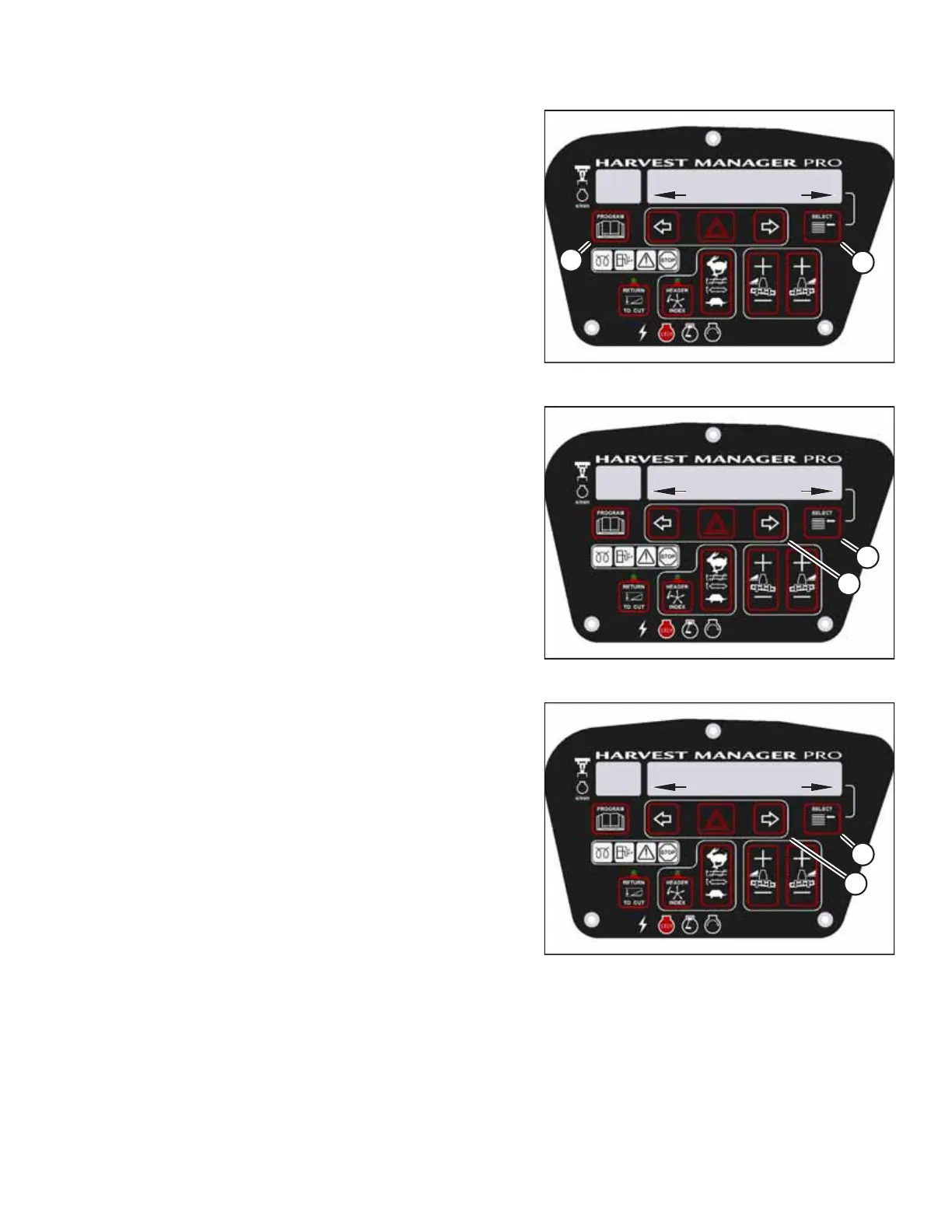
Figure 3.176: CDM Programming Buttons
1. Start the engine.
2. Press PROGRAM (A) and SELECT (B) simultaneously on the
CDM to enter programming mode. Press SELECT (B).
• WINDROWER SETUP? will appear on the upper line.
1009288
CXXX
MXXX
DIAGNOSTIC MODE?
NO/YES
A
B
Figure 3.177: Diagnostic Functions
3. Press SELECT (B) until DIAGNOSTIC MODE? appears on the
upper line.
• NO/YES will appear on the lower line.
4. Press right arrow (A) to select YES. Press SELECT (B).
1009330
CXXX
MXXX
ACTIVATE FUNCTIONS?
NO/YES
B
A
Figure 3.178: Functions
5. Press SELECT (B) until ACTIVATE FUNCTIONS? appears on
the upper line.
• NO/YES will appear on the lower line.
6. Press right arrow (A) to select YES. Press SELECT (B).
OPERATOR’S STATION



 To Next Page