215676 108 Revision A
1009119
CXXX
MXXX
PRESS HAZARD TO SET
ISC RPM ####
D
C
B
A
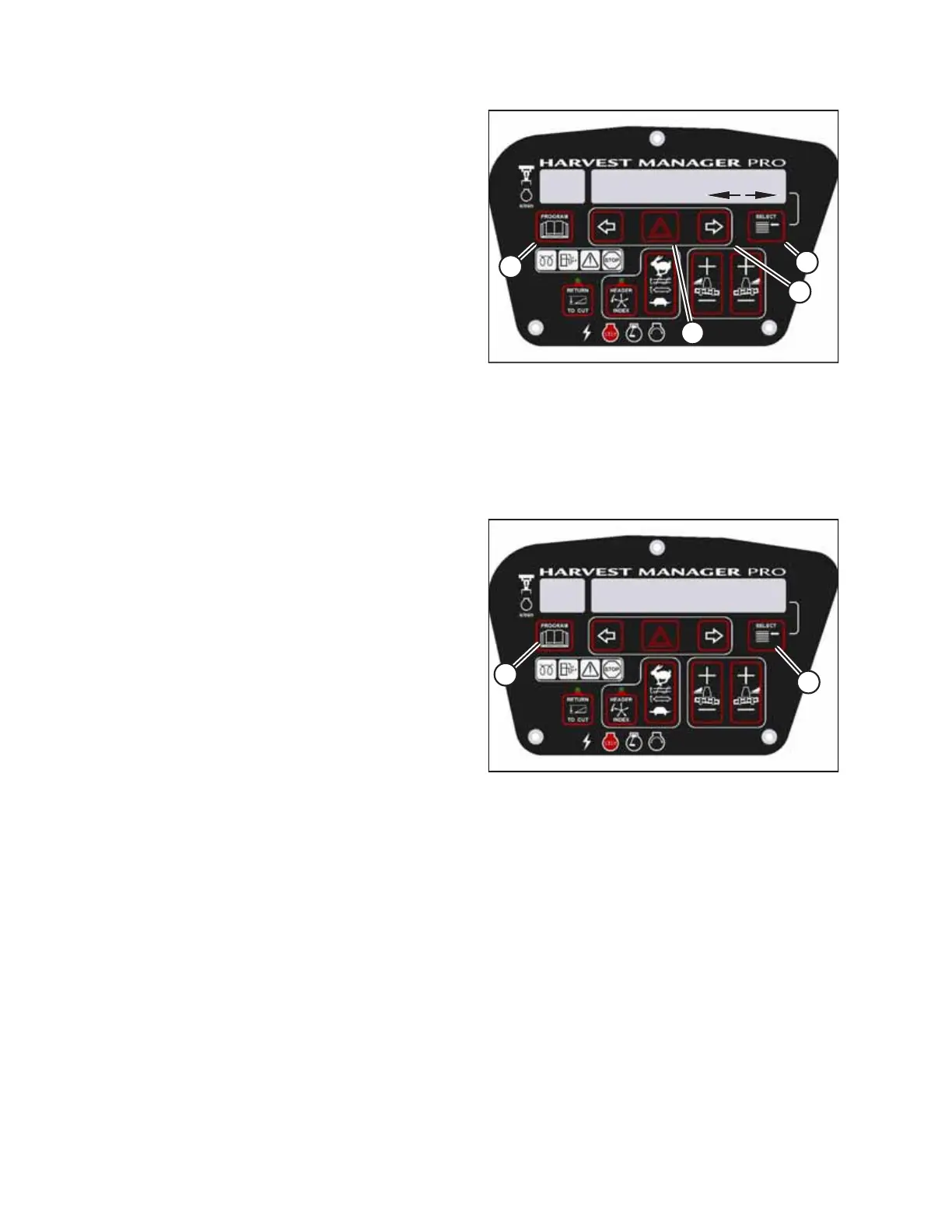
Figure 3.114: ISC RPM
6. Press right arrow (C) to cycle between the setting options.
Press HAZARD (B) to confirm the desired setting.
7. Press SELECT (D).
• EXIT ENGINE ISC? will appear on the upper line.
• NO/YES will appear on the lower line.
8. Press right arrow (C) to select YES. Press SELECT (D).
9. Press PROGRAM (A) to exit programming mode.
Clearing Sub-Acres
The windrower has two counters for acres: one counter tracks the total number of acres harvested during the machine’s
lifetime, while the other counter tracks the acres harvested during individual harvesting instances. The sub-acre counter
can be reset to zero as needed by accessing the SUB-ACRES menu in the windrower’s cab display module (CDM).
Figure 3.115: Cab Display Module (CDM)
1. With the key in the ON position and the operator’s station
in cab-forward mode, press SELECT until SUB-ACRES
appears on the bottom line.
2. Press and hold PROGRAM button (A) until the counter is
reset to zero.
3.19.9 Activating Cab Display Lockouts
Some header configuration settings in the windrower’s cab display module (CDM) can be locked, so that Operators lacking
the proper authorization will be unable to change these settings. Use this feature to keep header settings constant when
there are multiple Operators operating the windrower.
NOTE:
FUNCTION LOCKED will appear on the CDM when a header function switch which has been locked out is pressed.
OPERATOR’S STATION



 To Next Page