215676 137 Revision A
1009288
CXXX
MXXX
DIAGNOSTIC MODE?
NO/YES
A
B
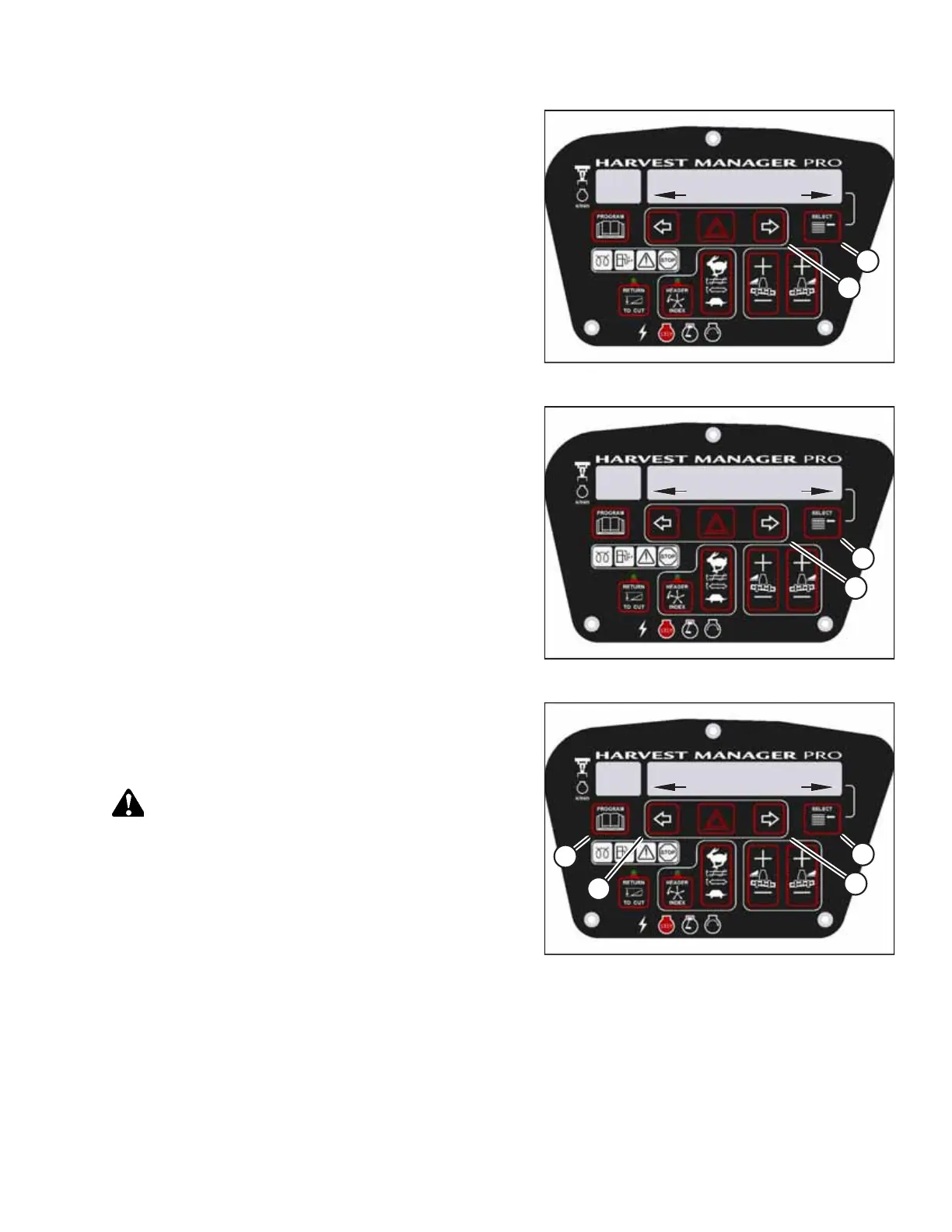
Figure 3.181: Diagnostic Functions
3. Press SELECT (B) until DIAGNOSTIC MODE? appears on the
upper line.
• NO/YES will appear on the lower line.
4. Press right arrow (A) to select YES. Press SELECT (B).
1009330
CXXX
MXXX
ACTIVATE FUNCTIONS?
NO/YES
B
A
Figure 3.182: Functions
5. Press SELECT (B) until ACTIVATE FUNCTIONS? appears on
the upper line.
• NO/YES will appear on the lower line.
6. Press right arrow (A) to select YES. Press SELECT (B).
1009294
CXXX
MXXX
ACTIVATE REEL HT
DOWN/UP
D
C
B
A
Figure 3.183: Reel Height
7. Press SELECT (D) until ACTIVATE REEL HT appears on the
upper line.
• DOWN/UP will appear on the lower line.
DANGER
Ensure that all bystanders have cleared the area.
8. Press and hold left arrow (B) to lower the reel. Press and
hold right arrow (C) to raise the reel. Ensure that the reel is
working properly.
9. Press PROGRAM (A) to exit programming mode or press
SELECT (D) to proceed to next ACTIVATE FUNCTION.
OPERATOR’S STATION



 To Next Page