215676 126 Revision A
1009285
CXXX
MXXX
CALIBRATING FLOAT
PRESS FLOAT + TO START
C
B
A
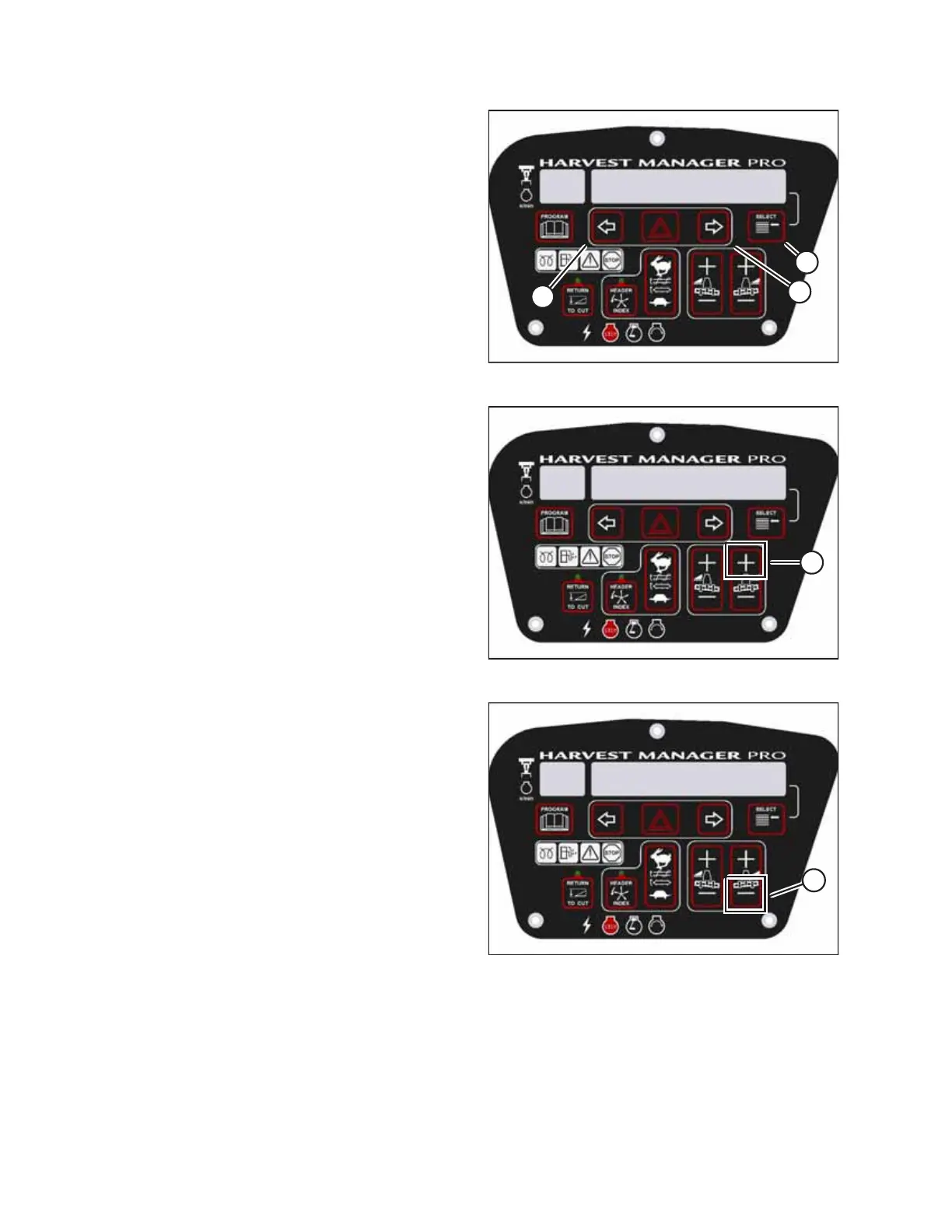
Figure 3.154: M155 Header Float Display
4. Press right arrow (B) to select YES. Press SELECT (C).
• TO CALIBRATE SELECT will appear on the upper line.
5. Press left arrow (A) or right arrow (B) until HEADER FLOAT
appears on the lower line. Press SELECT (C).
• CALIBRATING FLOAT will appear on the upper line.
• PRESS FLOAT + TO START will appear on the lower line.
1009286
CXXX
MXXX
CALIBRATING FLOAT
FLOAT ( + ) HOLD
A
Figure 3.155: Positive Header Float Display
6. Press and hold FLOAT + button (A) on the CDM.
• CALIBRATING FLOAT will appear on the upper line.
• FLOAT ( + ) HOLD will appear on the lower line.
NOTE:
The word HOLD will flash during calibration. FLOAT ( + )
DONE will appear on the lower line once calibration is
complete.
7. Release FLOAT + button (A).
• CALIBRATING FLOAT will appear on the upper line.
• FLOAT ( – ) HOLD will appear on the lower line.
1009287
CXXX
MXXX
CALIBRATING FLOAT
FLOAT ( - ) HOLD
A
Figure 3.156: Negative Header Float Display
8. Press and hold FLOAT – button (A) on the CDM.
• CALIBRATING FLOAT will appear on the upper line.
• FLOAT ( – ) HOLD will appear on the lower line.
NOTE:
The word HOLD will flash during calibration. HDR FLOAT
COMPLETE will appear on the lower line once calibration is
complete.
9. Release FLOAT – button (A).
• TO CALIBRATE SELECT will appear on the upper line.
• HEADER FLOAT will appear on the lower line.
10. Press the right arrow to select the next header sensor calibration or select STOP & EXIT. Press SELECT. For instructions,
refer to Calibrating Header Height Sensor, page 121 or Calibrating Header Tilt Sensor, page 123.
11. Press PROGRAM to exit programming mode.
OPERATOR’S STATION



 To Next Page