215676 132 Revision A
1009099
CXXX
MXXX
WINDROWER SETUP?
NO/YES
A
B
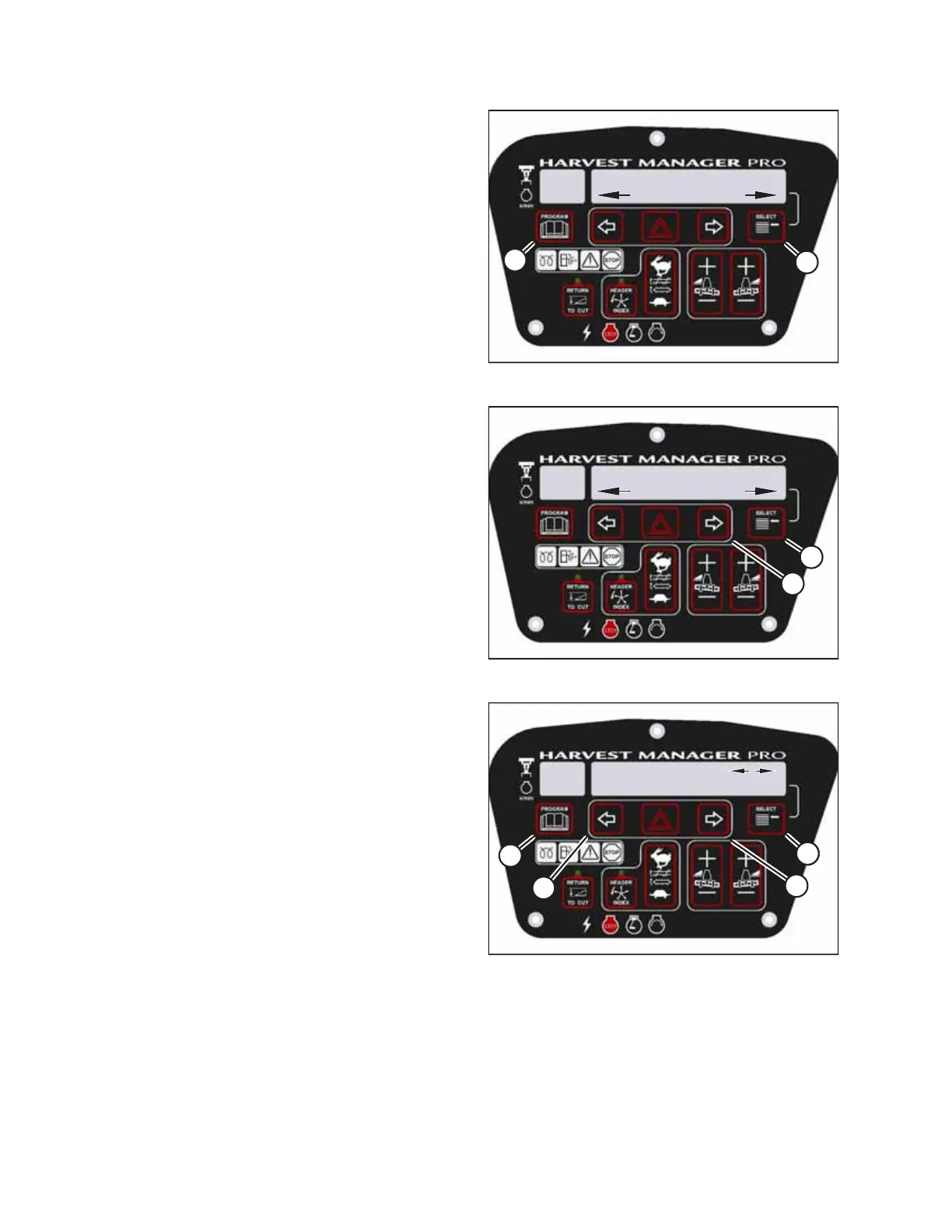
Figure 3.169: CDM Programming Buttons
1. Turn the ignition key to the RUN position, or start the
engine.
2. Press PROGRAM (A) and SELECT (B) simultaneously on the
CDM to enter programming mode.
• WINDROWER SETUP? will appear on the upper line.
• NO/YES will appear on the lower line.
1009288
CXXX
MXXX
DIAGNOSTIC MODE?
NO/YES
A
B
Figure 3.170: Diagnostic Functions
3. Press SELECT (B) until DIAGNOSTIC MODE? appears on the
upper line.
• NO/YES will appear on the lower line.
4. Press right arrow (A) to select YES. Press SELECT (B).
• VIEW ERROR CODES? will appear on the upper line.
5. Press SELECT (B) until READ SENSOR SETUP? appears on the
upper line.
• NO/YES will appear on the lower line.
1009352
CXXX
MXXX
SENSOR INPUT
HDR HEIGHT 1.23 V
C
C
B
A
D
Figure 3.171: Header Sensors
6. Press right arrow (C) to select YES. Press SELECT (D).
• SENSOR INPUT will appear on the upper line.
• HDR HEIGHT 1.23 V will appear on the lower line.
7. Press left arrow (B) or right arrow (C) to review the outputs
from different sensors.
8. Press SELECT (D) to skip to EXIT READ SENSORS? selection.
9. Press right arrow (C) to select YES. Press SELECT.
10. Press PROGRAM (A) to exit programming mode or press
SELECT (D) to proceed to the next diagnostic option.
OPERATOR’S STATION



 To Next Page