215676 211 Revision A
CAUTION
Check to be sure all bystanders have cleared the area.
2. Start the windrower in cab-forward mode.
1023437
CXXX
MXXX
# SWATH COMPR HT
A
B
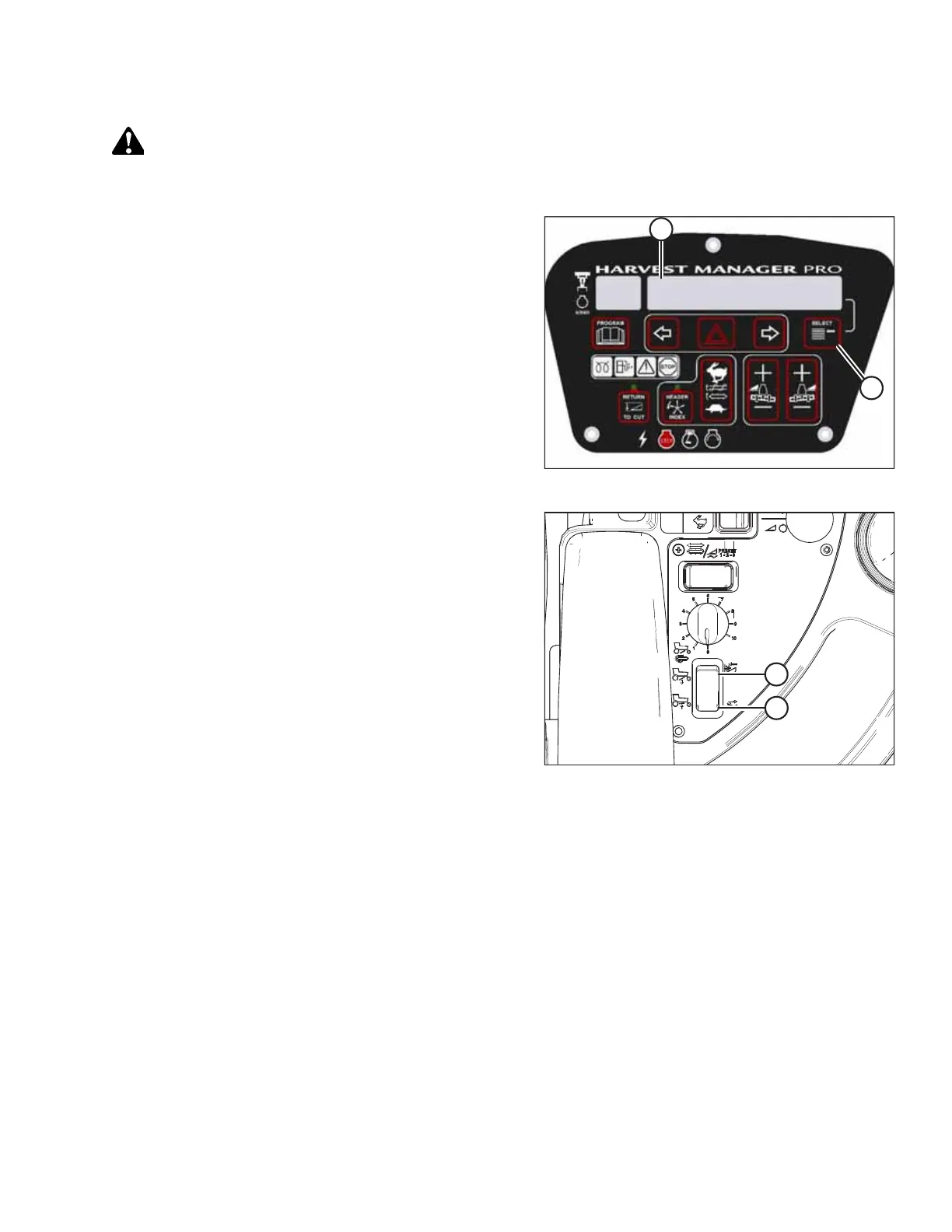
Figure 4.98: CDM Display
3. Press SELECT switch (B) on the cab display module (CDM) to
show SWATH COMPR HT (A) on the display. The height is
displayed using a scale from 0 to 10, where 0 indicates that
the swatch compressor is fully raised, and 10 indicates that
it is fully lowered.
Figure 4.99: Operator’s Console
4. Lower the swath compressor by pressing button (A) on the
operator’s console, and raise it by pressing button (B). The
CDM display indicates the position of the swath
compressor. When the swath compressor is at the desired
height, release the switch to stop the swath compressor’s
movement.
NOTE:
When button (A) is pressed, the CDM will display the new
target swath compressor height value for 5 seconds, after
which the actual height of the swath compressor will be
displayed again.
The swath compressor system has several automated features:
• When the windrower’s ground speed is greater than 2.5 km/h (1.6 mph), the swath compressor falls to the target
height.
• When the windrower’s speed falls below 1.6 km/h (1 mph), the swath compressor will rise to its maximum height.
• When the windrower’s ground speed is greater than 1.6 km/h (1 mph) and the HEADER ENGAGE switch is OFF, the
swath compressor will rise fully.
• The swath compressor will remain fully raised when the windrower is in engine-forward mode.
OPERATION



 To Next Page