215676 264 Revision A
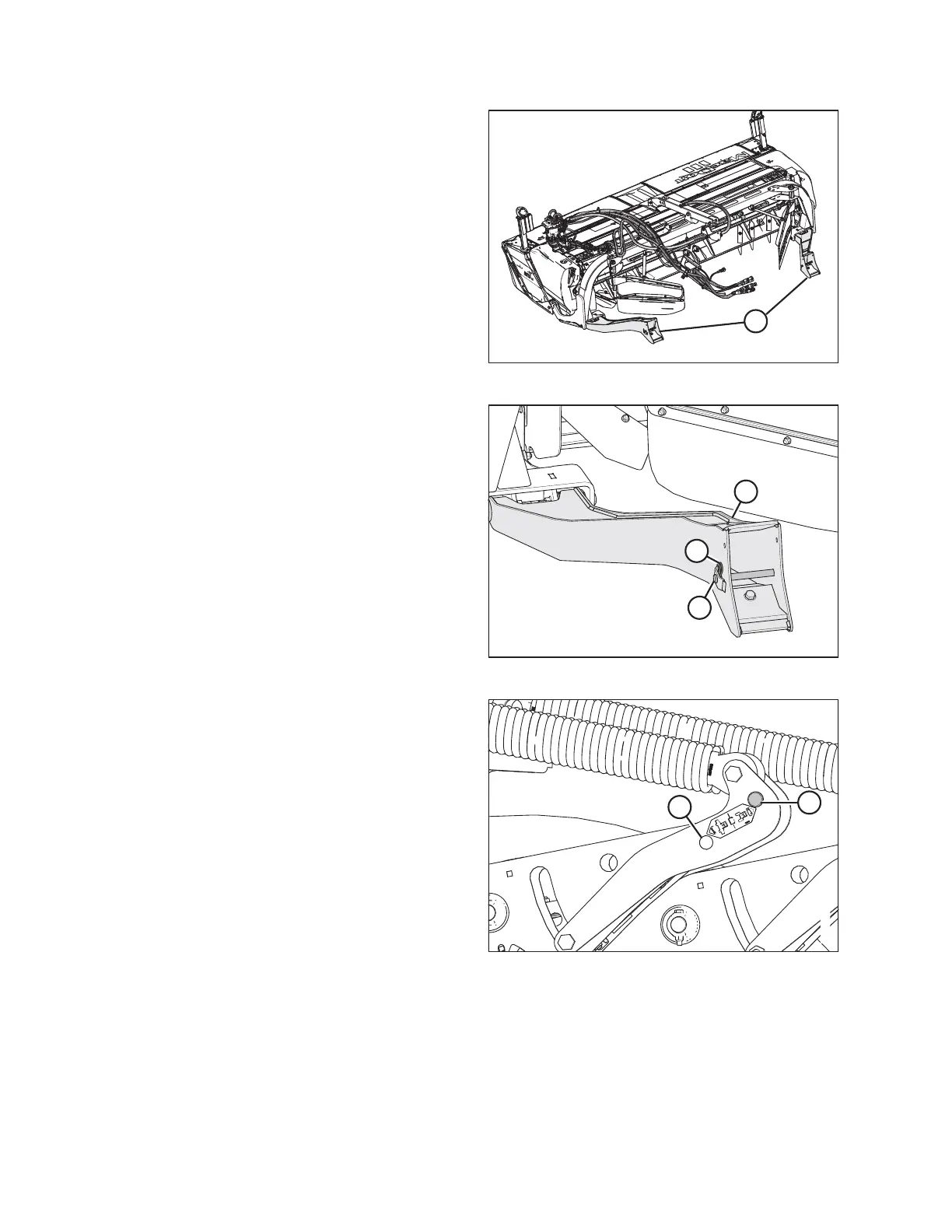
Figure 4.229: Header Supports – R113 SP
2. Locate header supports (A) on the rear of the header.
Figure 4.230: Header Support
3. Remove hairpin (B) from clevis pin (A) and remove the
clevis pin from header support (C) on both sides of the
header.
Figure 4.231: Float Linkage
4. Remove the float engagement pin from hole (A) to
disengage the float springs, and insert the float
engagement pin into storage hole (B). Secure the pin with
the lynch pin. Repeat this step for the opposite linkage.
IMPORTANT:
To prevent damage to the lift system when lowering the
header lift linkages without a header or a weight box
attached to the windrower, ensure that the float
engagement pin is installed in storage hole (B) and NOT in
engaged position (A).
OPERATION



 To Next Page