215676 306 Revision A
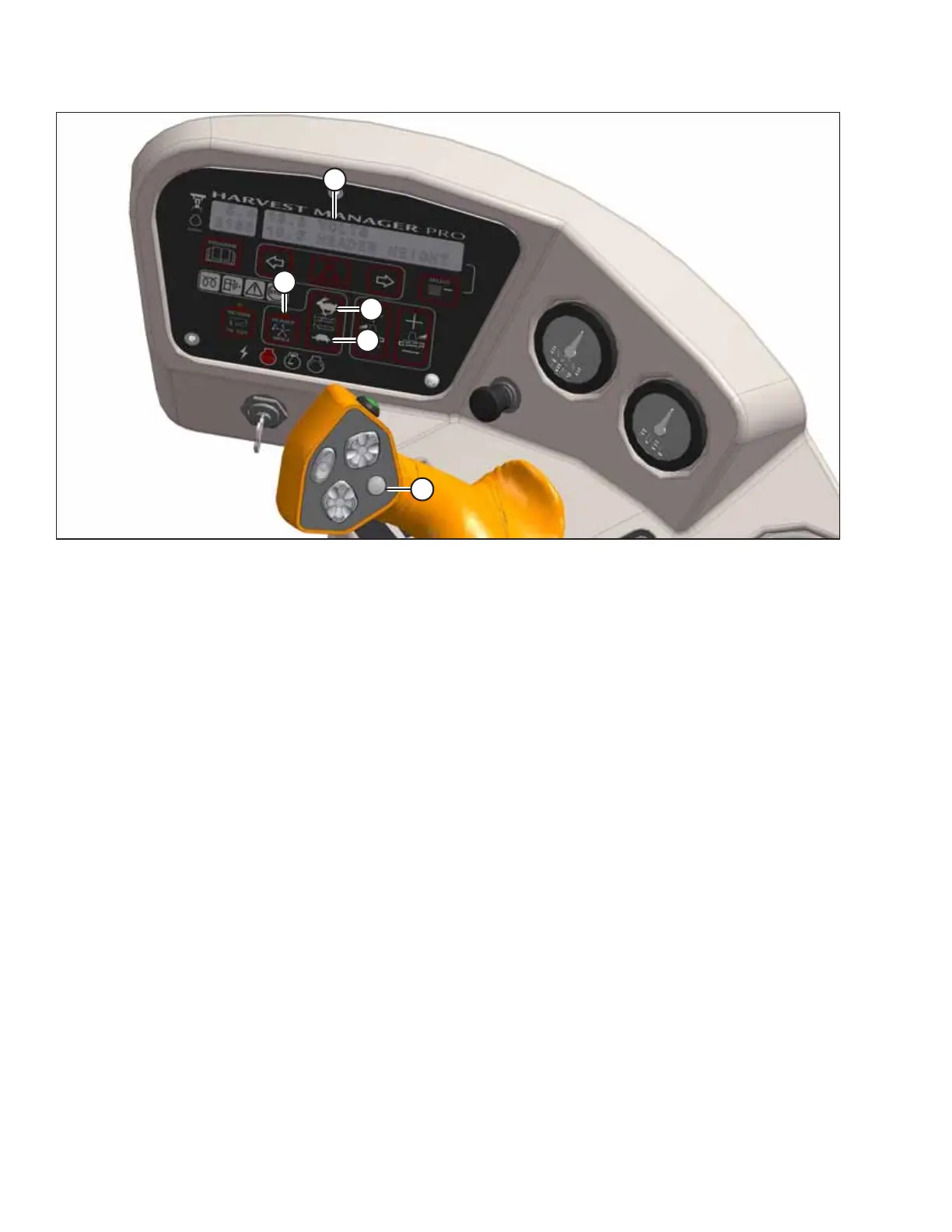
Figure 4.309: Operator Console
2. Next, configure the reel index setting:
IMPORTANT:
The reel index setting can only be adjusted while the windrower is traveling at a ground speed greater than the sum of
the minimum reel speed and the header index value.
a. Set HEADER INDEX switch (B) to ON.
b. Press DISPLAY SELECTOR button (E) on the GSL or press FAST button (C) or SLOW button (D). The message
##.## ##.# REEL IND will appear at location (A). The first term, ##.##, represents the reel speed in rpm, mph, or
km/h, depending on how the cab display module (CDM) is configured. The second term, ##.#, represents the reel
index setting.
c. Press FAST button (C) or SLOW button (D) until the desired reel index value is achieved.
NOTE:
The reel will continue operating at the minimum reel speed setting when the windrower’s ground speed drops below
the set value.
If this occurs, the message ##.## MIN REEL will appear at location (A). To prevent this message from appearing, raise
the minimum reel speed, or increase the windrower’s ground speed.
Examples:
• The windrower is traveling at 8 mph with the HEADER INDEX switch set to the ON state, and the header index value set
to -1.0.
The CDM will display the message 7.0 -1.0 REEL IND, where 7.0 (8.0-1.0) is the reel speed in mph and -1.0 is the header
index setting.
• The windrower speed drops to 7.5 mph, while the header index value remains the same.
The CDM will display the message 6.5 -1.0 REEL IND, where 6.5 (7.5-1.0) is the reel speed in mph and -1.0 is the header
index setting.
• The windrower is traveling at 8 mph, and the header index value is set to 2.0.
OPERATION



 To Next Page