ON-BOARD DIAGNOSTIC [AUDIO]
T–177
T
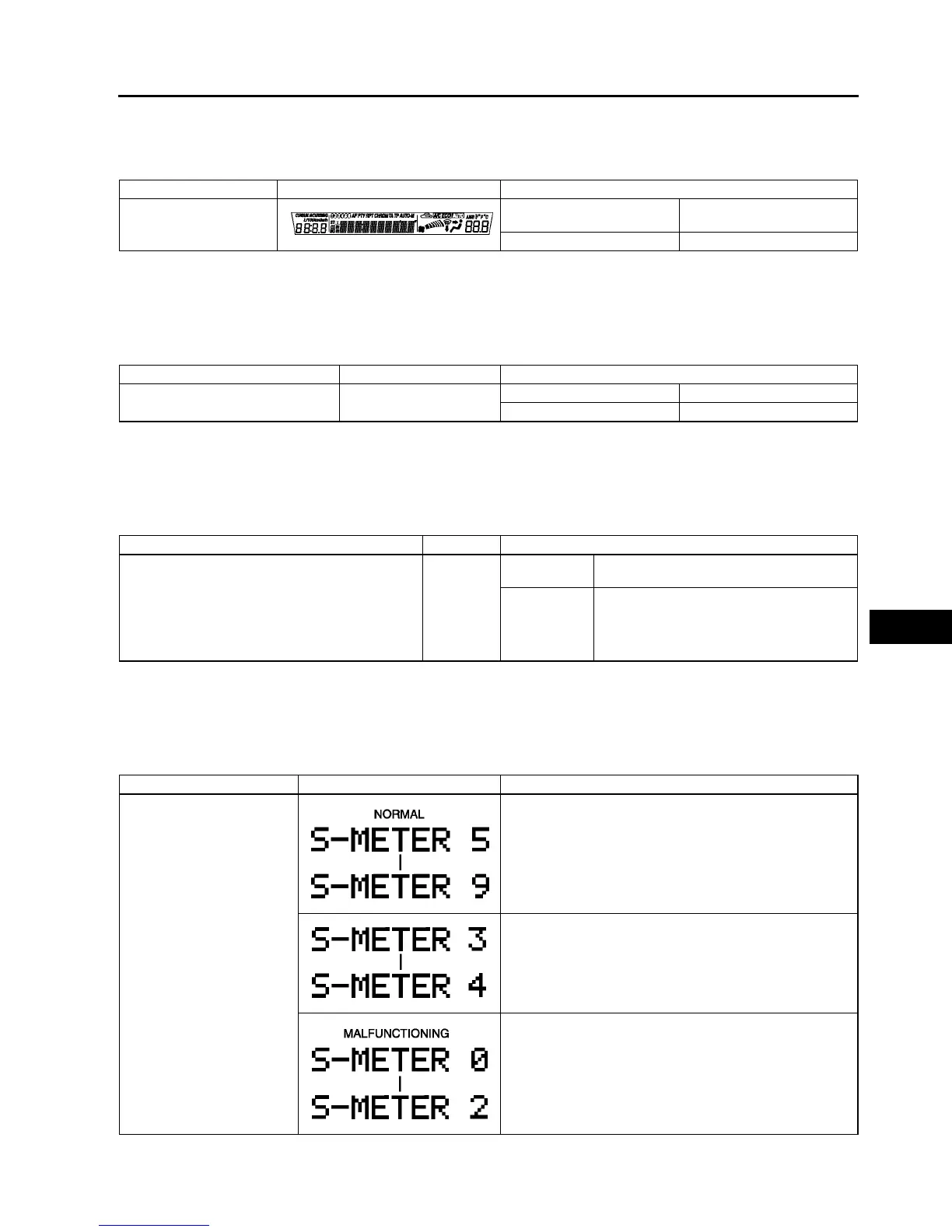
LCD Inspection
1. With audio on, first press the POWER button, then simultaneously press the SEEK button (upper) for
approximately 1 second.
2. Inspect the LCD according to the following table:
3. Turn the audio off or the ignition switch to the LOCK position to stop the diagnostic assist function.
Button Inspection
1. With audio on, first press the POWER button, then simultaneously press the TAPE/MD button for
approximately 1 second.
2. Inspect the button according to the following table:
3. Turn the audio off or the ignition switch to the LOCK position to stop the diagnostic assist function.
Speaker Inspection
1. With audio on, first press the POWER button, then simultaneously press the AUTO-M button for
approximately 1 second.
2. Inspect the speaker according to the following table:
3. Turn the audio off or the ignition switch to the LOCK position to stop the diagnostic assist function.
Radio Reception Condition Inspection
1. With audio on and at radio mode, first press the POWER button, then simultaneously press the preset button
“2” for approximately 1 second.
2. Inspect the radio reception condition according to the following table:
3. Turn the audio off or the ignition switch to the LOCK position to stop the diagnostic assist function.
Inspection Display Action
Start LCD inspection
mode.
Characters displayed in LCD
are not truncated or faint.
LCD is okay.
Other than above. Replace base unit.
Inspection Display Action
• Start button inspection mode.
• Press the all buttons.
—
Buzzer sounds. Button is okay.
Buzzer does not sound. Replace base unit.
Inspection Display Action
• Start speaker inspection mode.
• Does each speaker output sound in the
following order?
1. Left front door speaker and tweeter
2. Right front door speaker and tweeter
3. Right rear door speaker and woofer
4. Left rear rear door speaker and woofer
—
Yes
Speakers and wiring harness between base
unit and speakers are okay.
No
Inspect the following parts.
• Malfunctioning speaker
• Wiring harness between base unit and
malfunctioning speaker
Inspection Display Action
Start radio reception
condition inspection mode.
Antenna, antenna feeder, and base unit are okay.
Change frequency (channel) and inspect again.
Inspect antenna and antenna feeder.
• If either one of them is not okay, replace malfunctioning
part.
• If both are okay, replace base unit.



 To Next Page