CONTROL SYSTEM
F–43
F
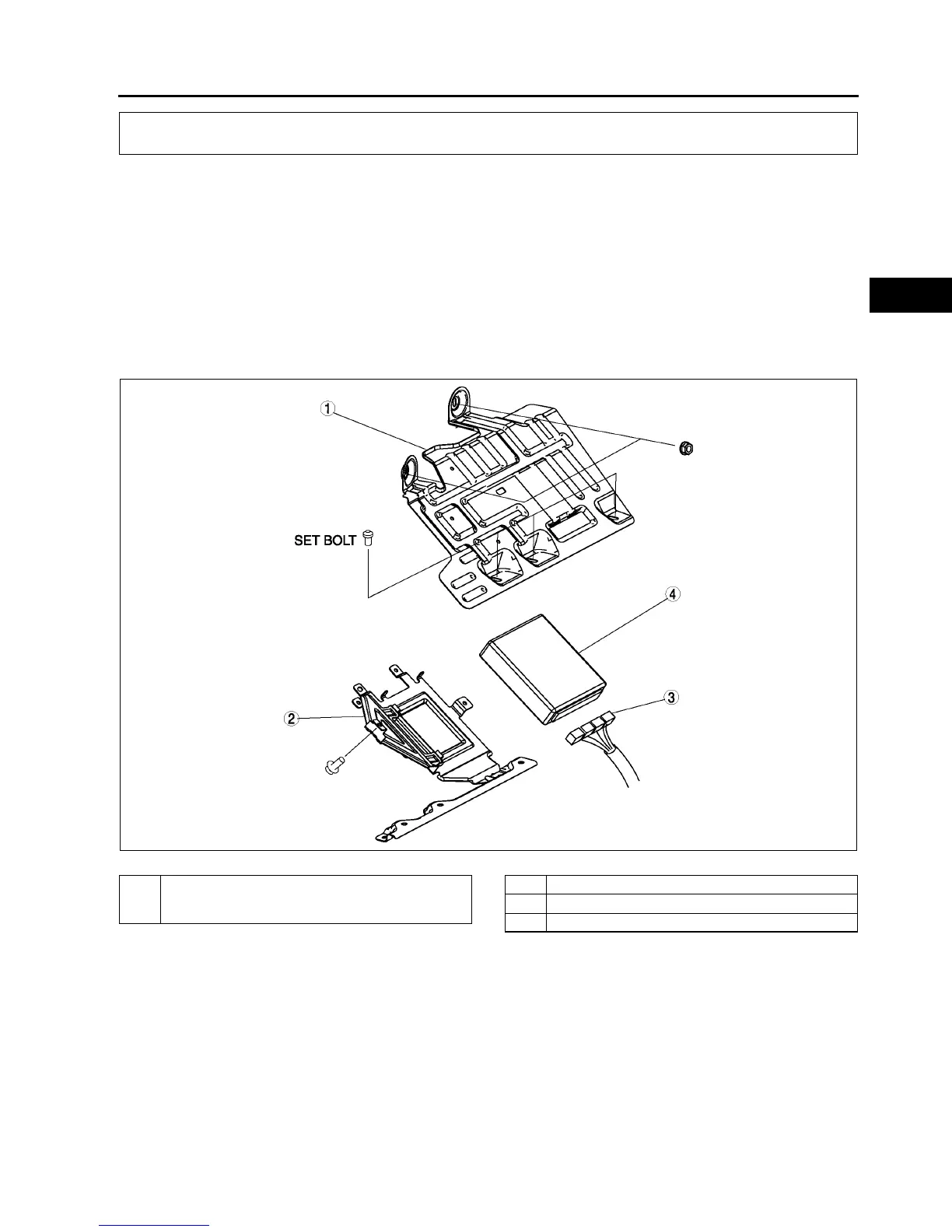
PCM REMOVAL/INSTALLATION
A6E394018880W01
Note
• For replace the PCM, Setup the WDS and perform the PCM configuration. (See F–50 PCM
CONFIGURATION.)
1. Disconnect the negative battery cable.
2. For R.H.D, perform the following procedures.
(1) Remove the front side trim (left-side).
(2) Partially peel back the flower covering.
3. Remove in the order indicated in the table.
4. Install in the reverse order of removal.
U.K. specs.
.
CONTROL SYSTEM
A6E3940W002
1 PCM cover No. 1
(See F–44 Set Nut/bolt Removal Note)
(See F–44 Set Nut/bolt Installation Note)
2 PCM cover No. 2
3 PCM connector
4PCM



 To Next Page